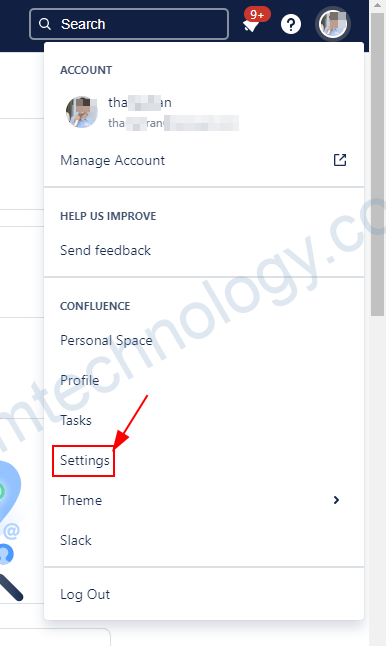
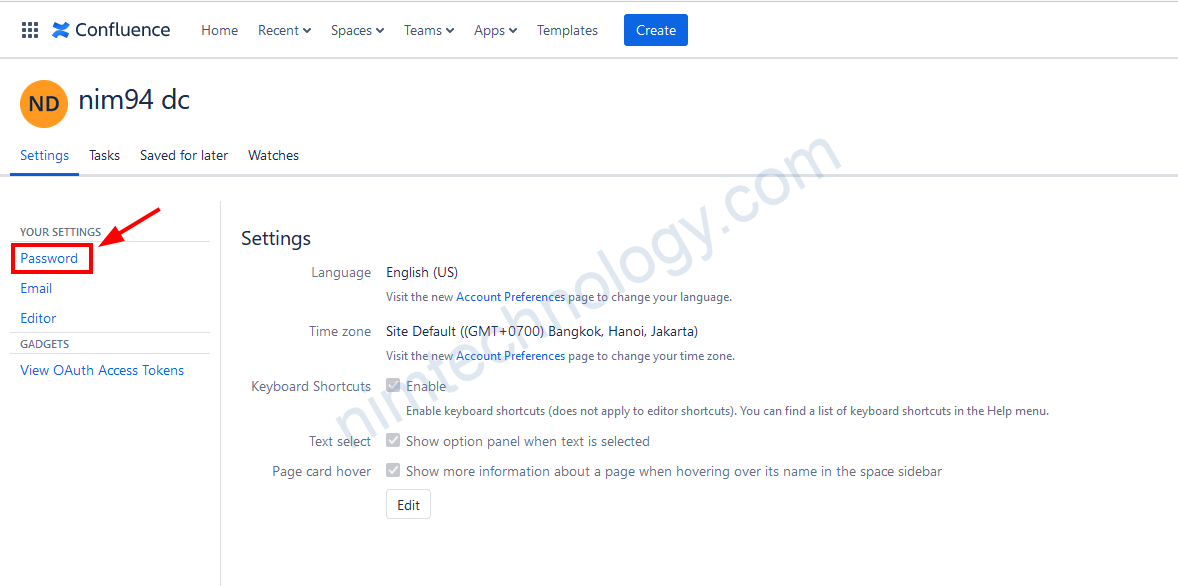
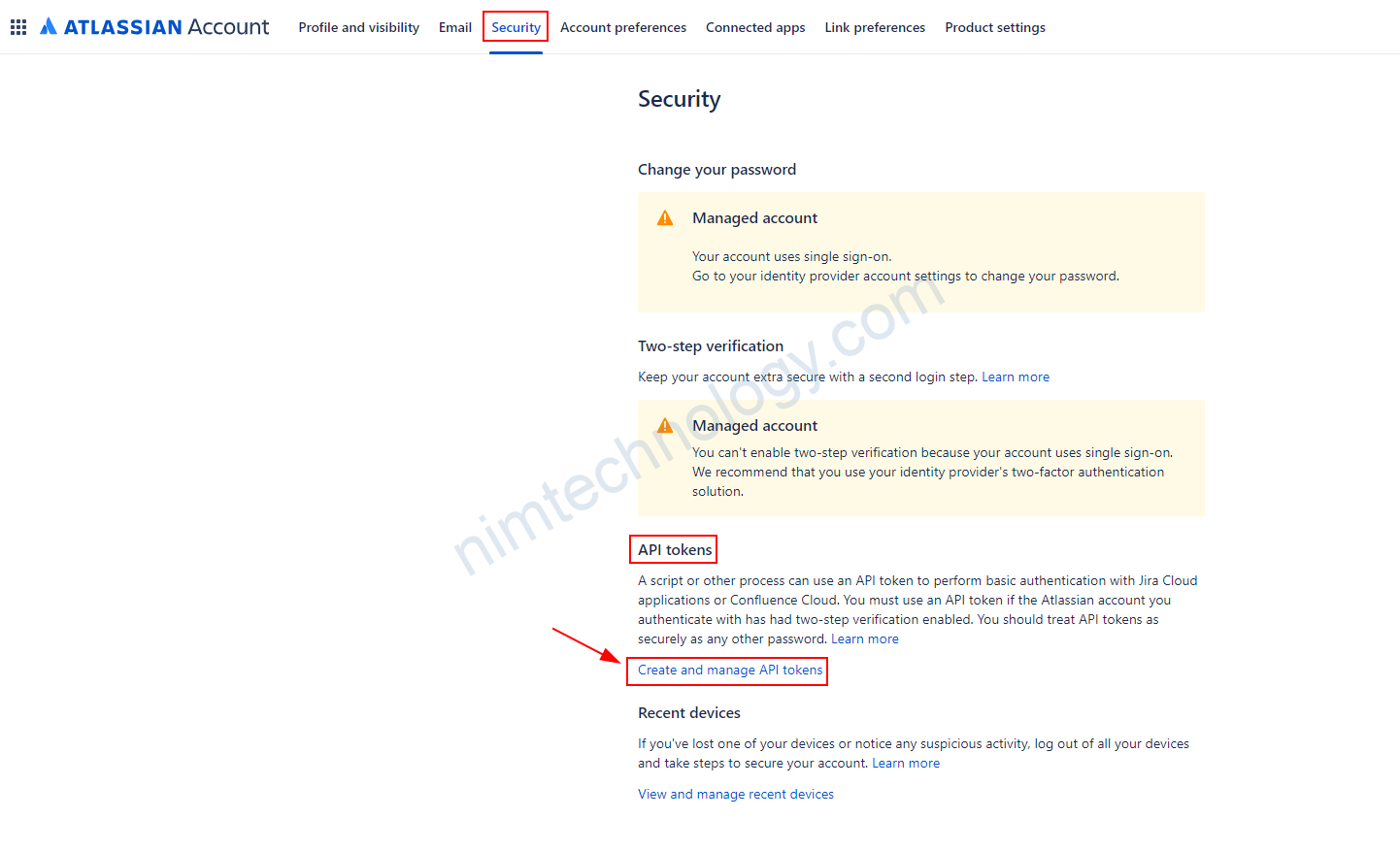
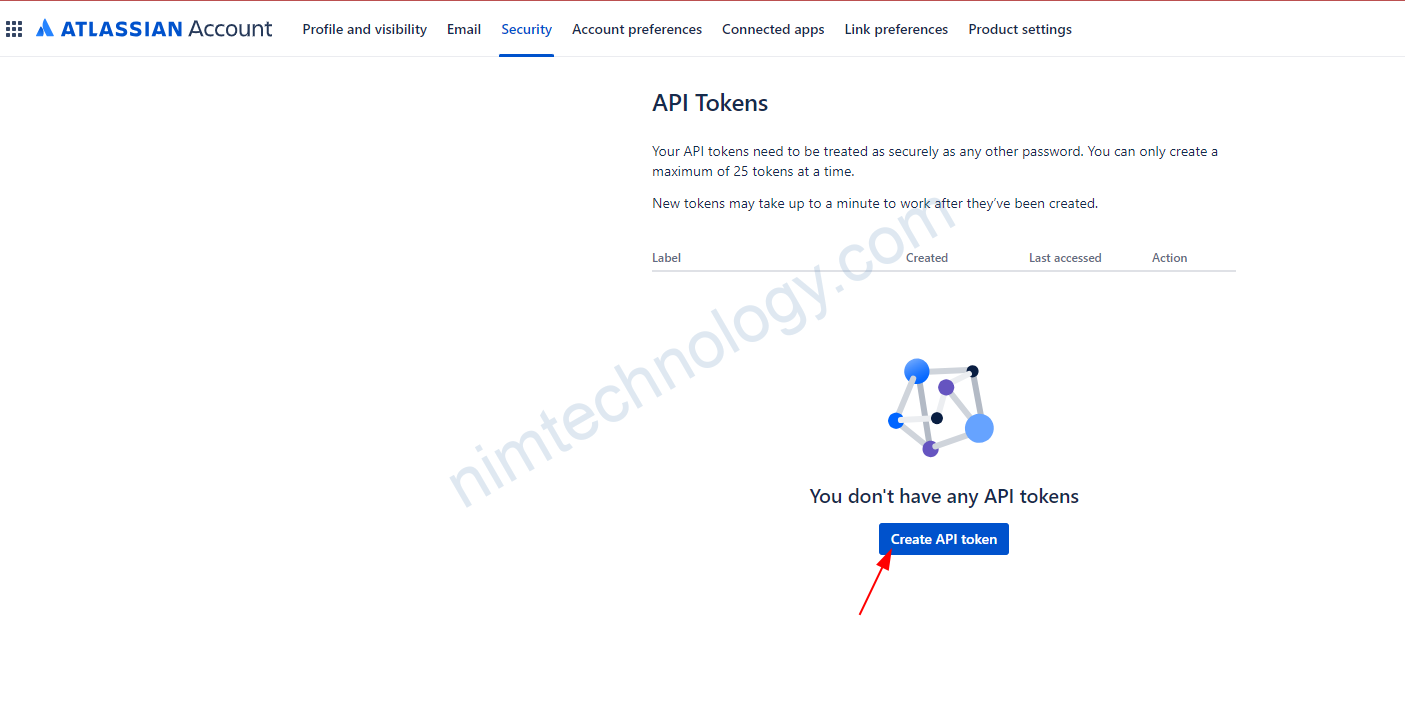
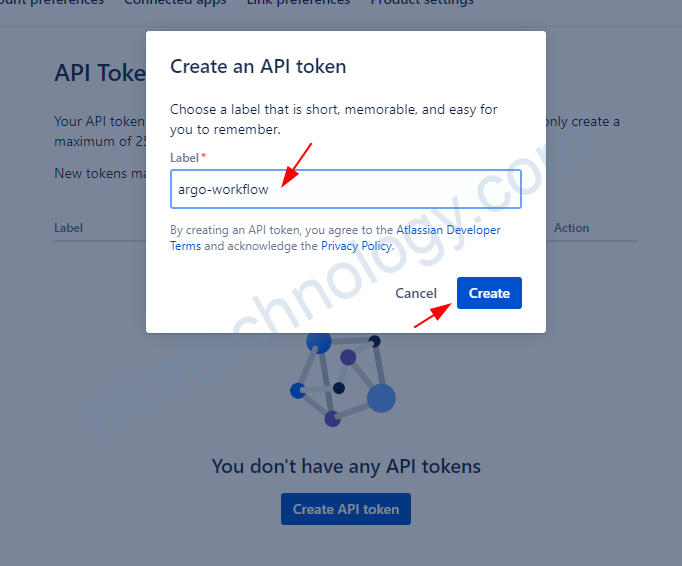
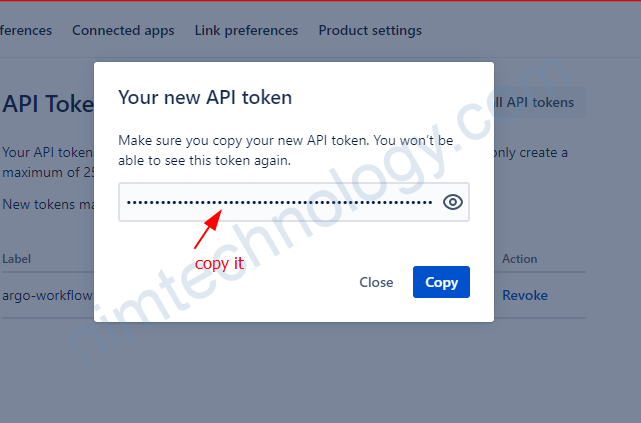
1) Prepare the token for Calling API.
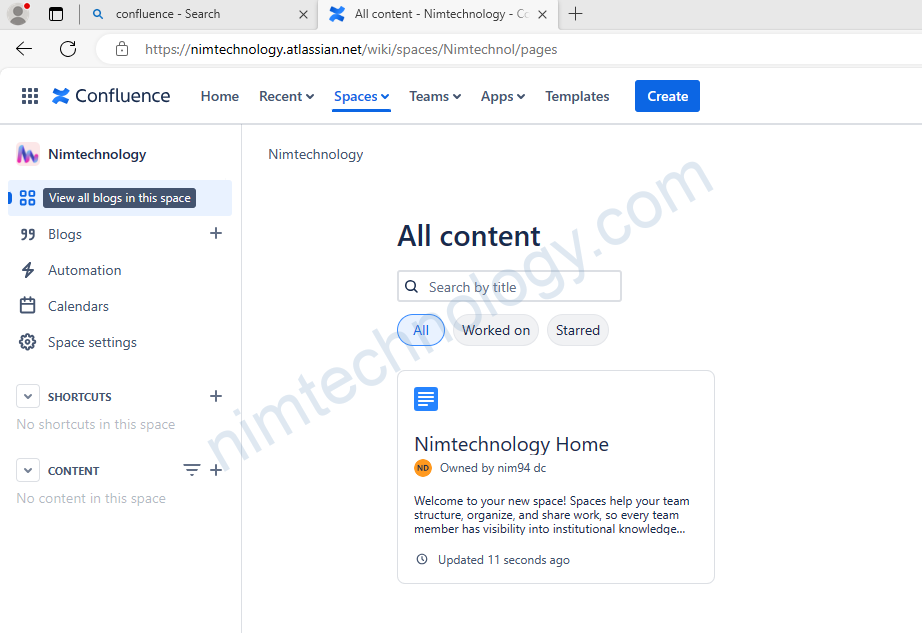
2) Create a page trên Confluence.
Trên confluence chúng ta sẽ tạo nhưng bài viết thì nó được gọi là page.
Bạn có thể tìm hiểu các API ở link bên dưới:
https://developer.atlassian.com/cloud/confluence/rest/v1/api-group-space/#api-wiki-rest-api-space-spacekey-get
https://developer.atlassian.com/cloud/confluence/rest/v2/intro/
Đầu tiên bạn tạo page tên là report.
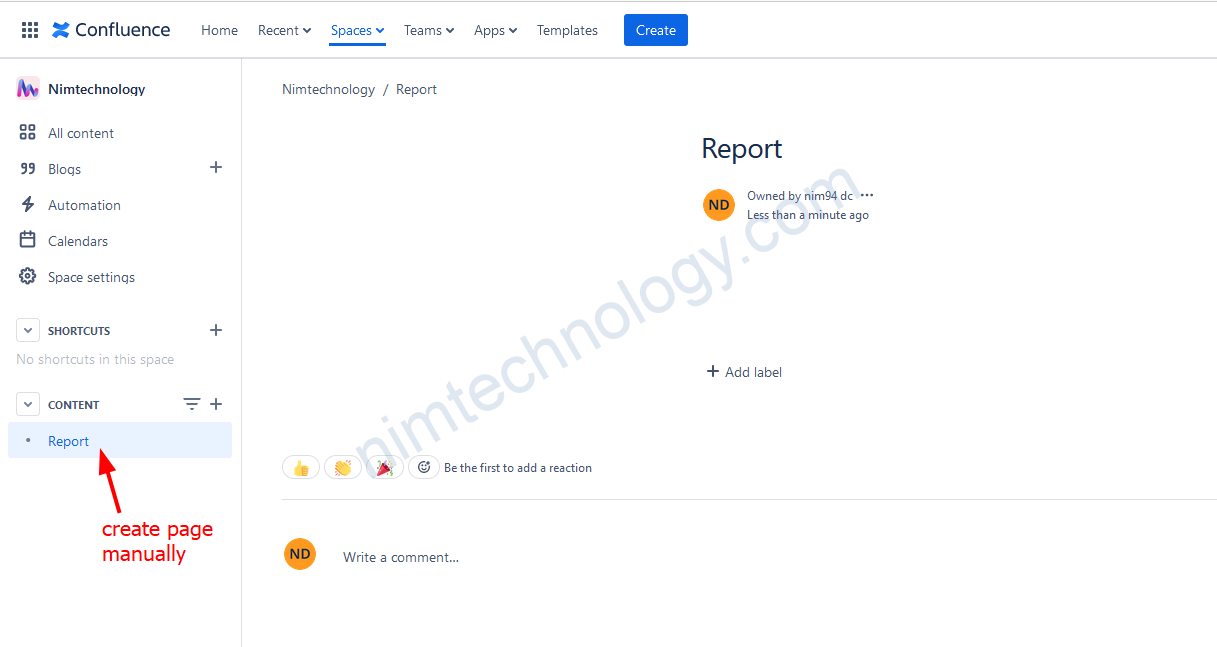
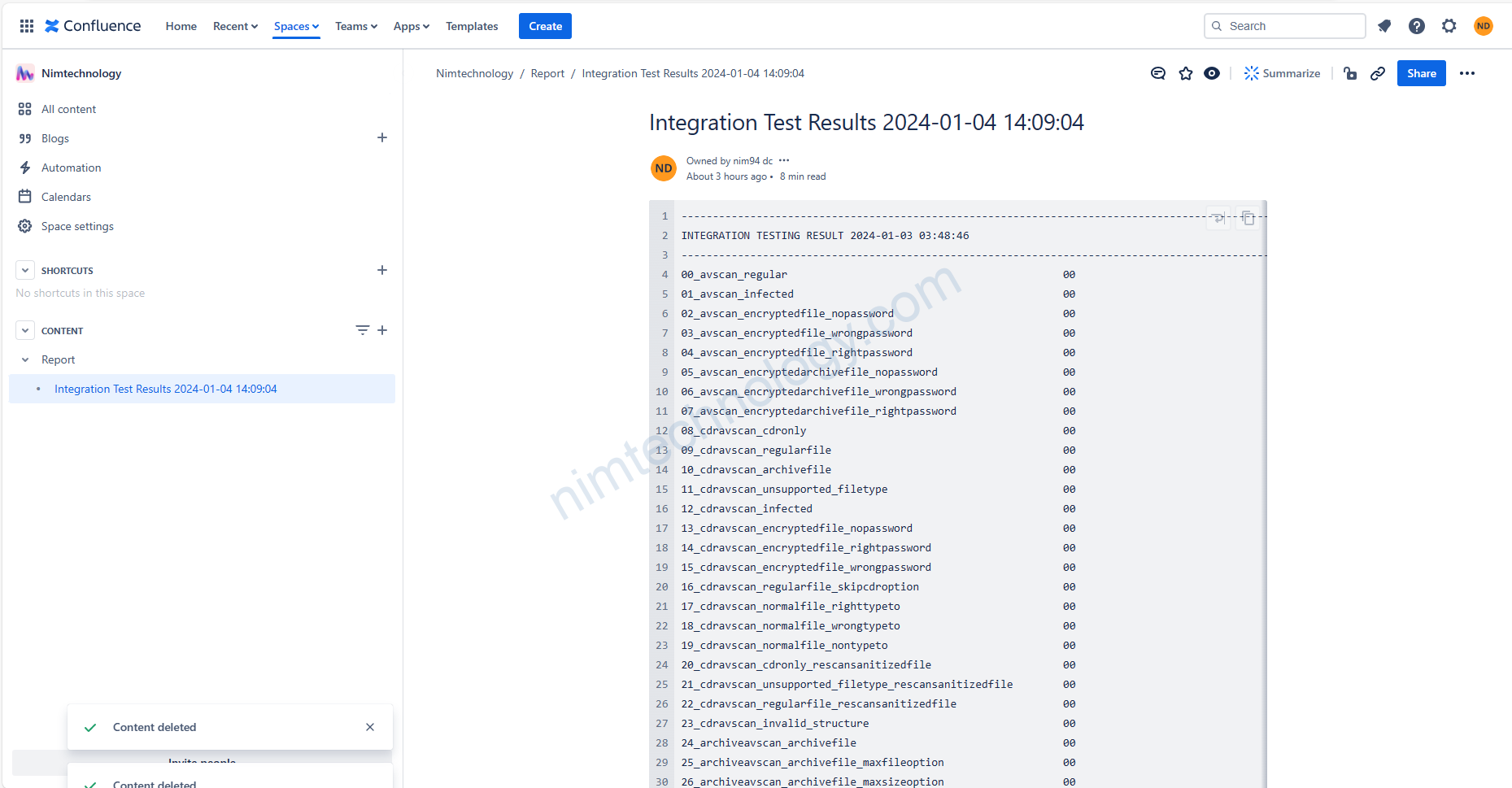
Giờ mình sẽ cần tạo 1 page chứa code.
# Set the title to "Integration Test Results" followed by the current date and time in YYYY-MM-DD hh:mm:ss format
TITLE="Integration Test Results $(date '+%Y-%m-%d %H:%M:%S')"
FILE_PATH='result.txt' # path to your file
# Read the content of the file into a variable
FILE_CONTENT=$(<"$FILE_PATH")
# Escape XML special characters in file content
XML_ESCAPED_CONTENT=$(echo "$FILE_CONTENT" | sed -e 's/&/\&/g' -e 's/</\</g' -e 's/>/\>/g')
# Wrap the XML escaped content within the Confluence structured macro syntax
ESCAPED_CONTENT="<ac:structured-macro ac:name=\"code\"><ac:plain-text-body><![CDATA[$XML_ESCAPED_CONTENT]]></ac:plain-text-body></ac:structured-macro>"
# Escape for JSON
JSON_ESCAPED_CONTENT=$(echo "$ESCAPED_CONTENT" | sed -e 's/\\/\\\\/g' -e 's/"/\\"/g' -e ':a' -e 'N' -e '$!ba' -e 's/\n/\\n/g')
# cURL command
curl --request POST \
--url "https://nimtechnology.atlassian.net/wiki/api/v2/pages" \
--user "your_email:your_api_token" \
--header 'Accept: application/json' \
--header 'Content-Type: application/json' \
--data '{
"spaceId": "98432",
"status": "current",
"title": "'"${TITLE}"'",
"parentId": "589825",
"body": {
"representation": "storage",
"value": "'"${JSON_ESCAPED_CONTENT}"'"
}
}'
Nếu bạn run command thì trên confluence:
3) The format is used to create pages on Confluence on API
3.1) Macro Code.
Refer to links: https://community.atlassian.com/t5/Confluence-questions/Code-Macro-via-Confluence-REST-API/qaq-p/2097123
xmlContent := fmt.Sprintf(
		"<ac:structured-macro ac:name=\"code\">\n"+
			"  <ac:plain-text-body><![CDATA[\n"+
			"    %s\n"+ // you can see some space at begin of the content, you can adjust at here
			"  ]]></ac:plain-text-body>\n"+
			"</ac:structured-macro>",
		string(data),
	)
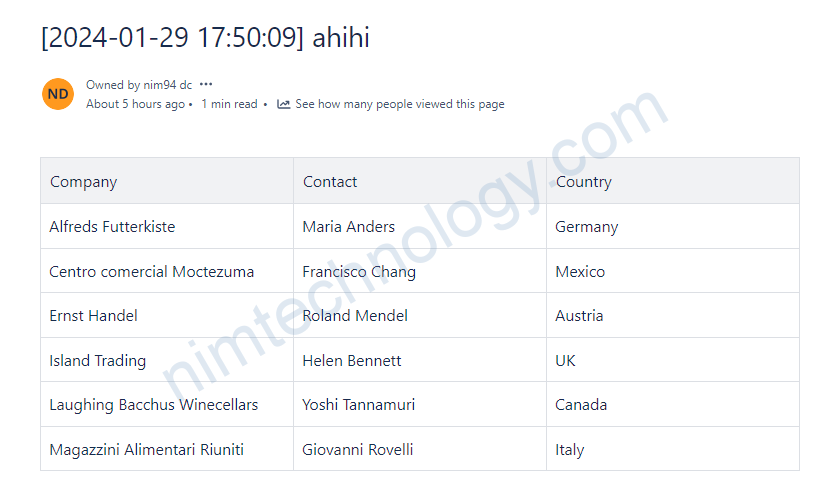
3.2) Table
để tạo table thì bạn chỉ cần tạo html đơn giản
<table>
    <tr>
        <th>Company</th>
        <th>Contact</th>
        <th>Country</th>
    </tr>
    <tr>
        <td>Alfreds Futterkiste</td>
        <td>Maria Anders</td>
        <td>Germany</td>
    </tr>
    <tr>
        <td>Centro comercial Moctezuma</td>
        <td>Francisco Chang</td>
        <td>Mexico</td>
    </tr>
    <tr>
        <td>Ernst Handel</td>
        <td>Roland Mendel</td>
        <td>Austria</td>
    </tr>
    <tr>
        <td>Island Trading</td>
        <td>Helen Bennett</td>
        <td>UK</td>
    </tr>
    <tr>
        <td>Laughing Bacchus Winecellars</td>
        <td>Yoshi Tannamuri</td>
        <td>Canada</td>
    </tr>
    <tr>
        <td>Magazzini Alimentari Riuniti</td>
        <td>Giovanni Rovelli</td>
        <td>Italy</td>
    </tr>
</table>