Skip to content

NimTechnology

Trình bày các công nghệ CLOUD một cách dễ hiểu.

  • Kubernetes & Container
    • Docker
    • Kubernetes
      • Gateway API
      • Ingress
      • Pod
    • Helm Chart
    • OAuth2 Proxy
    • Isito-EnvoyFilter
    • Apache Kafka
      • Kafka
      • Kafka Connect
      • Lenses
    • Vault
    • Longhorn – Storage
    • VictoriaMetrics
    • MetalLB
    • Kong Gateway
  • CI/CD
    • ArgoCD
    • ArgoWorkflows
    • Argo Events
    • Spinnaker
    • Jenkins
    • Harbor
    • TeamCity
    • Git
      • Bitbucket
  • Coding
    • DevSecOps
    • Terraform
      • GCP – Google Cloud
      • AWS – Amazon Web Service
      • Azure Cloud
    • Golang
    • Laravel
    • Python
    • Jquery & JavaScript
    • Selenium
  • Log, Monitor & Tracing
    • DataDog
    • Prometheus
    • Grafana
    • ELK
      • Kibana
      • Logstash
  • BareMetal
    • NextCloud
  • Toggle search form

[Terraform] Lesson 1: Terraform with Google Cloud

Posted on April 6, 2022April 18, 2022 By nim No Comments on [Terraform] Lesson 1: Terraform with Google Cloud

Contents

Toggle
  • 1) Google Cloud Project – Service Account
  • 2) Google Provider & version
  • 3) Connect Terraform with GCP
    • 3.1) usernamepassword
    • 3.2) Cloud Shell VM
    • 3.3) Service Account

1) Google Cloud Project – Service Account

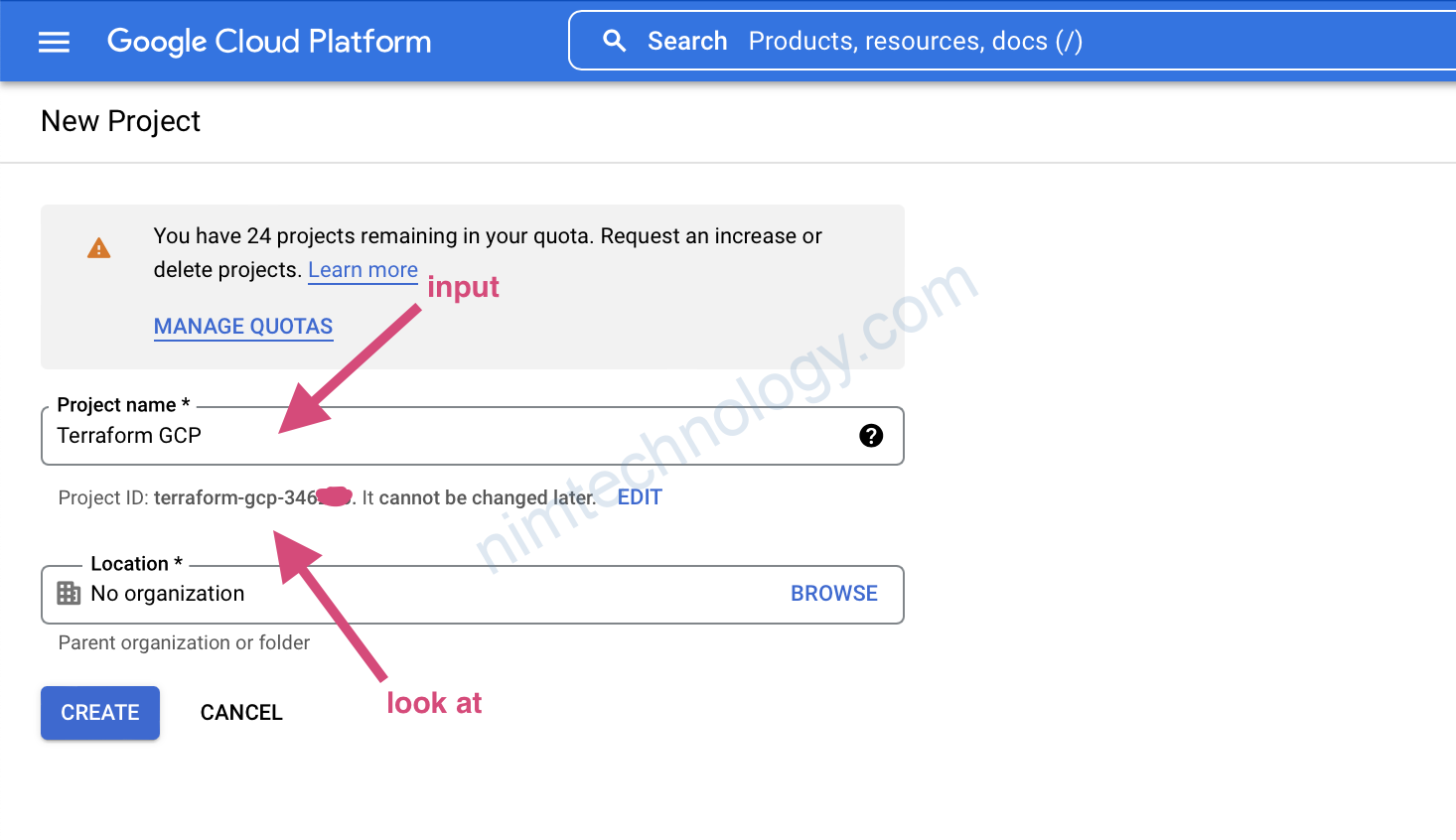
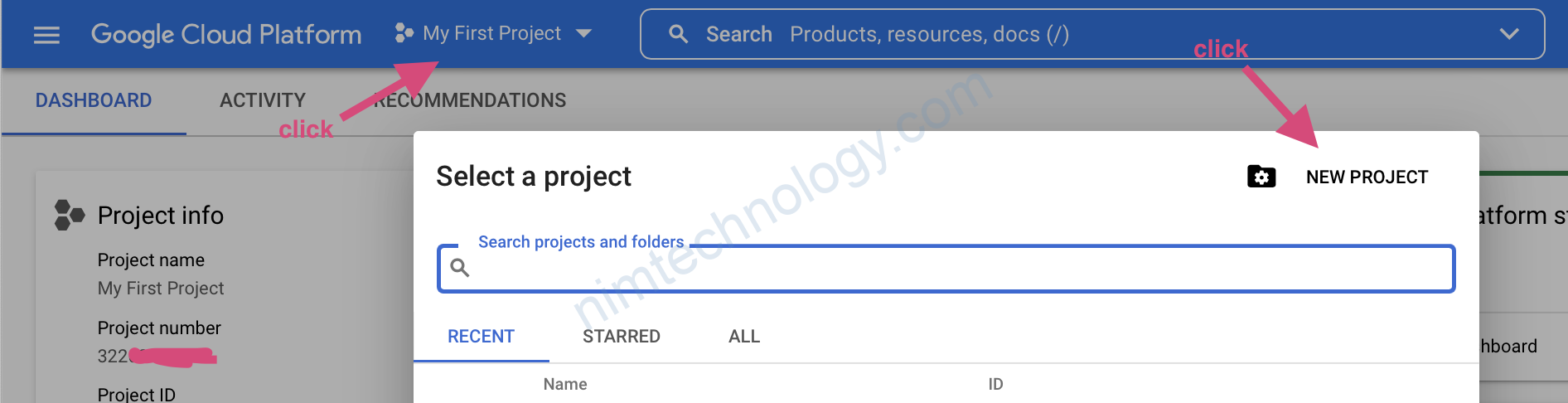
tạo 1 project.
Bạn diền project name và chú ý cái project ID nhé
sau đó click create

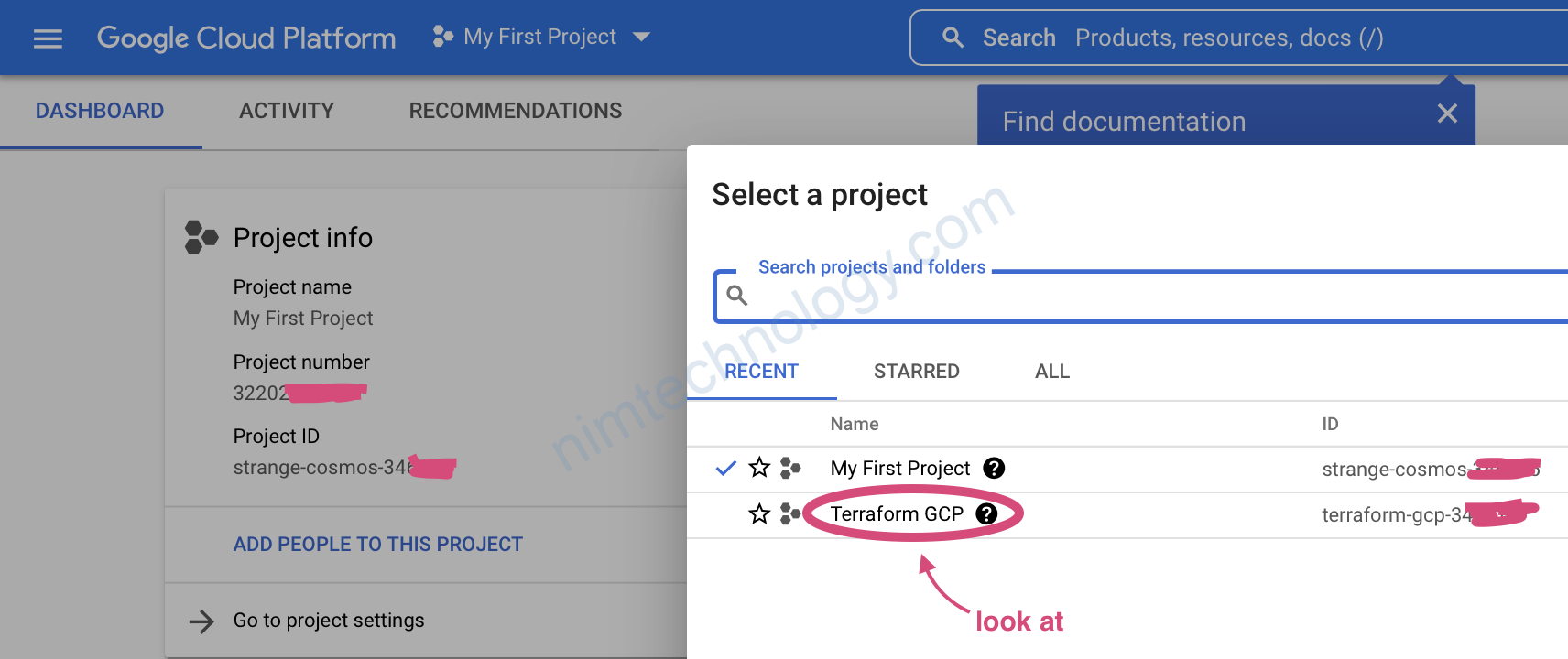
giờ kiểm tra lại chúng ta có thêm 1 project vừa mới tạo
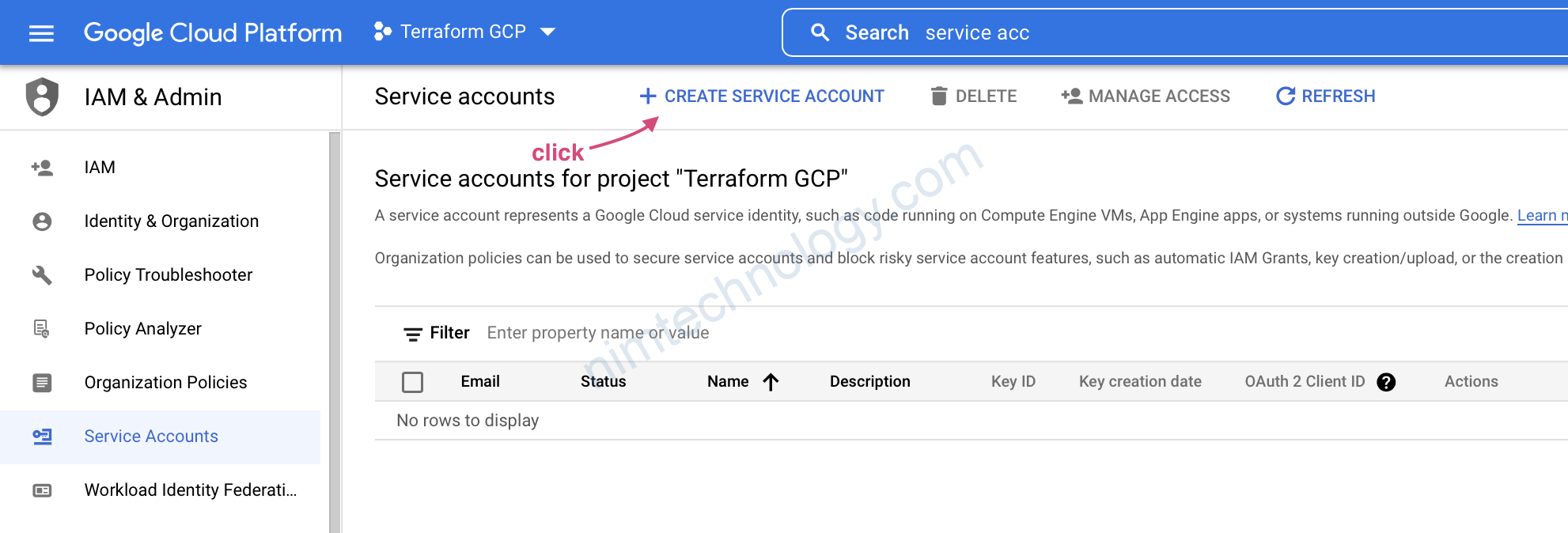
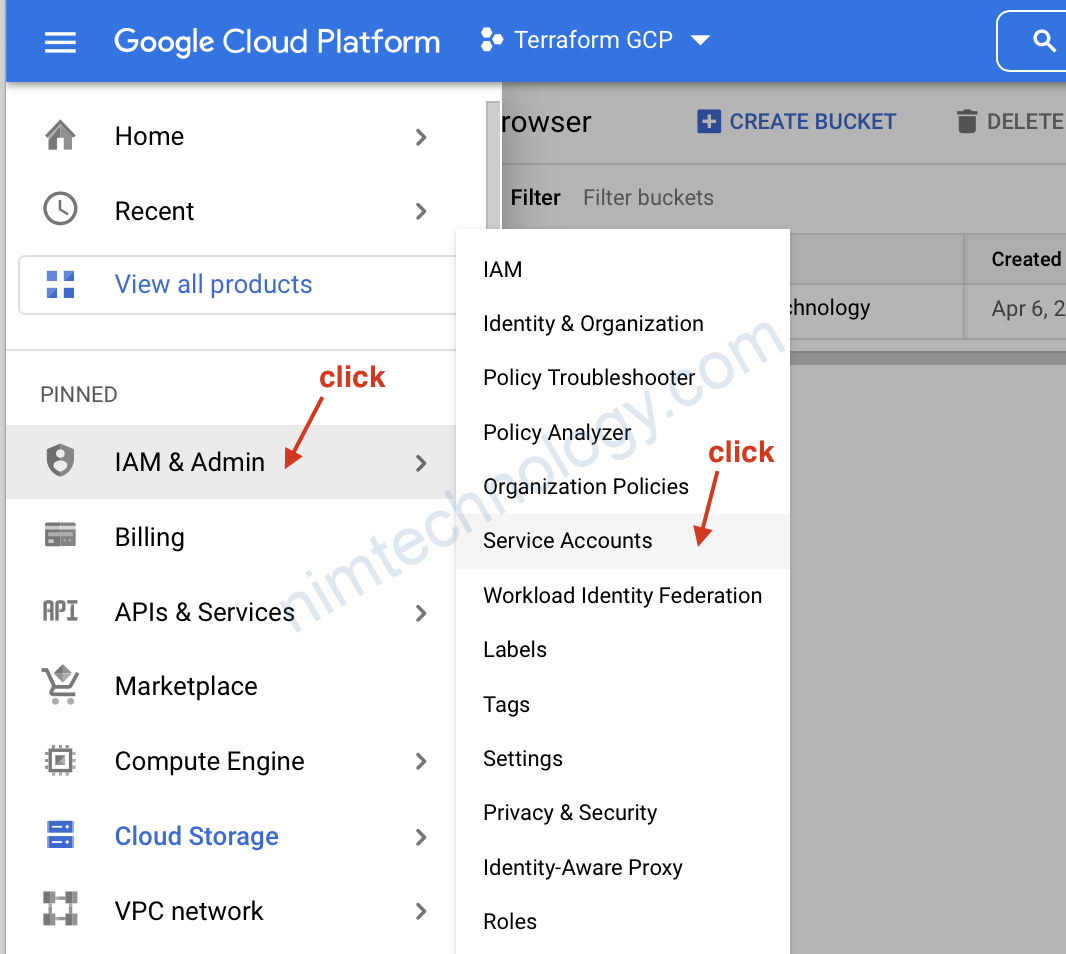
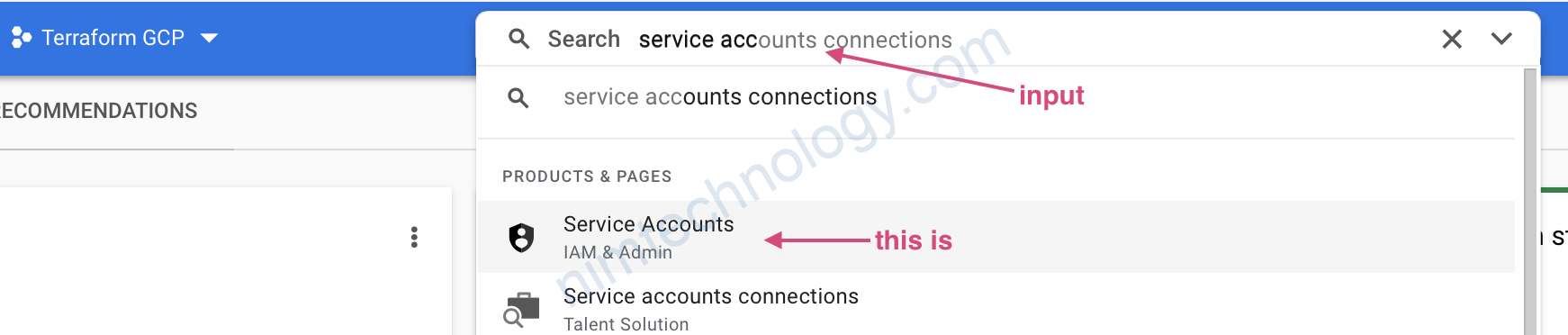
Để tìm ra phần service account gồm 2 cách

Các 1 tìm kiềm
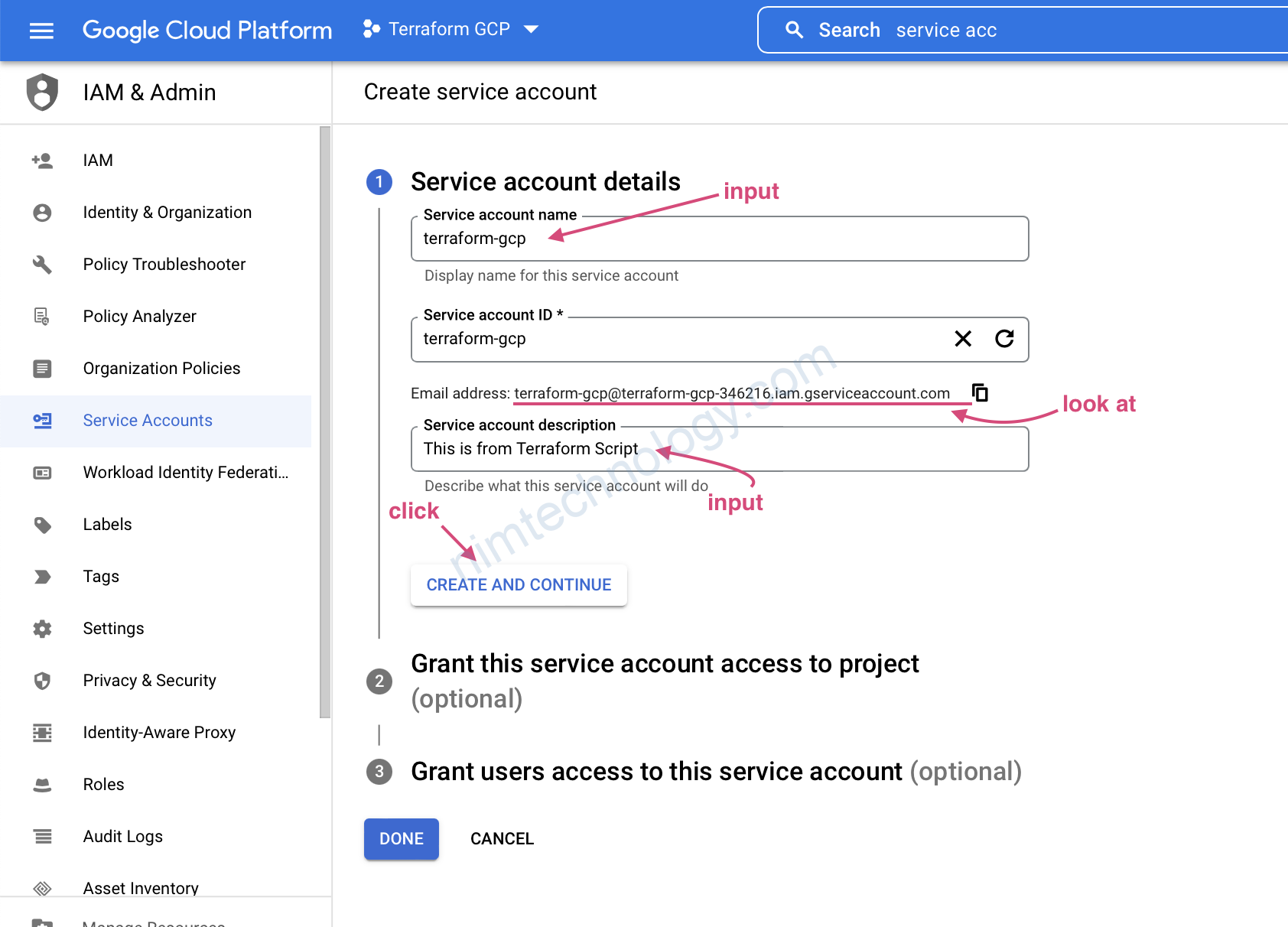
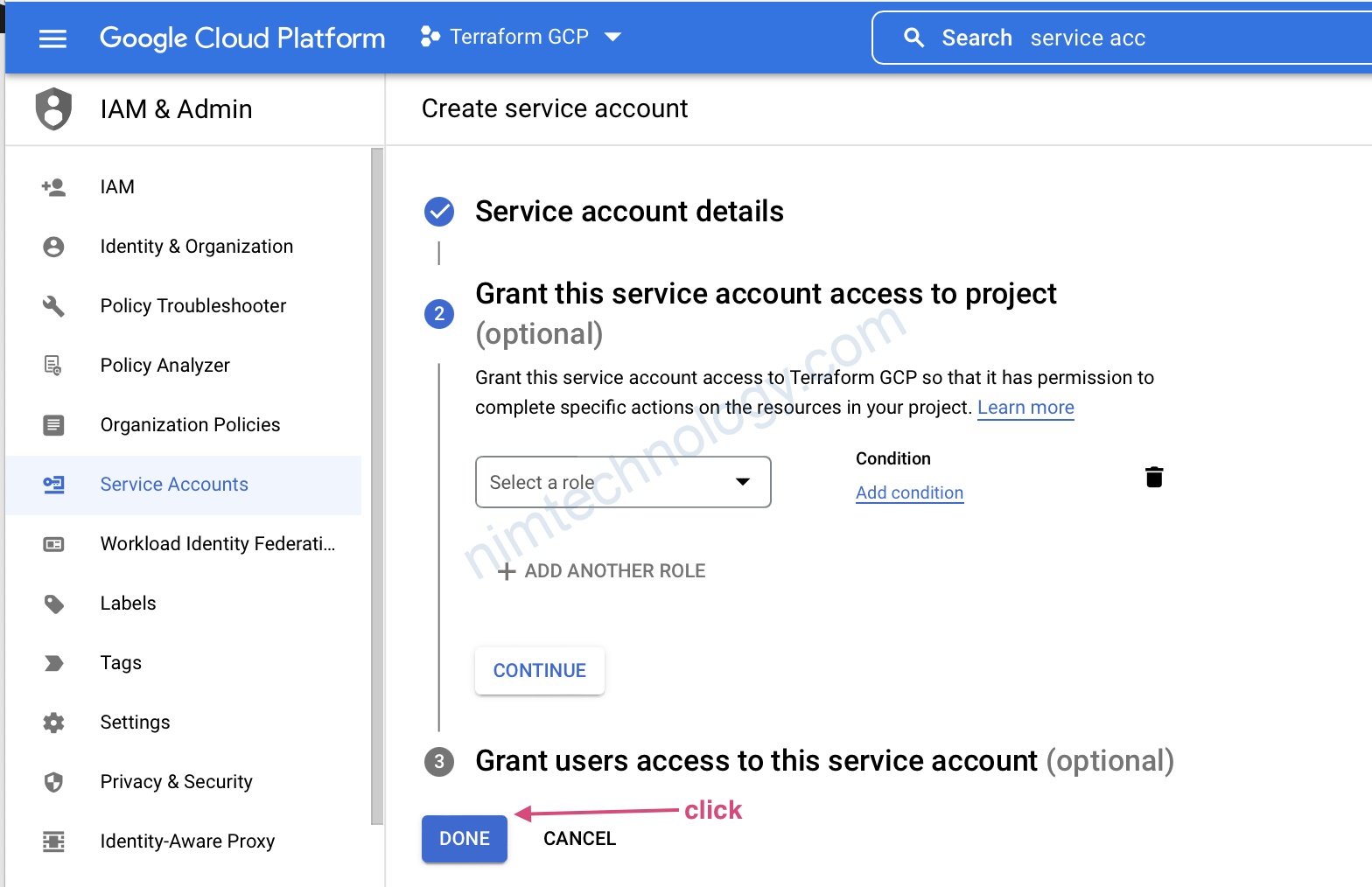
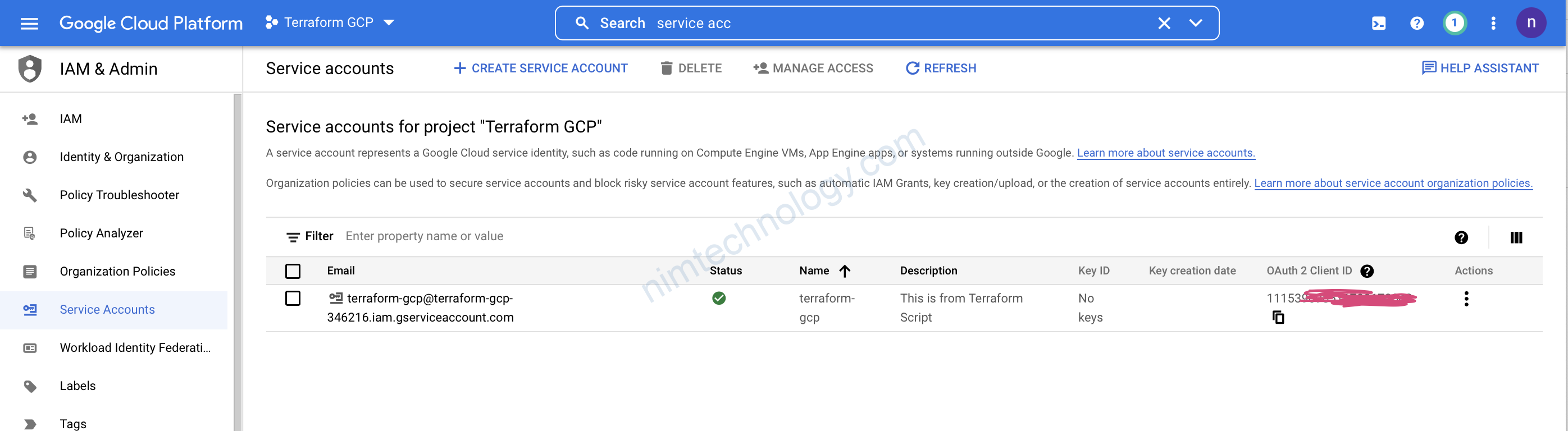
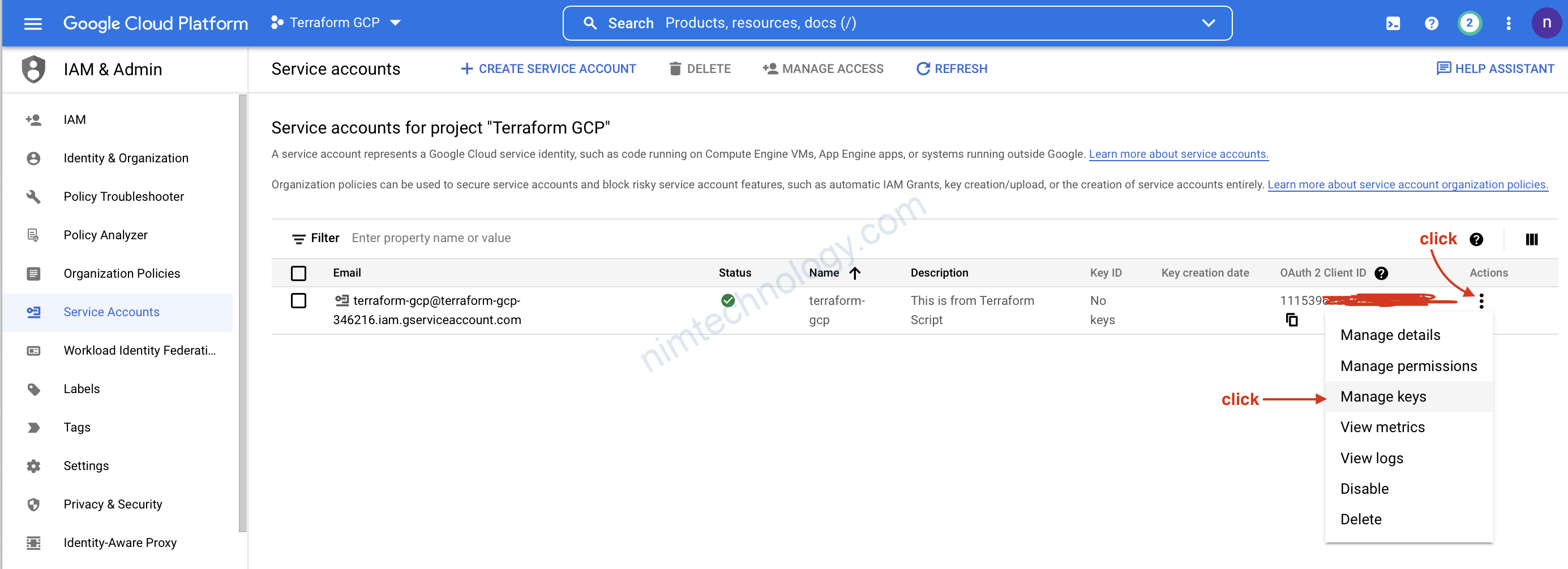
Cách 2 click step by step.
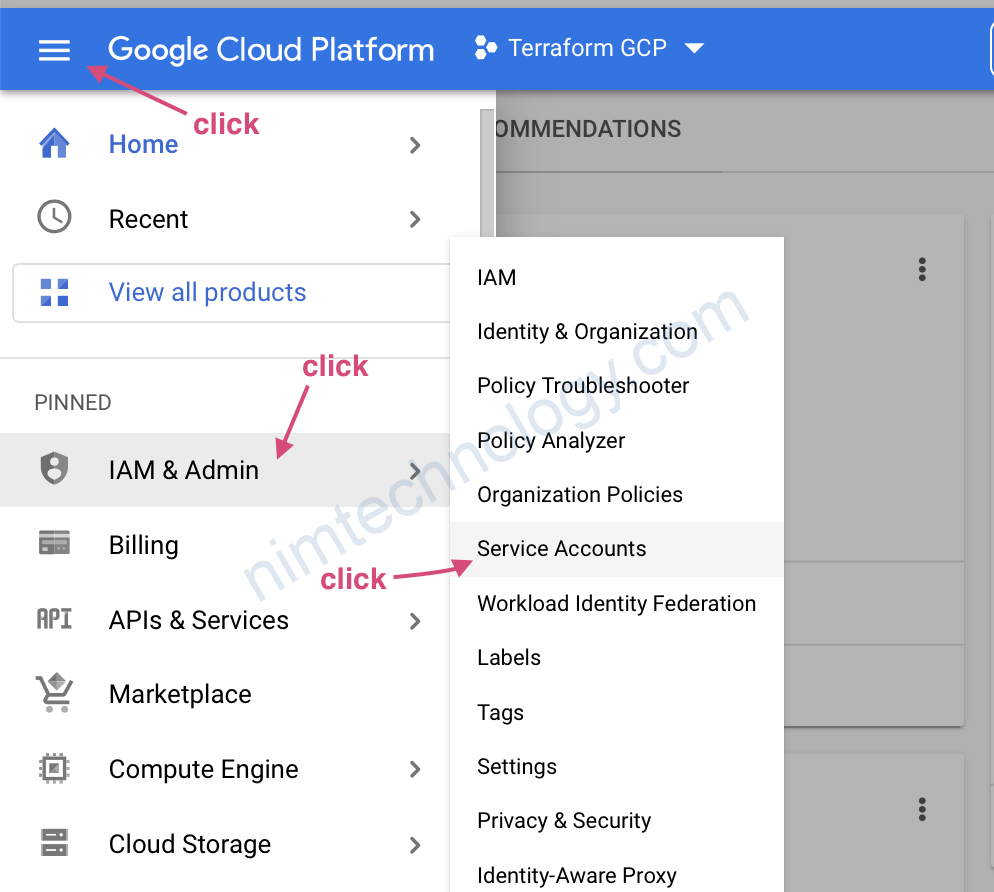
click để create.

2) Google Provider & version

Google Provider
Infrastructure provision inside GCP from Terraform
Terraform has multiple provider with different cloud

https://registry.terraform.io/providers/hashicorp/google/latest/docs
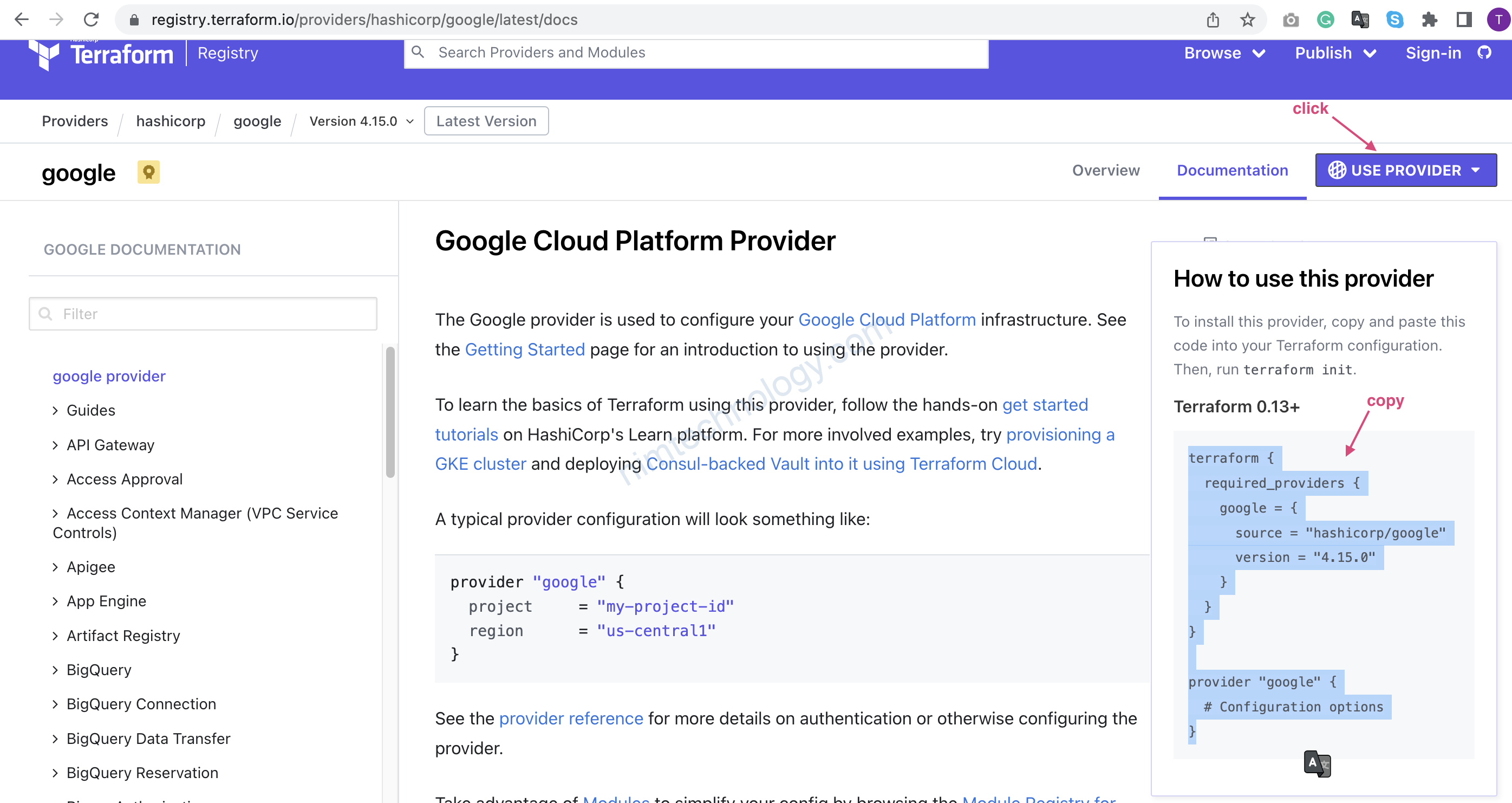
Giờ bạn tạo folder và file main.tf
terraform {
  required_providers {
    google = {
      source = "hashicorp/google"
      version = "3.85.0"
    }
  }
}

provider "google" {
  # Configuration options
}

cd thư mục bạn vừa tạo và có file main.tg
rồi chạy câu lệnh terraform init
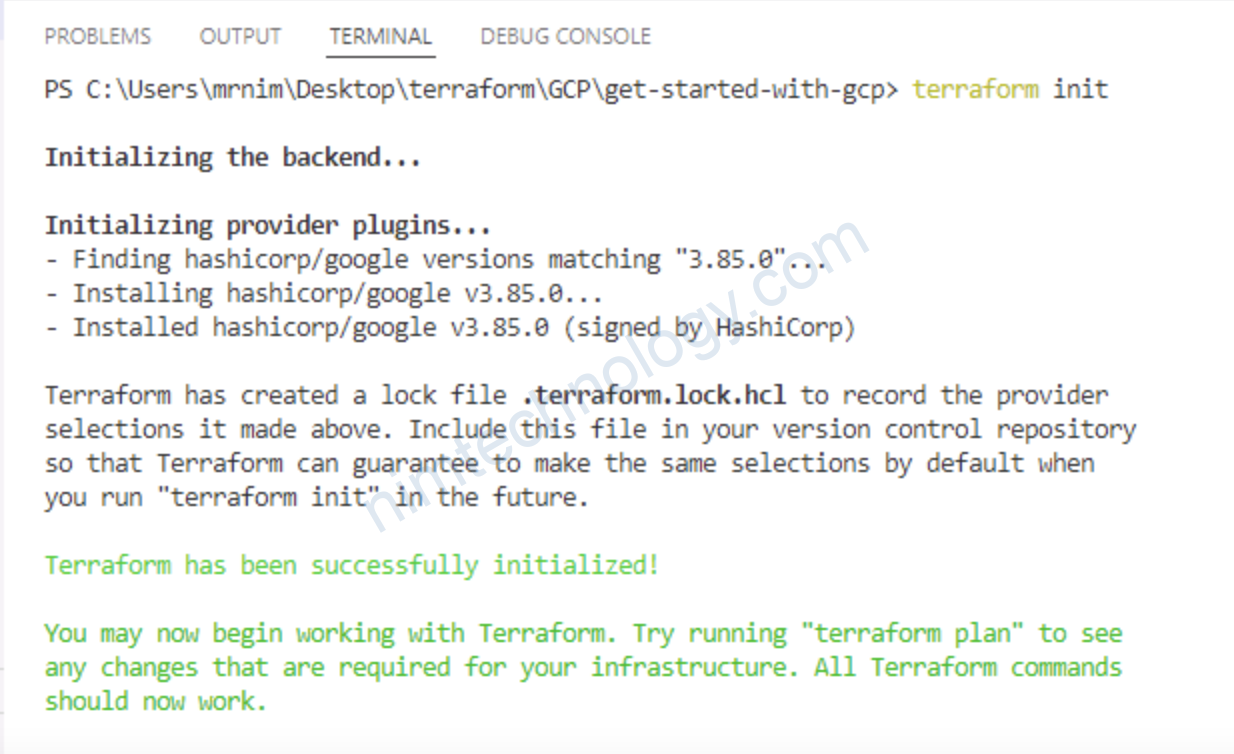
3) Connect Terraform with GCP

3.1) usernamepassword

Chúng ta cần copy phần như ảnh
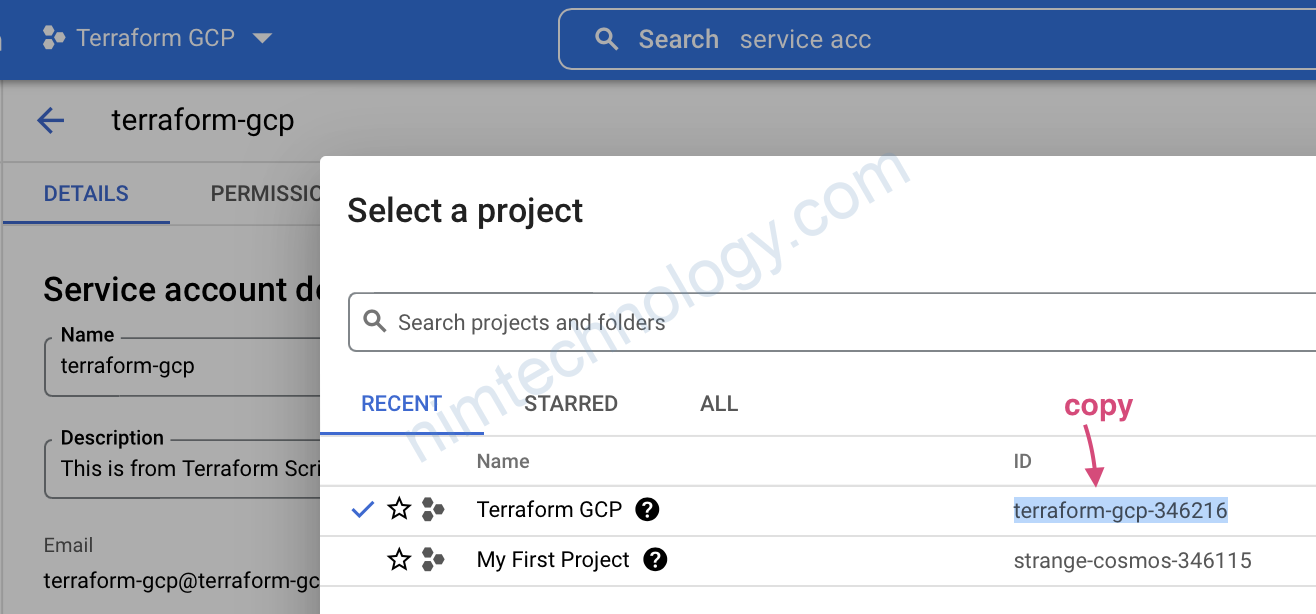
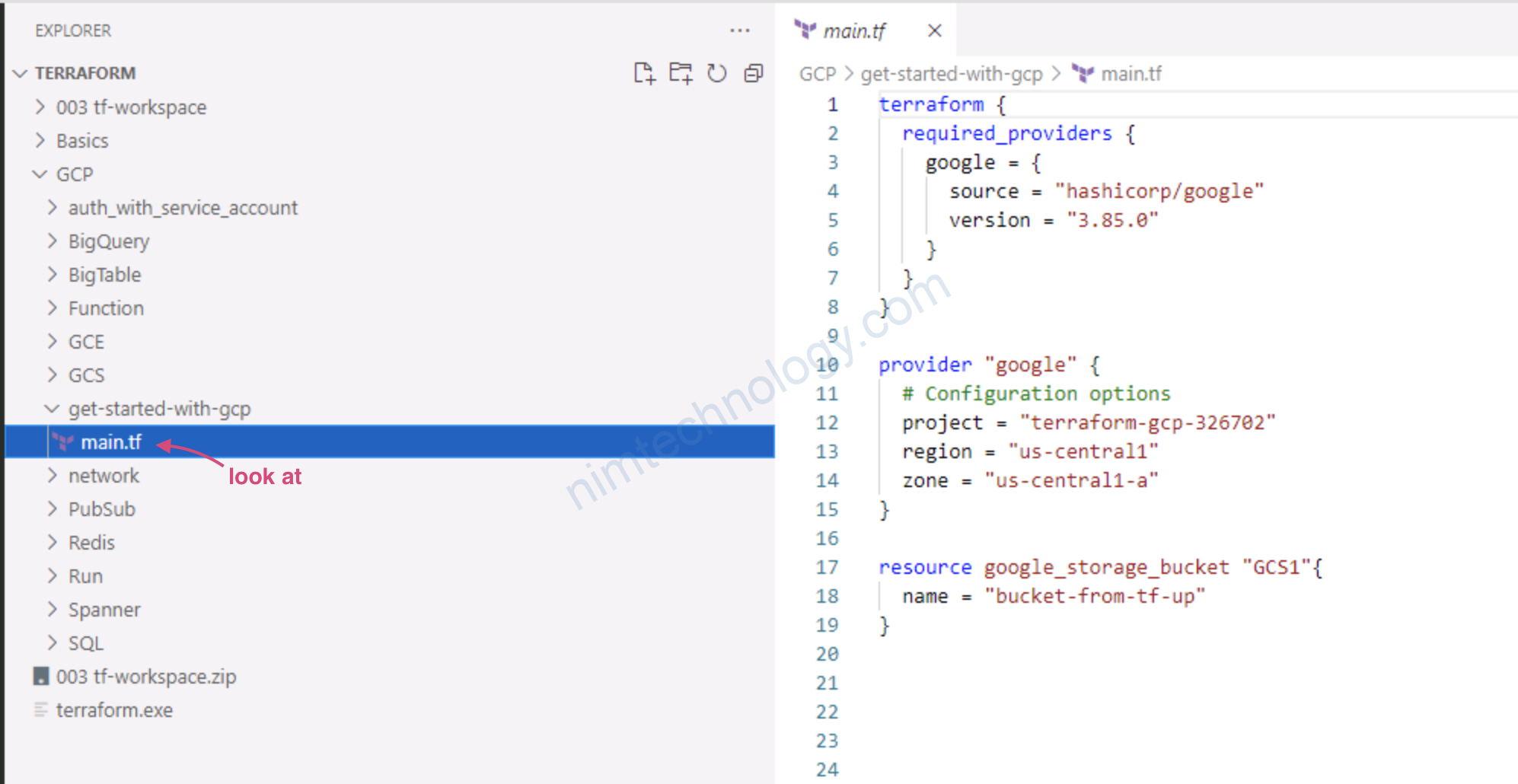
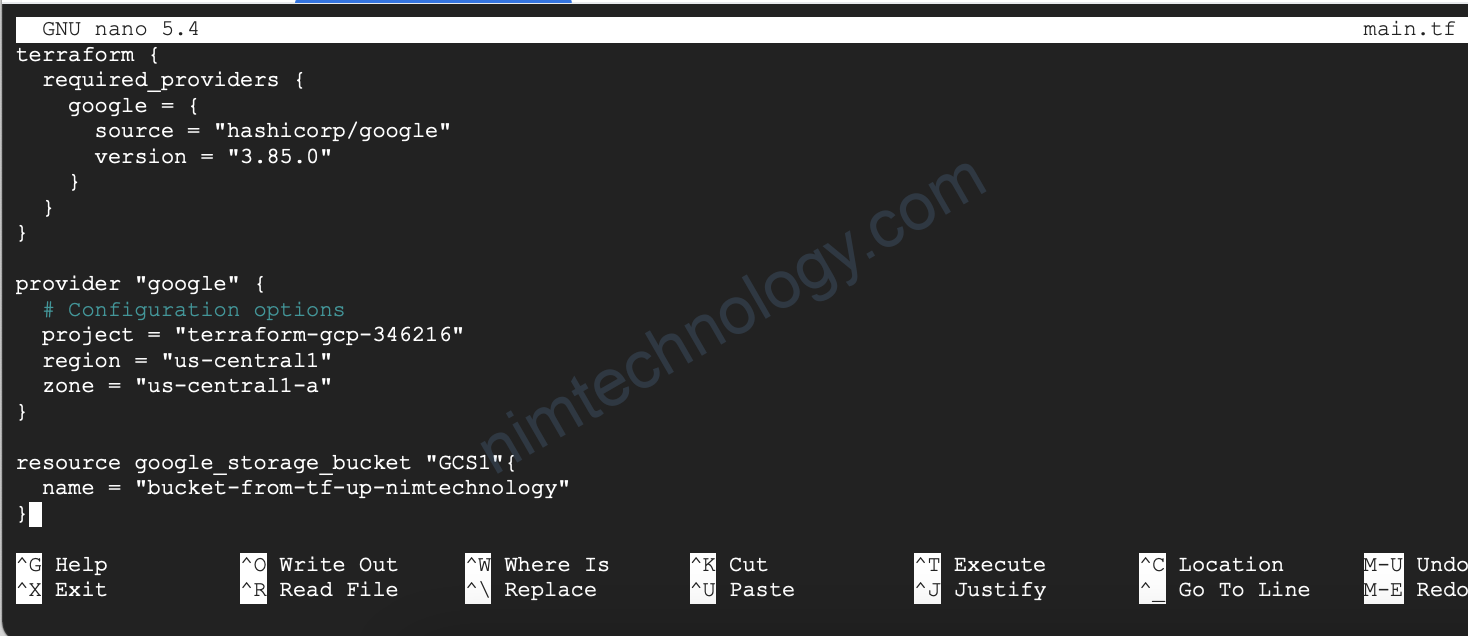
File main.tf sẽ có 1 chút thay đổi:

terraform {
  required_providers {
    google = {
      source = "hashicorp/google"
      version = "3.85.0"
    }
  }
}

provider "google" {
  # Configuration options
  project = "terraform-gcp-346216"
  region = "us-central1"
  zone = "us-central1-a"
}

resource google_storage_bucket "GCS1"{
  name = "bucket-from-tf-up-nimtechnology"
}
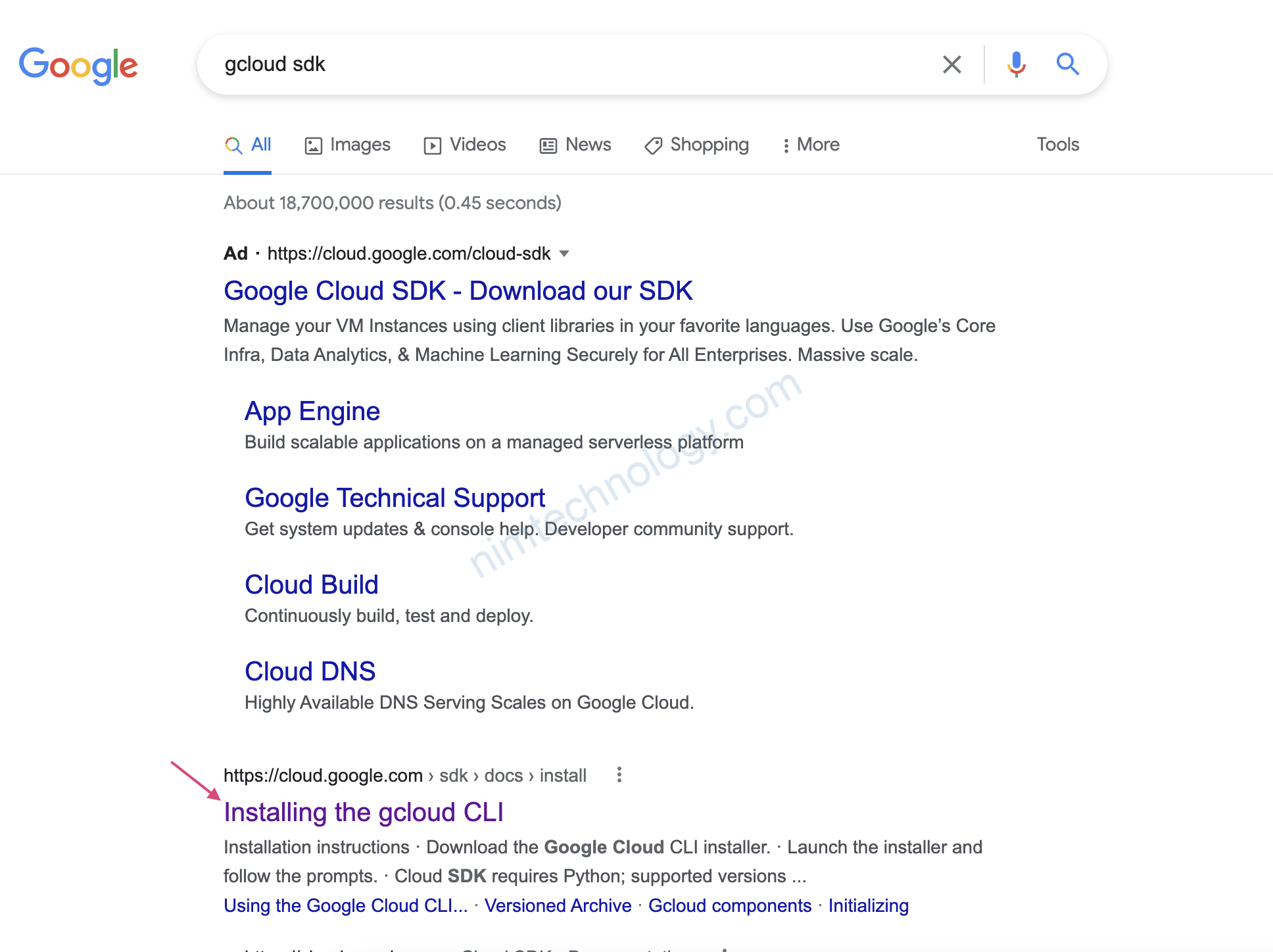
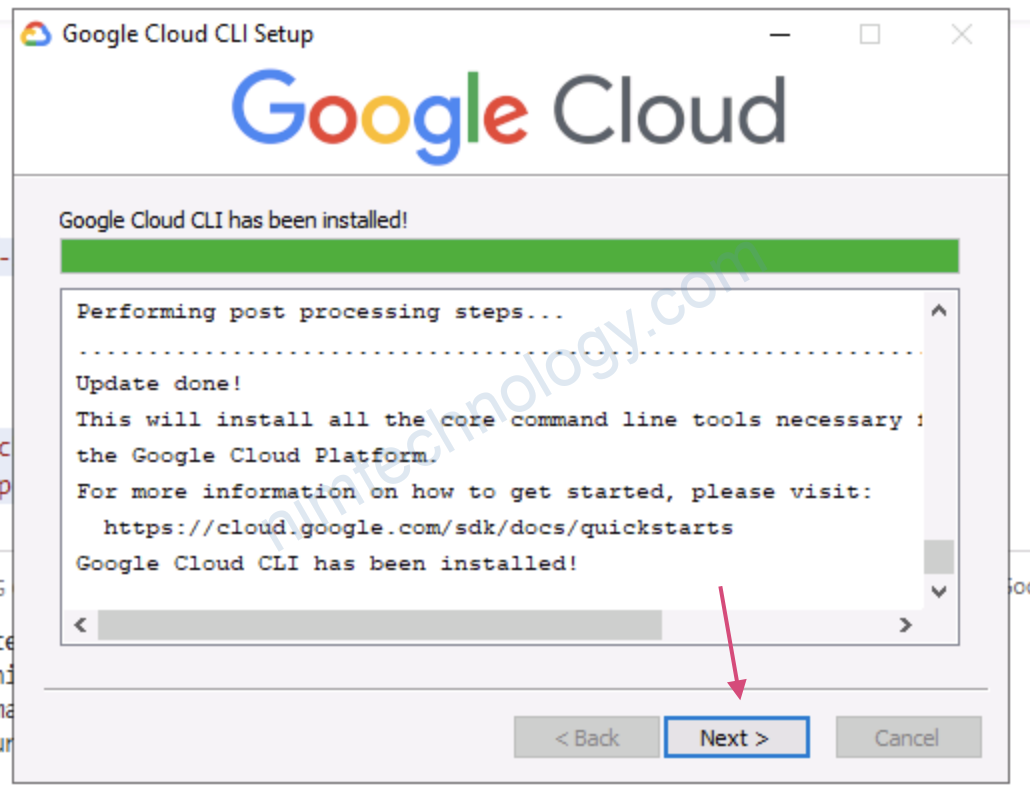
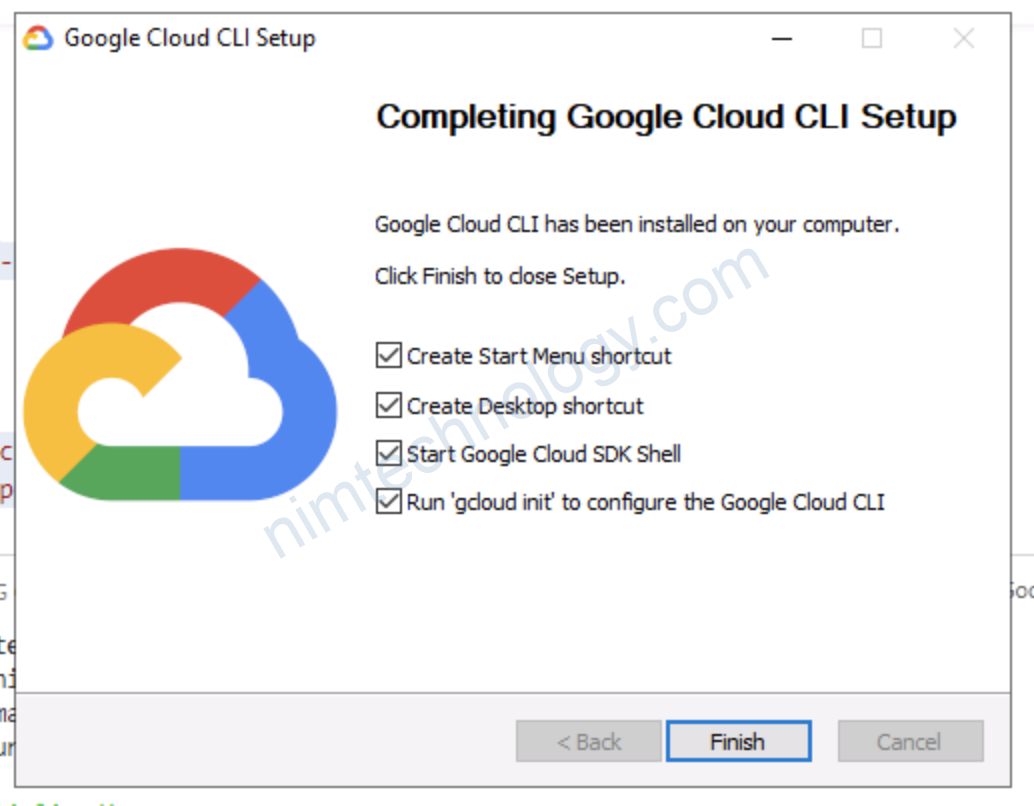
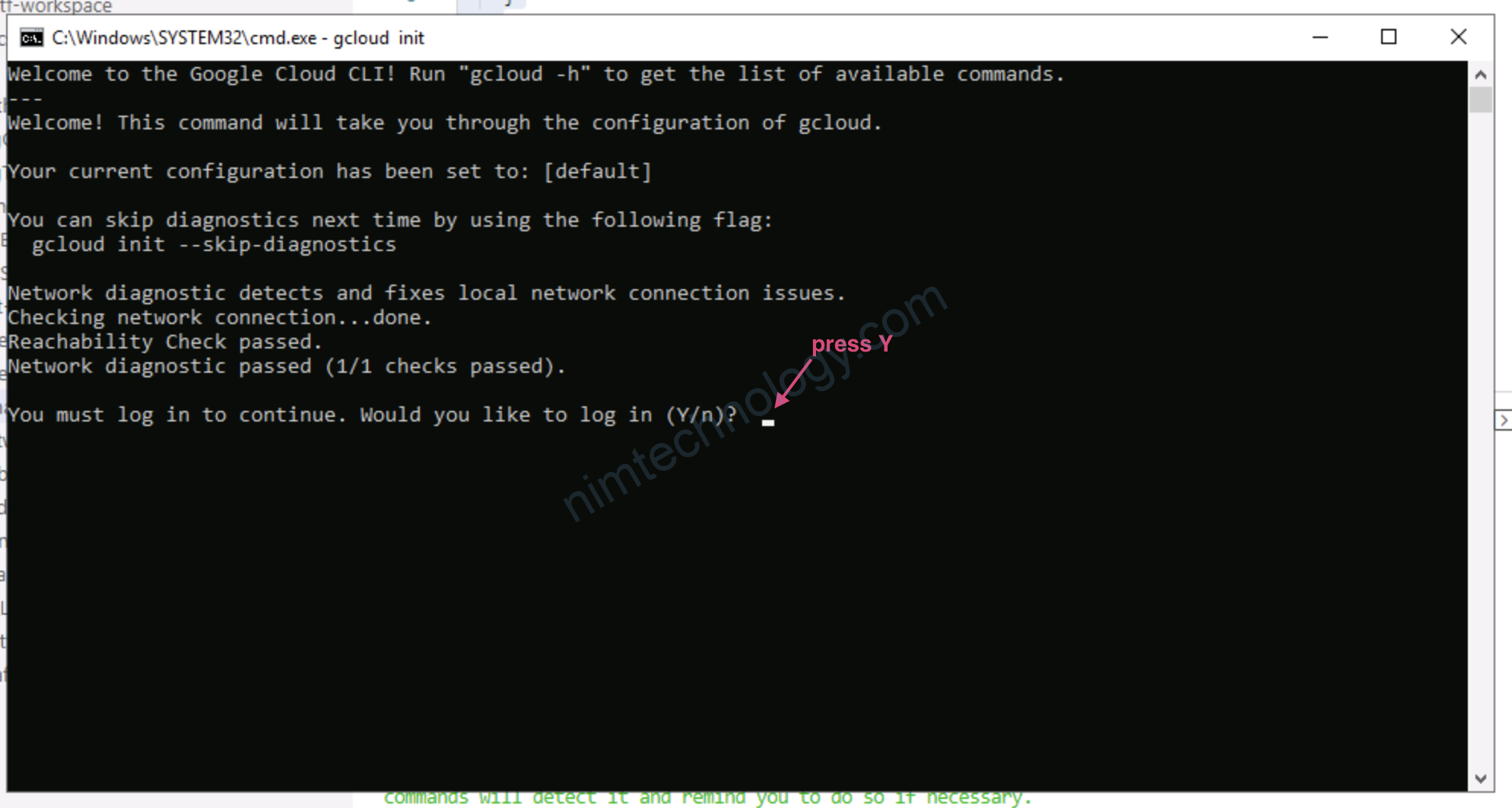
pass vào CMD
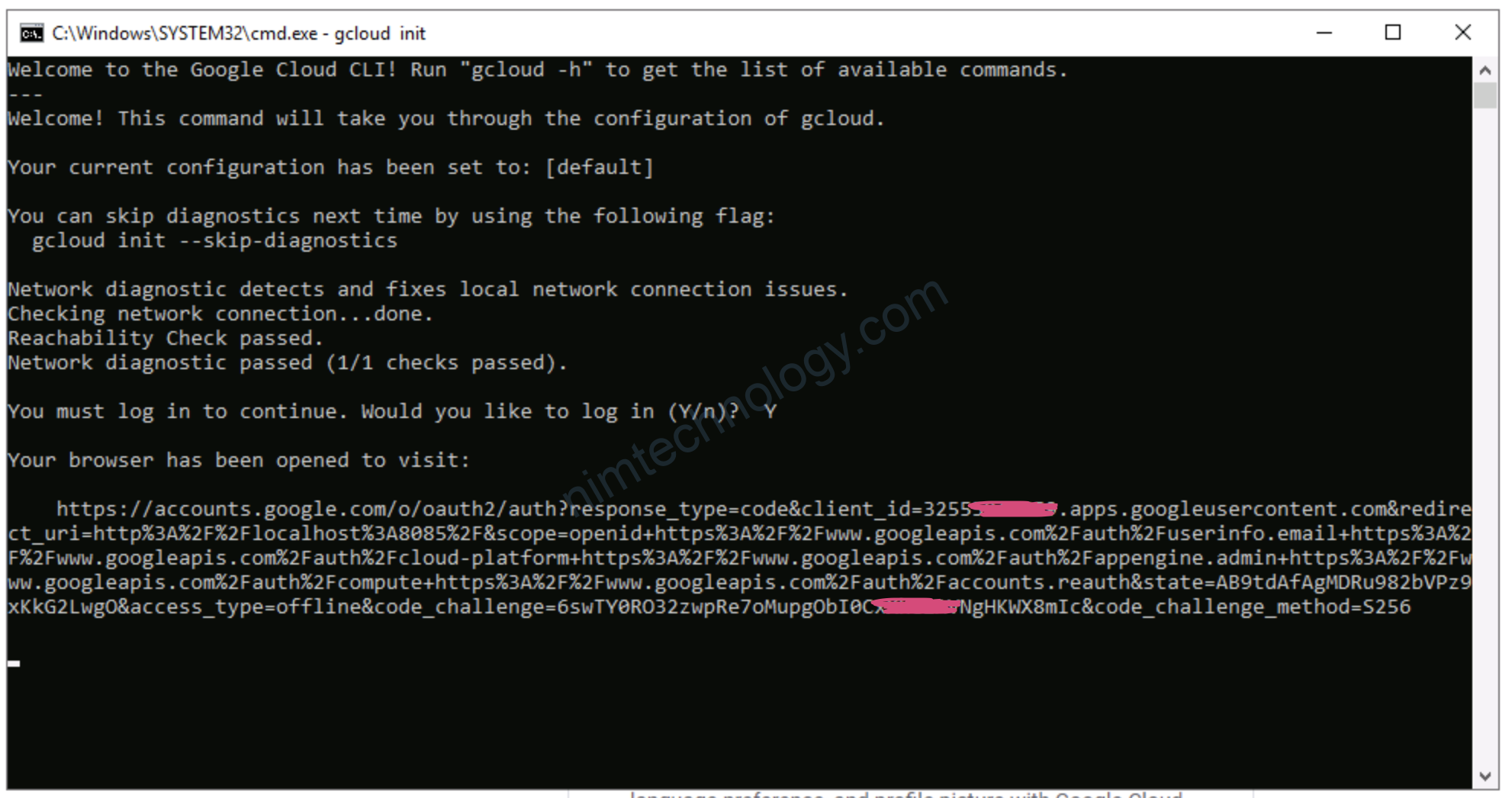
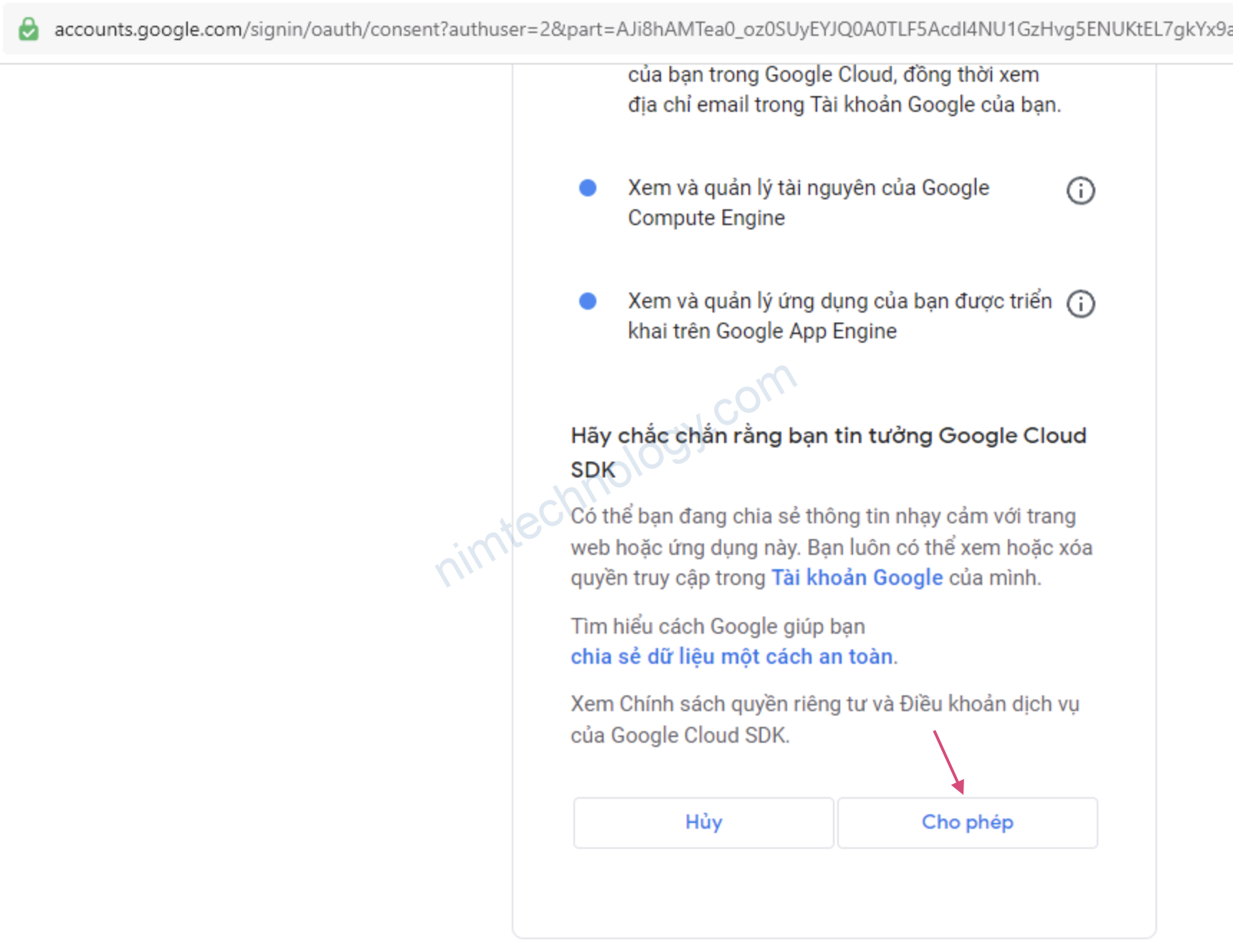
Lúc này trình duyệt sẽ mở

bạn chọn User mà bạn dụng Học GCP ấy
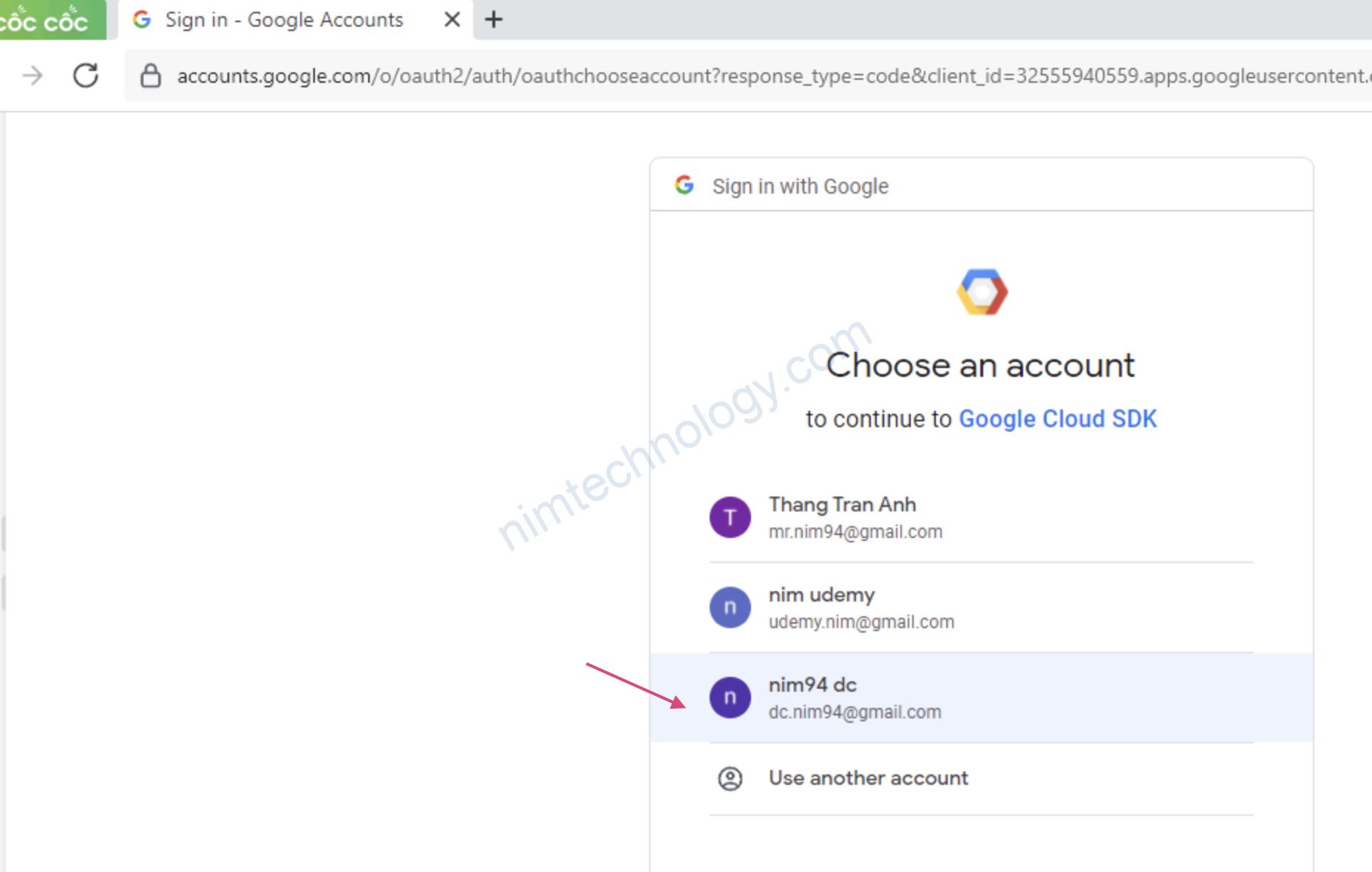
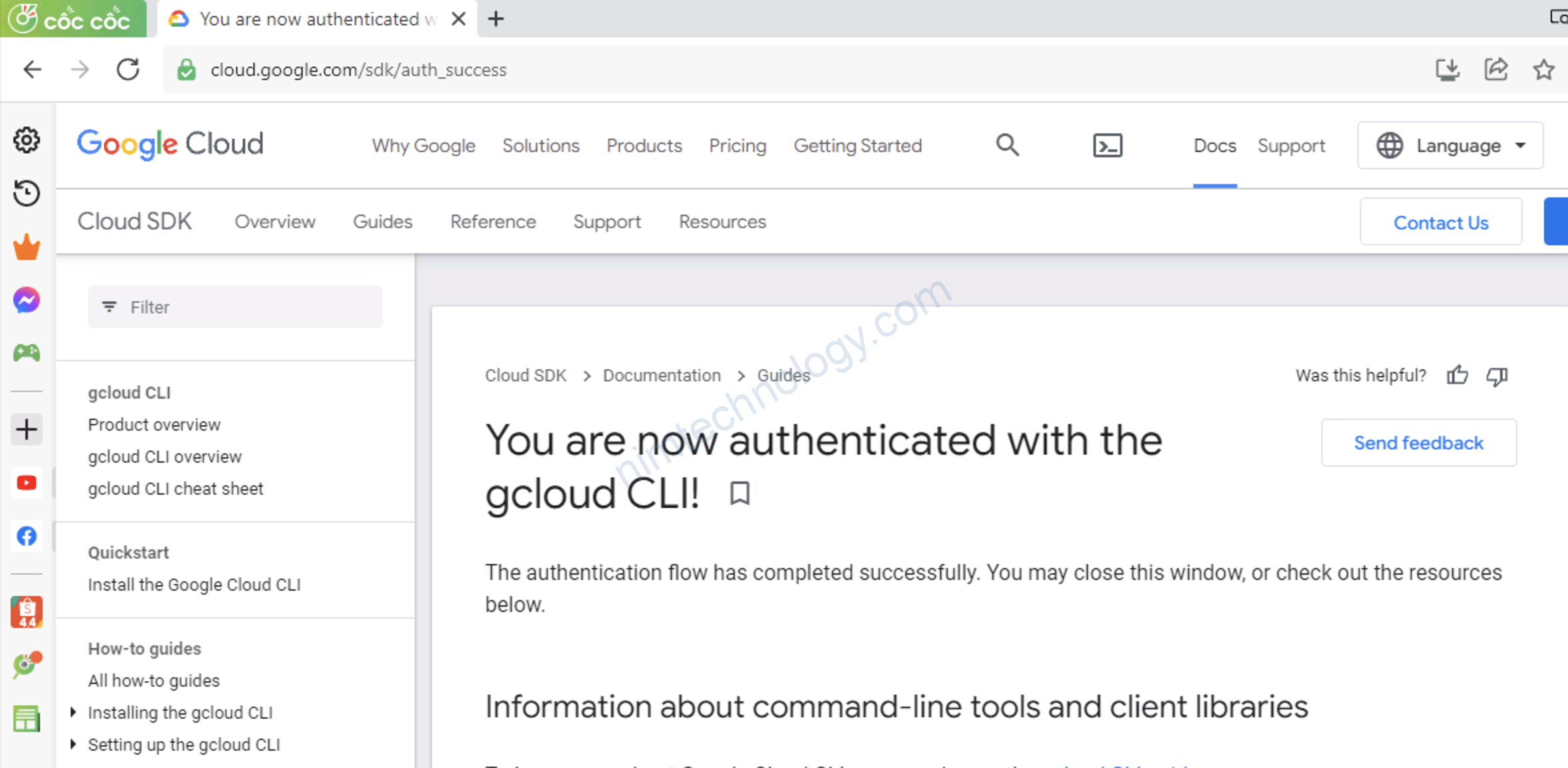
Giờ login thành công
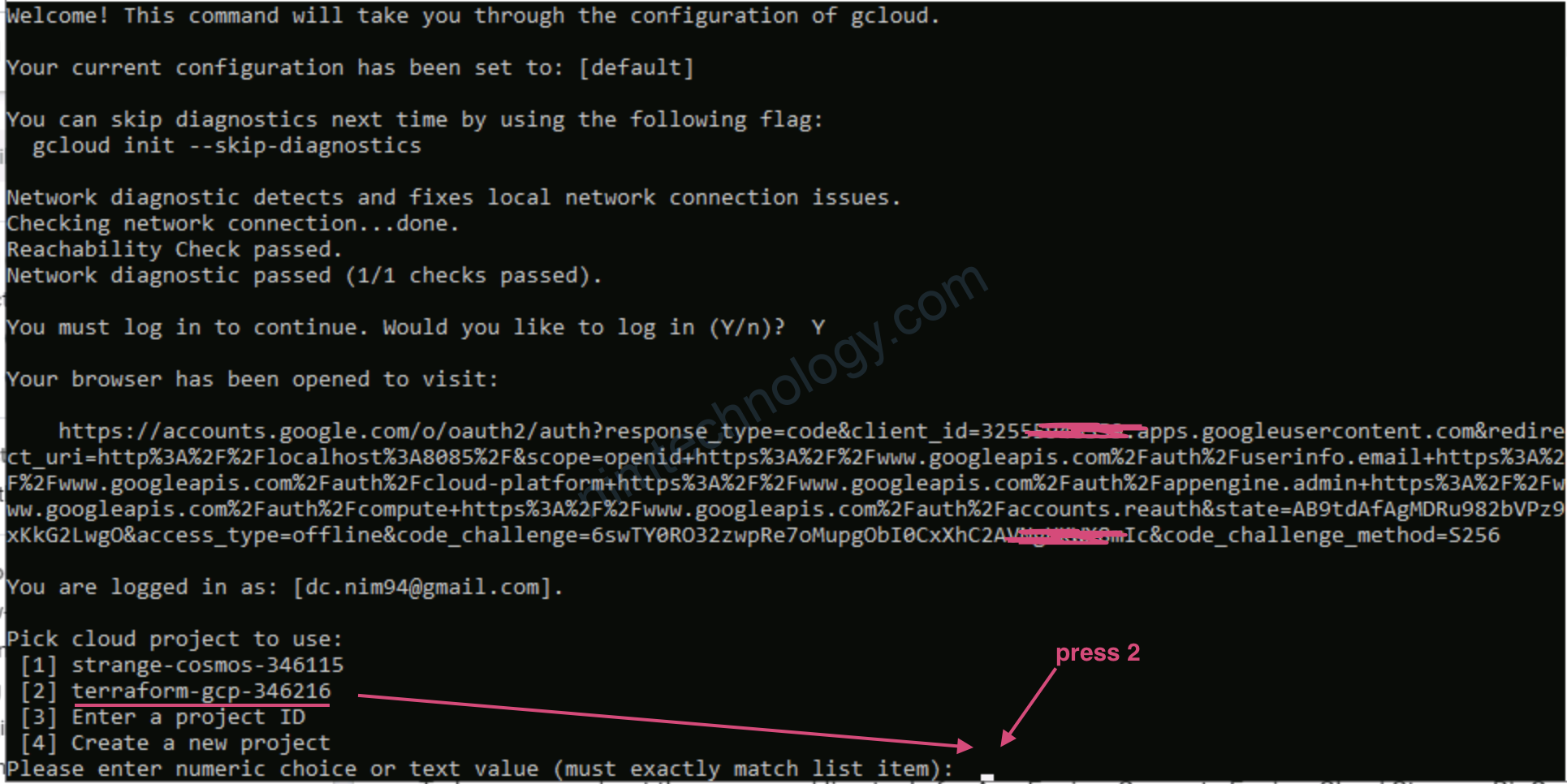
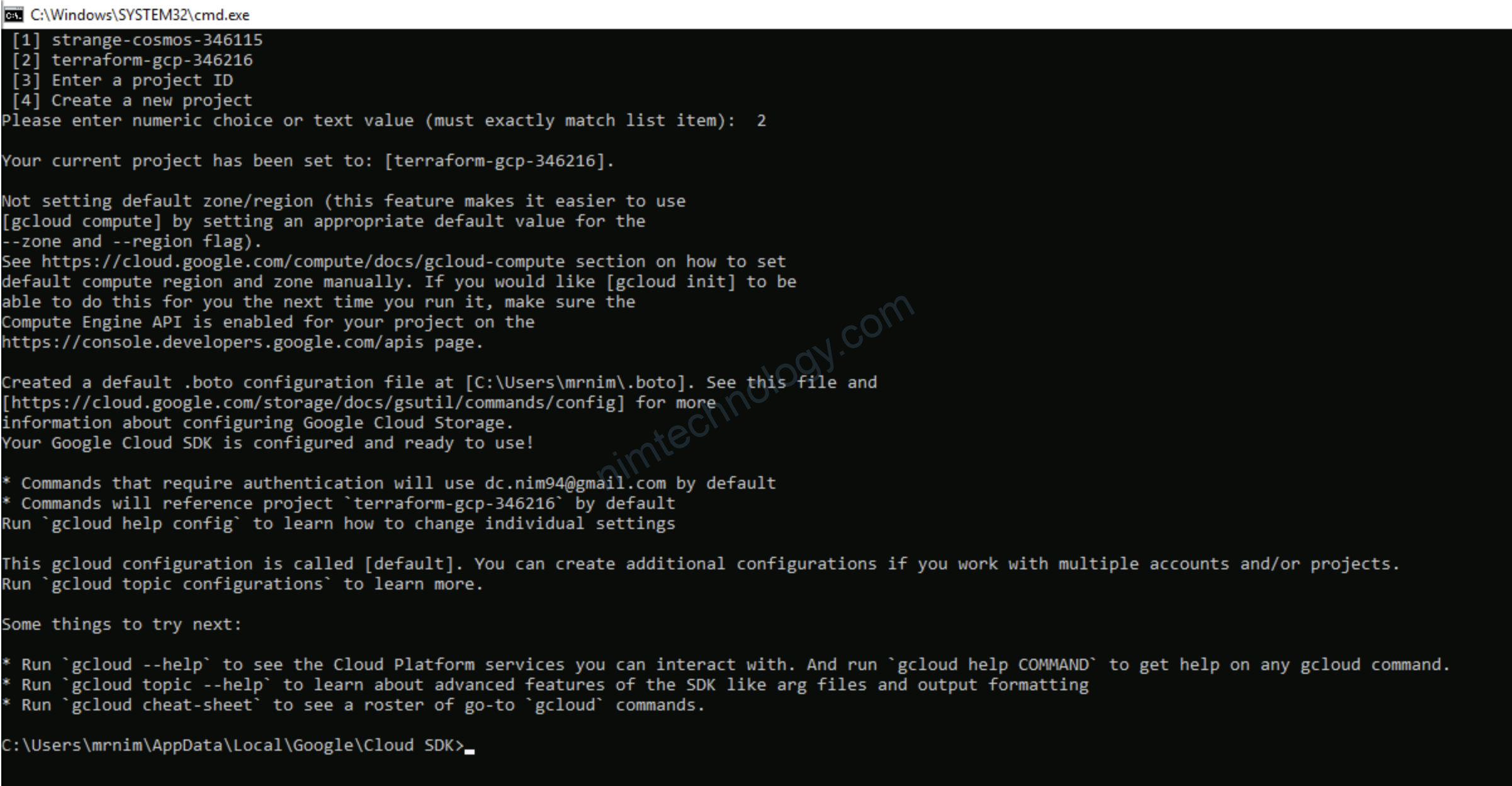
thực hiện chọn project
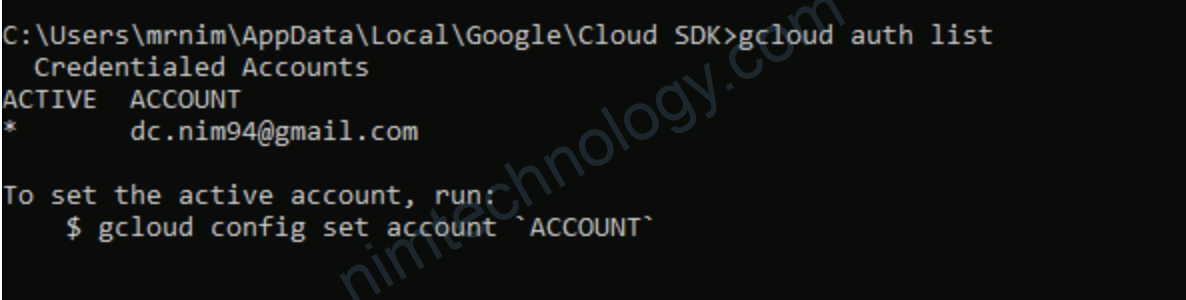
Gõ 1 vài lệnh sàm sí
gcloud auth list

Sau đó mình chạy lệnh terraform thì lỗi

Mình chạy login lại

gcloud auth application-default login

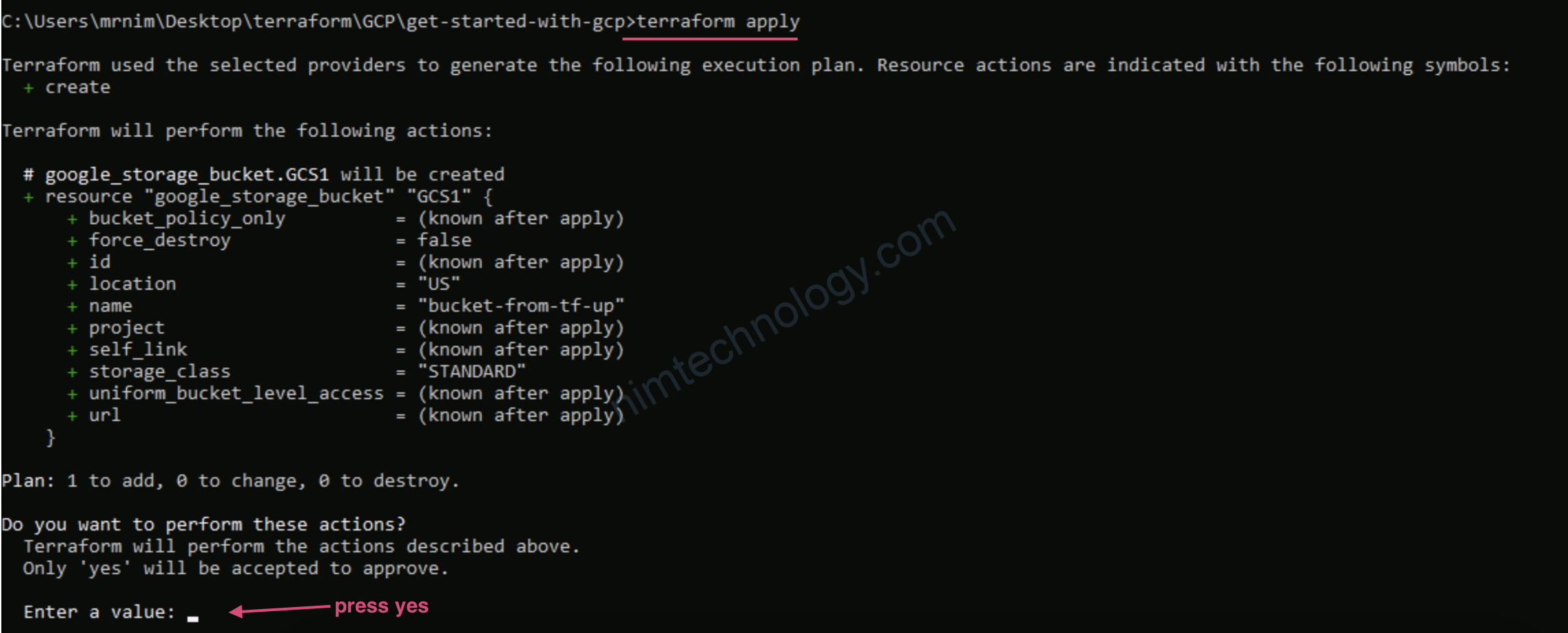
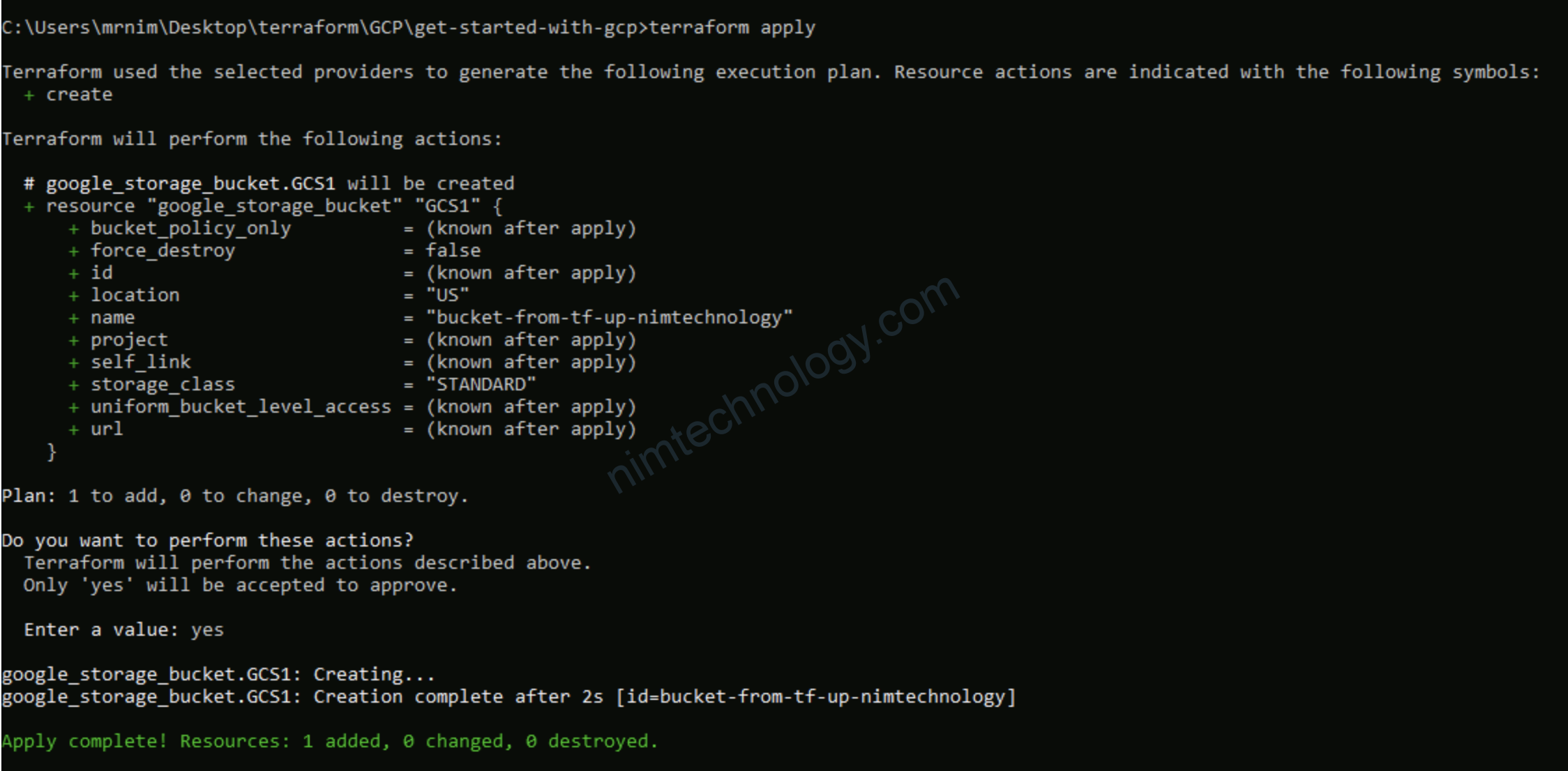
Tạo được rồi nè.

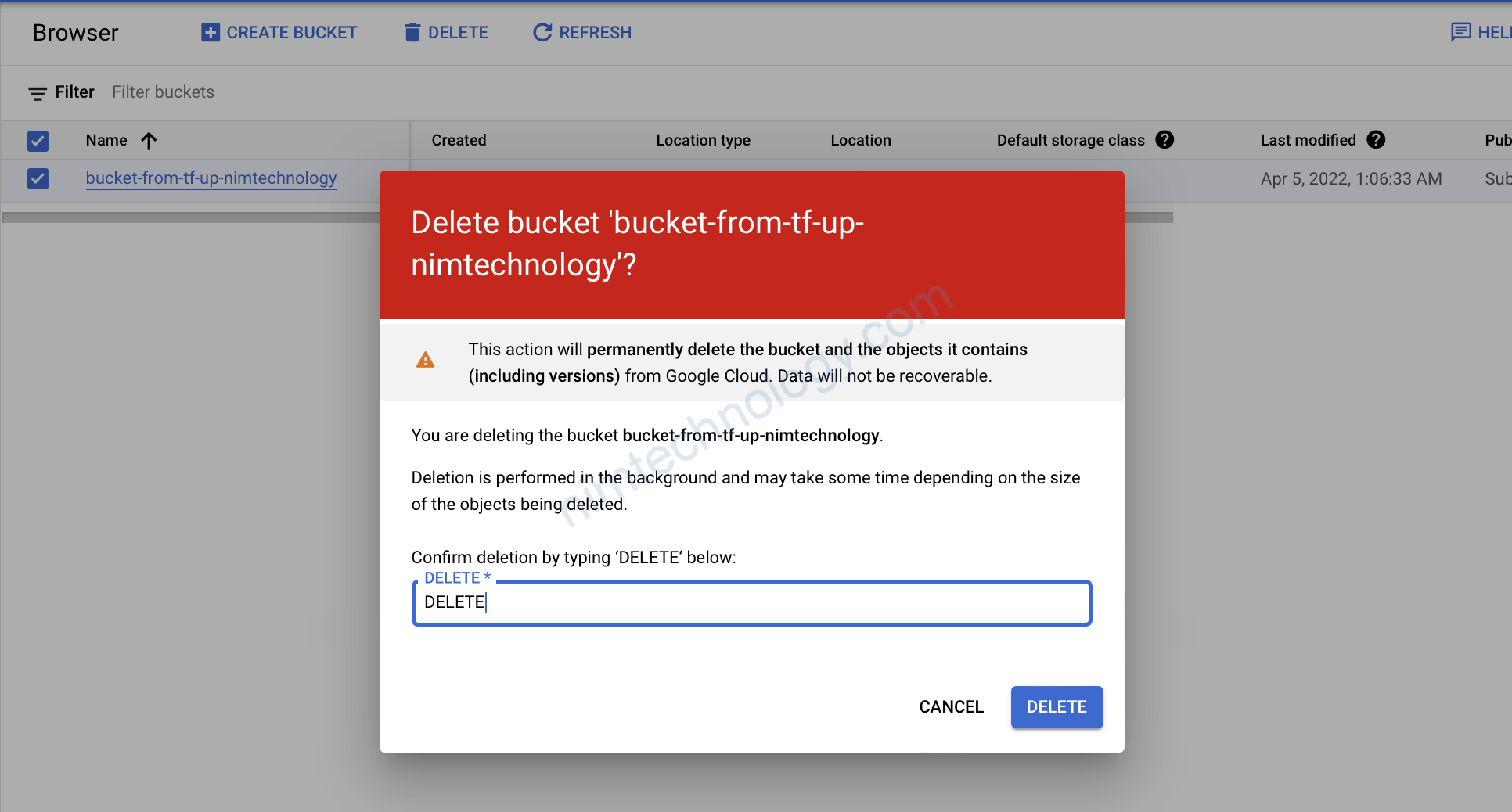
XOng rồi thì bạn xoá luôn nhé

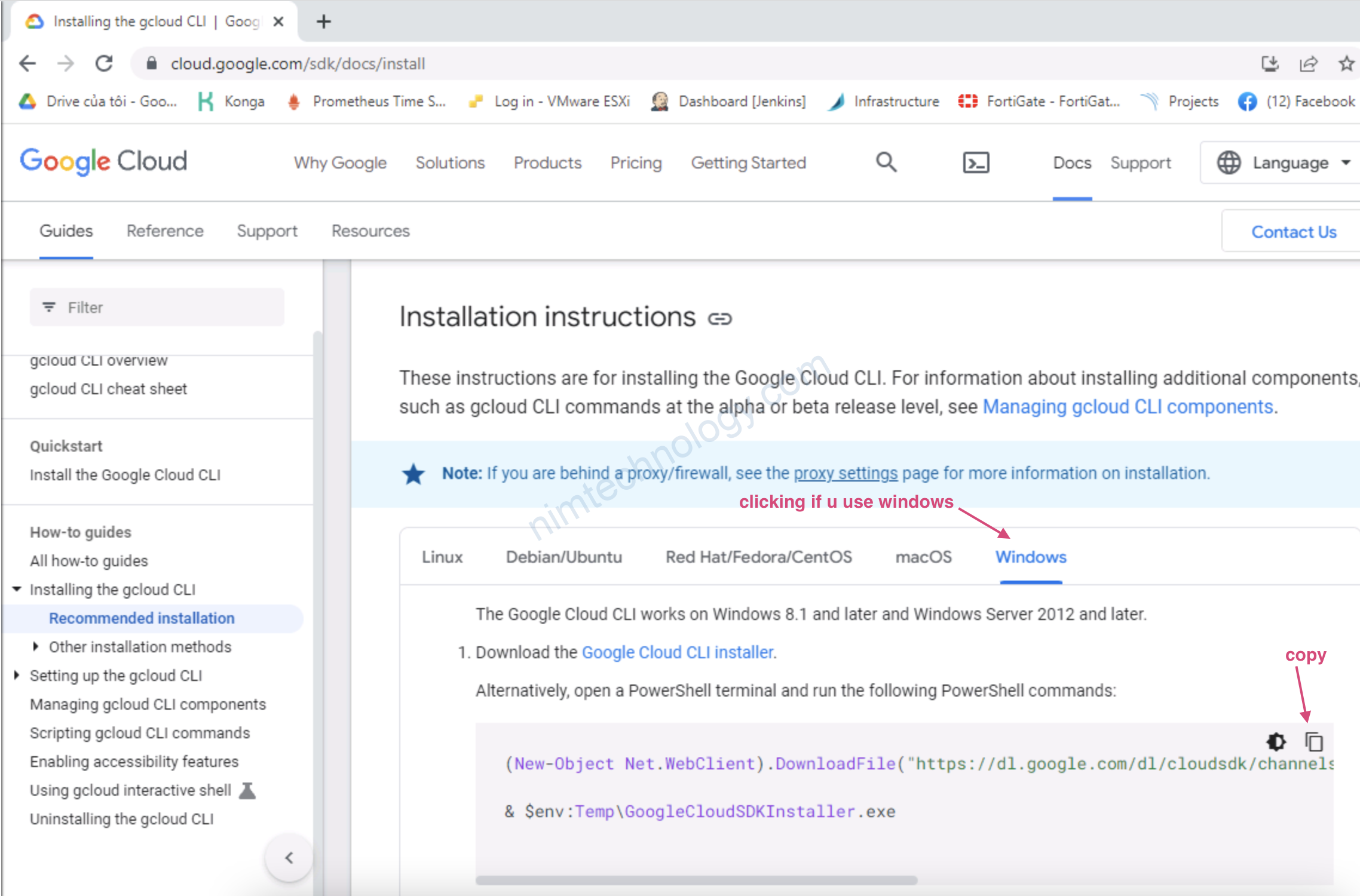
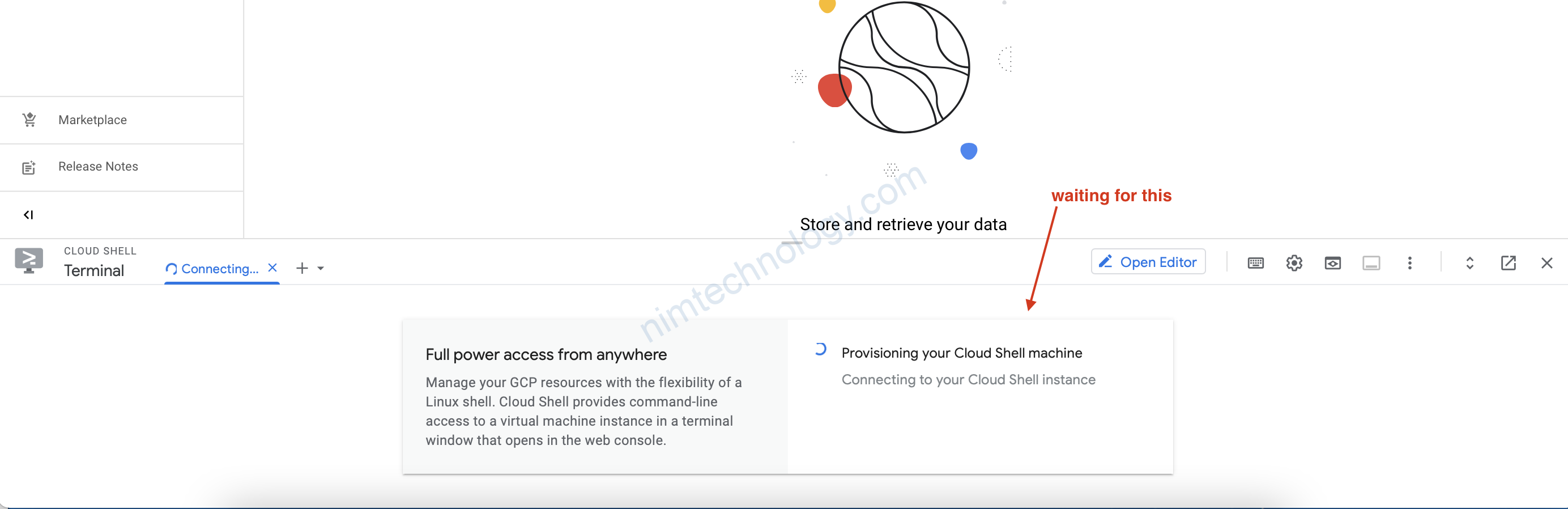
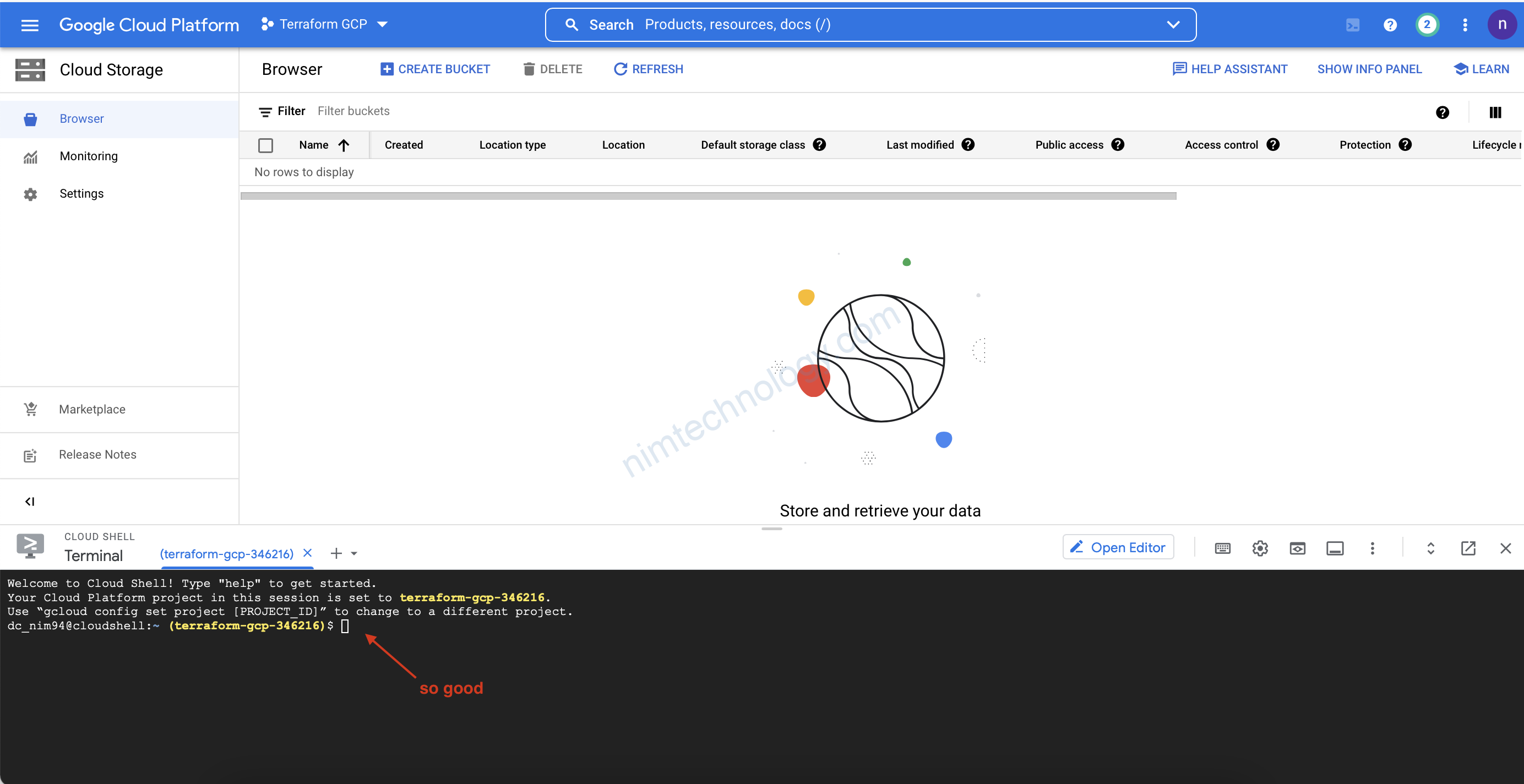
3.2) Cloud Shell VM

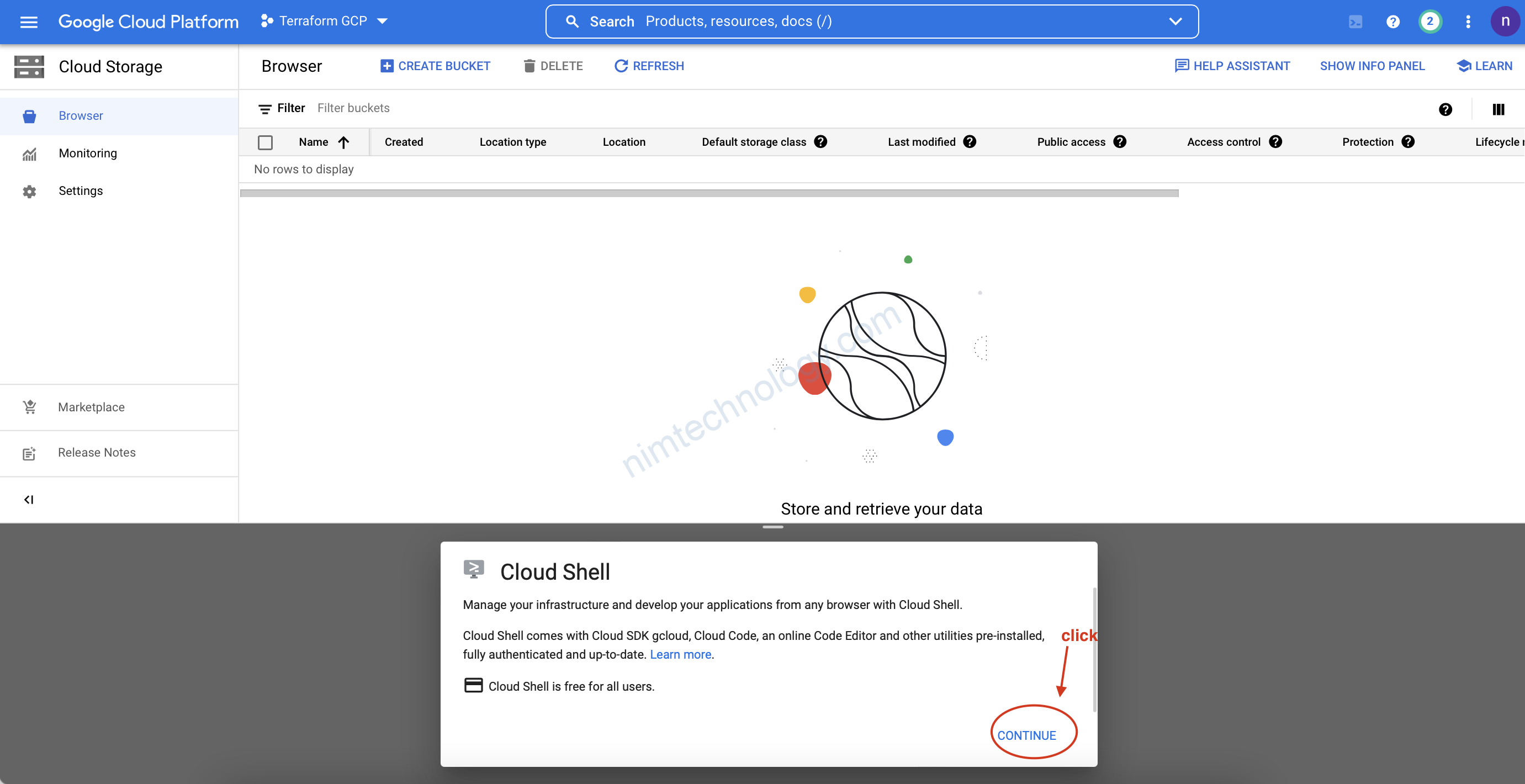
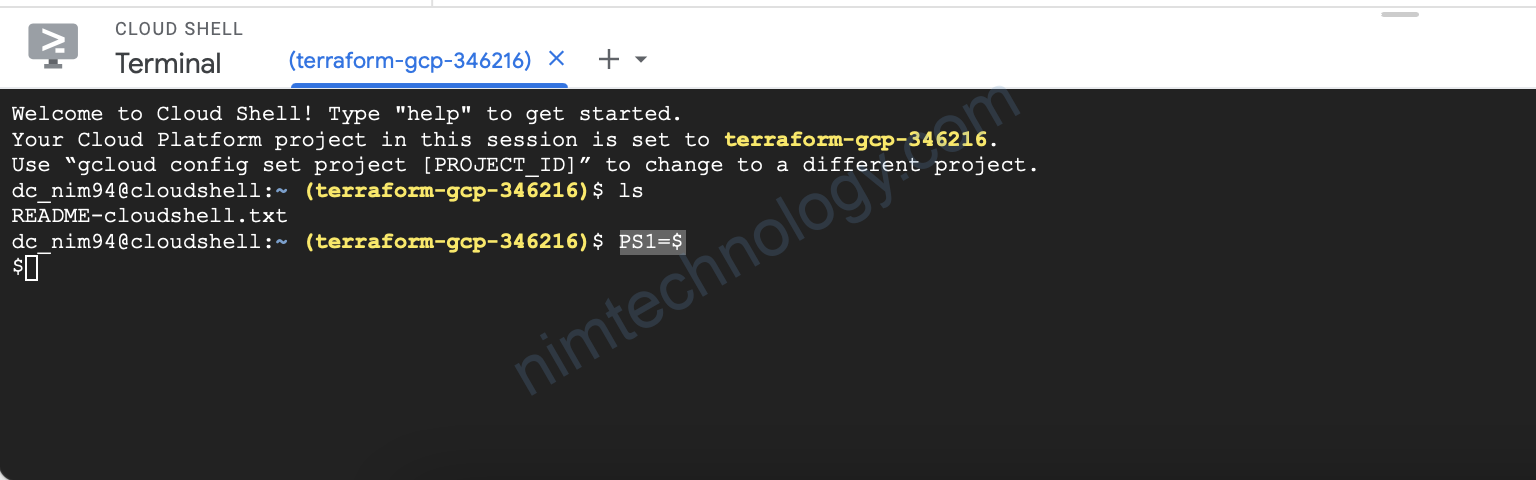
Để console có nhiều không gian hơn:
PS1=$

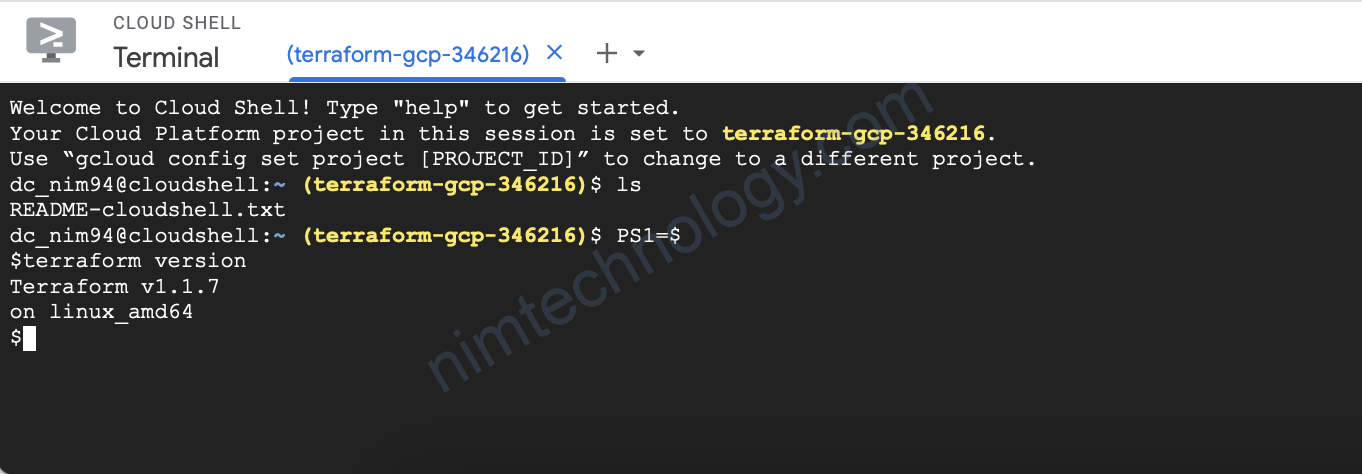
Có sẵn terraform nhé quý dị.
mkdir GCS
cd GCS/
nano main.tf
rồi bạn paste content của file main,tf vào
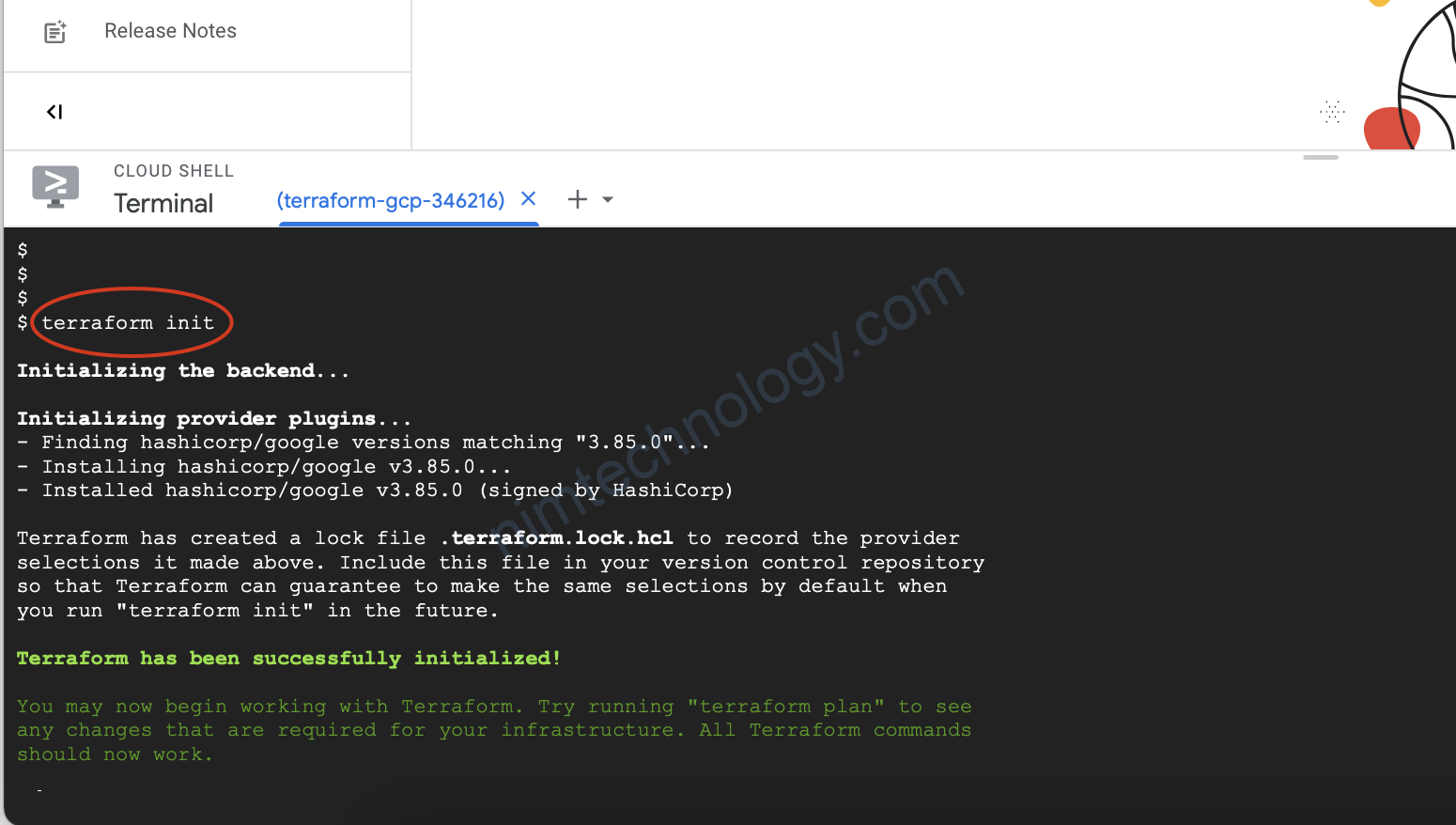
Gõ init đồ luôn
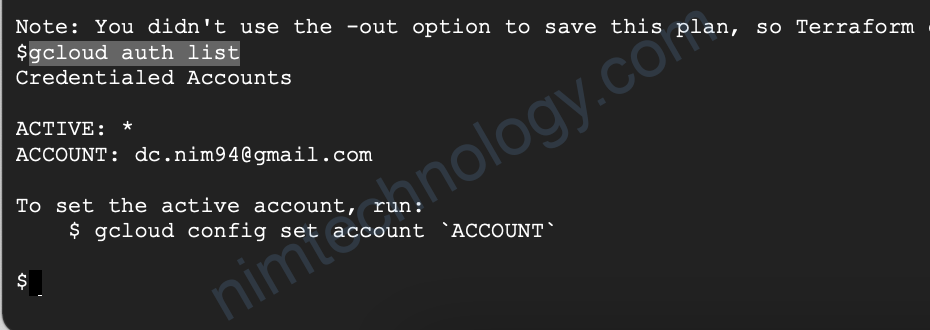
gcloud auth list
Đã được cài săn gcloud và login user luôn
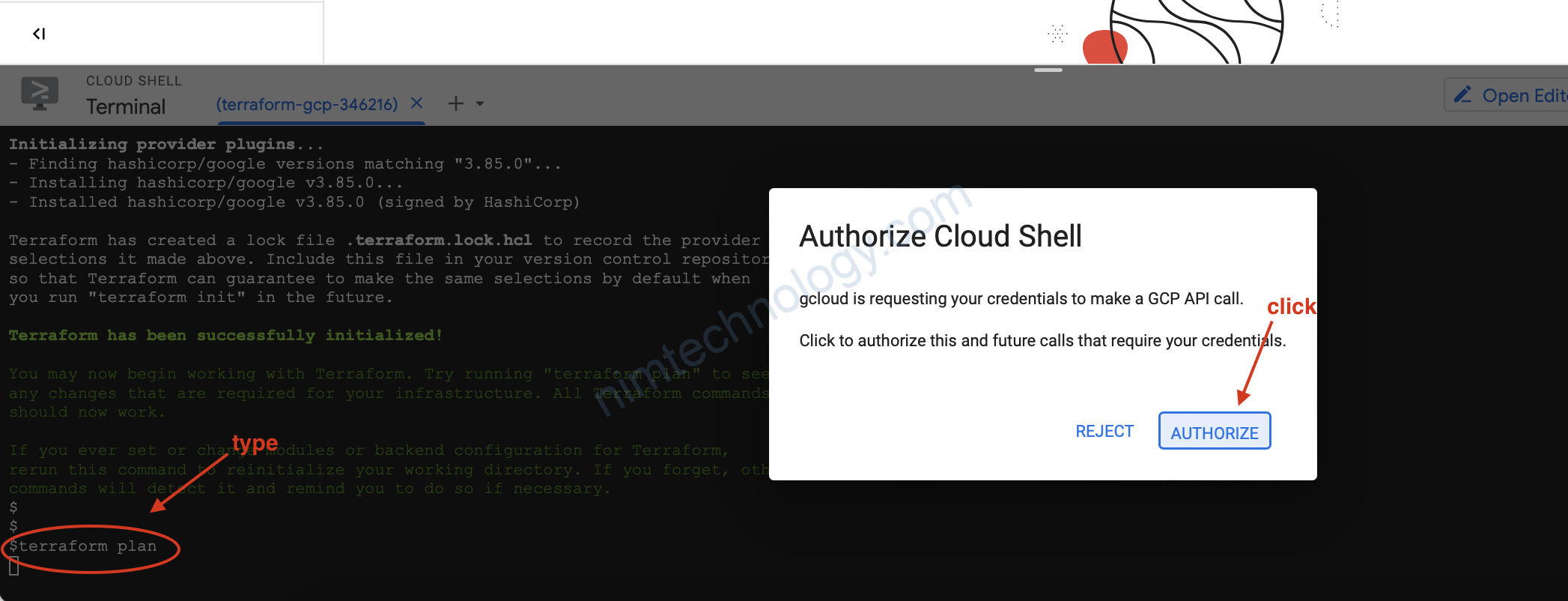
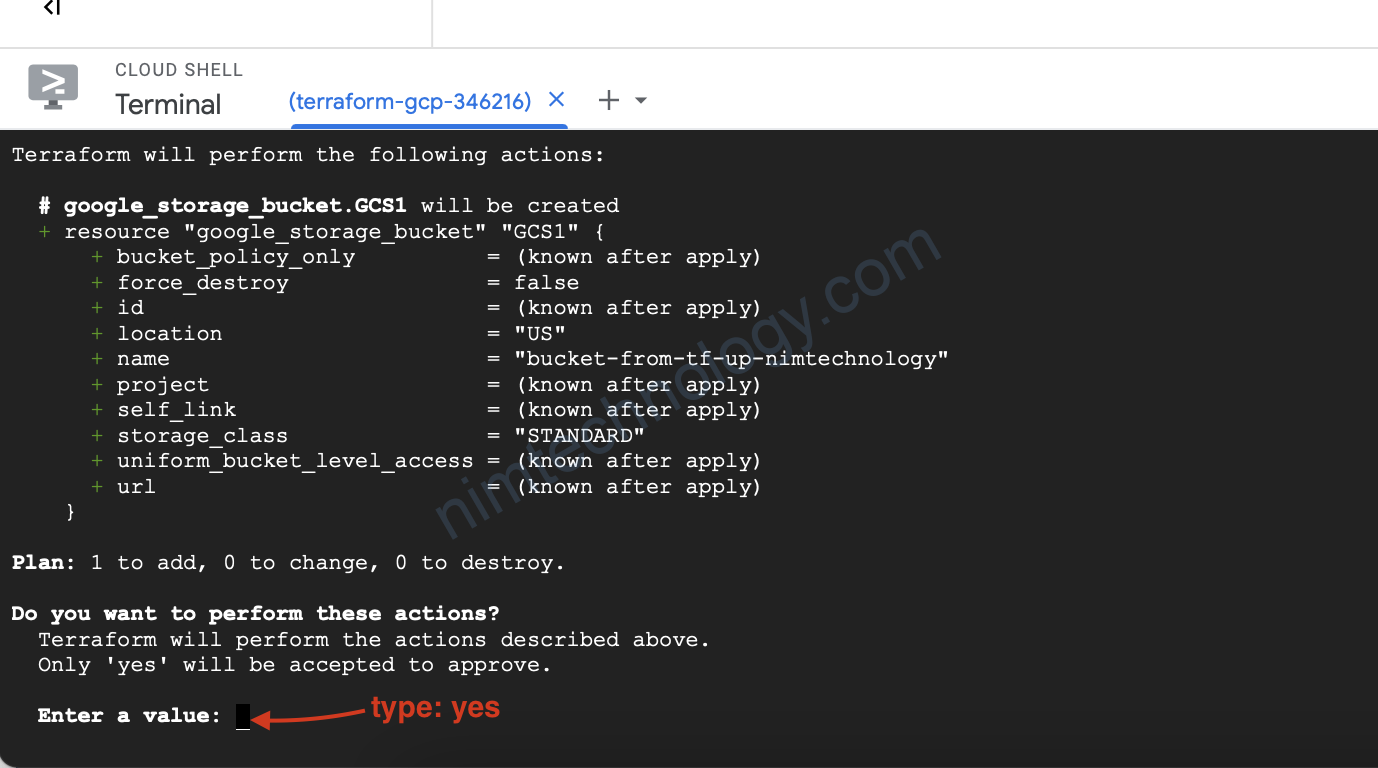
terraform apply
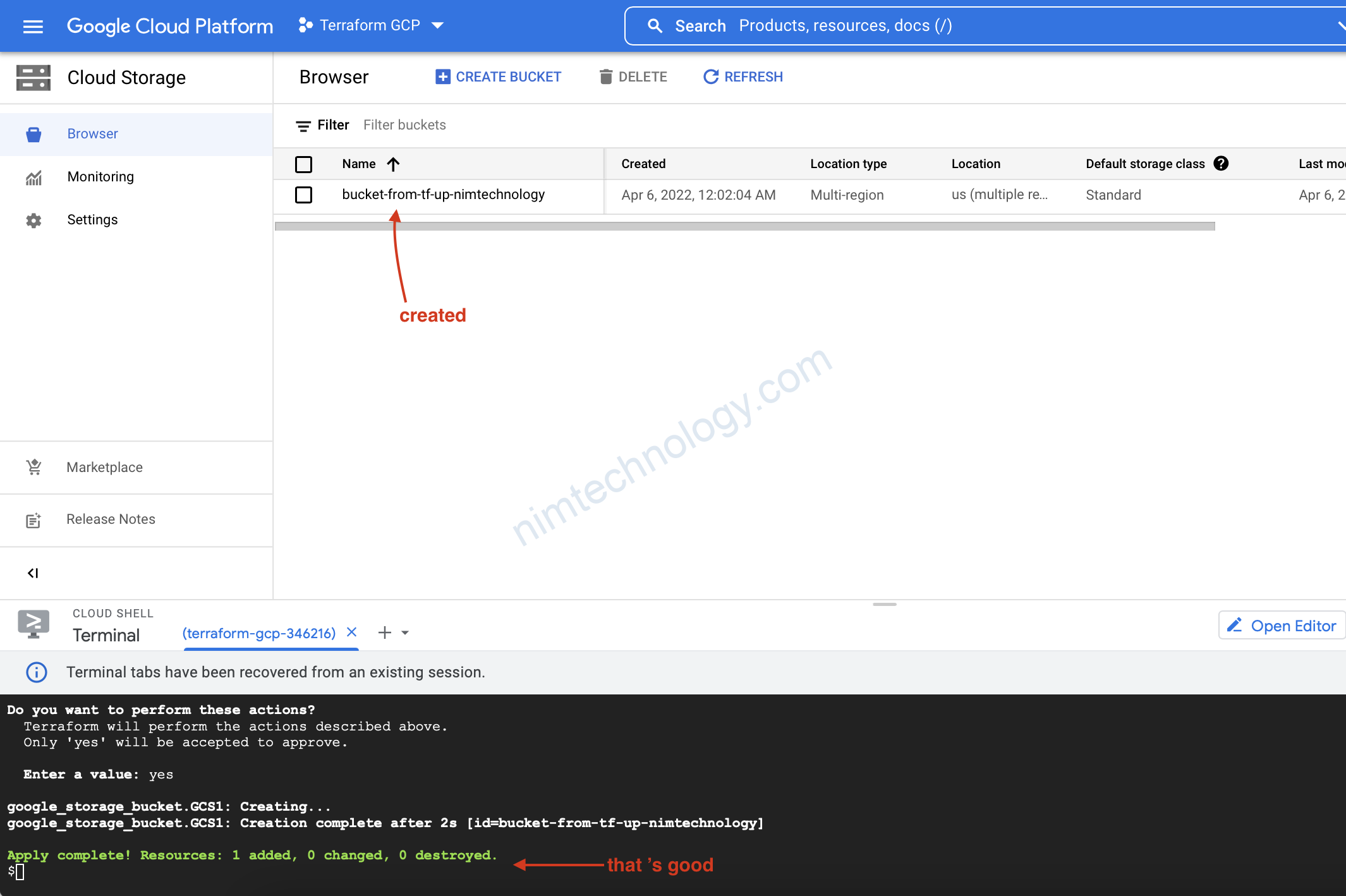
GCS đã được tạo nếu bạn không thấy thì F5

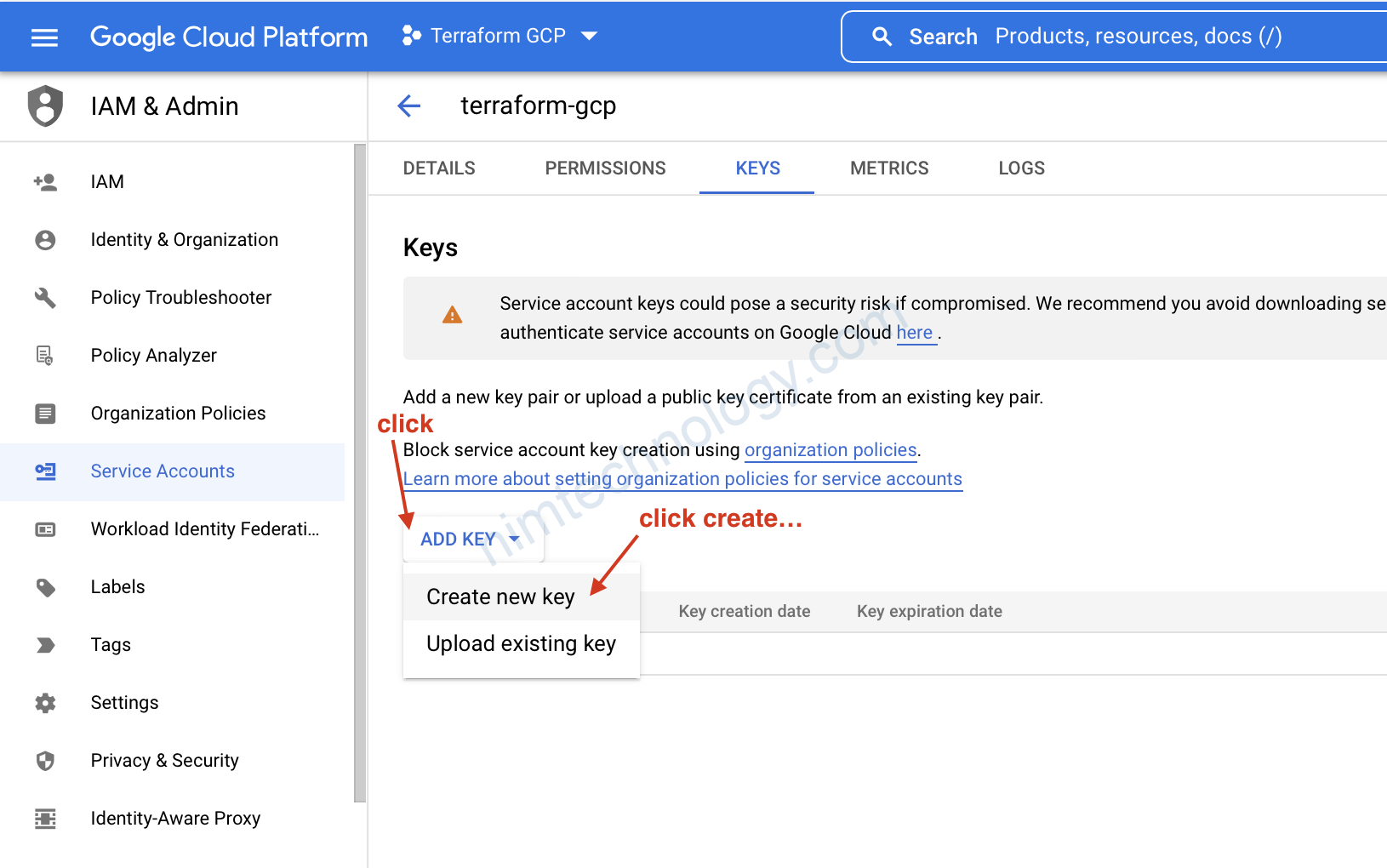
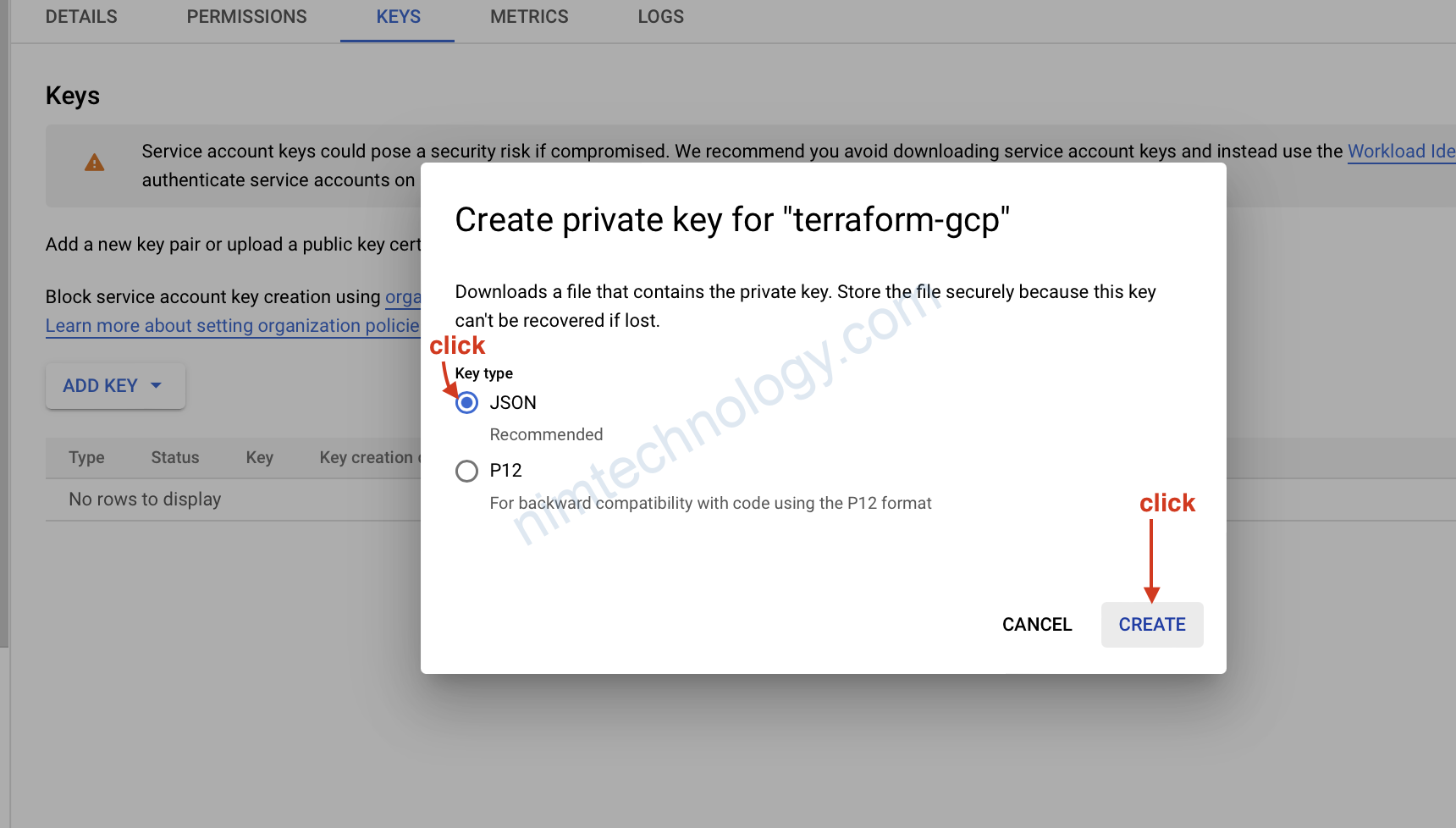
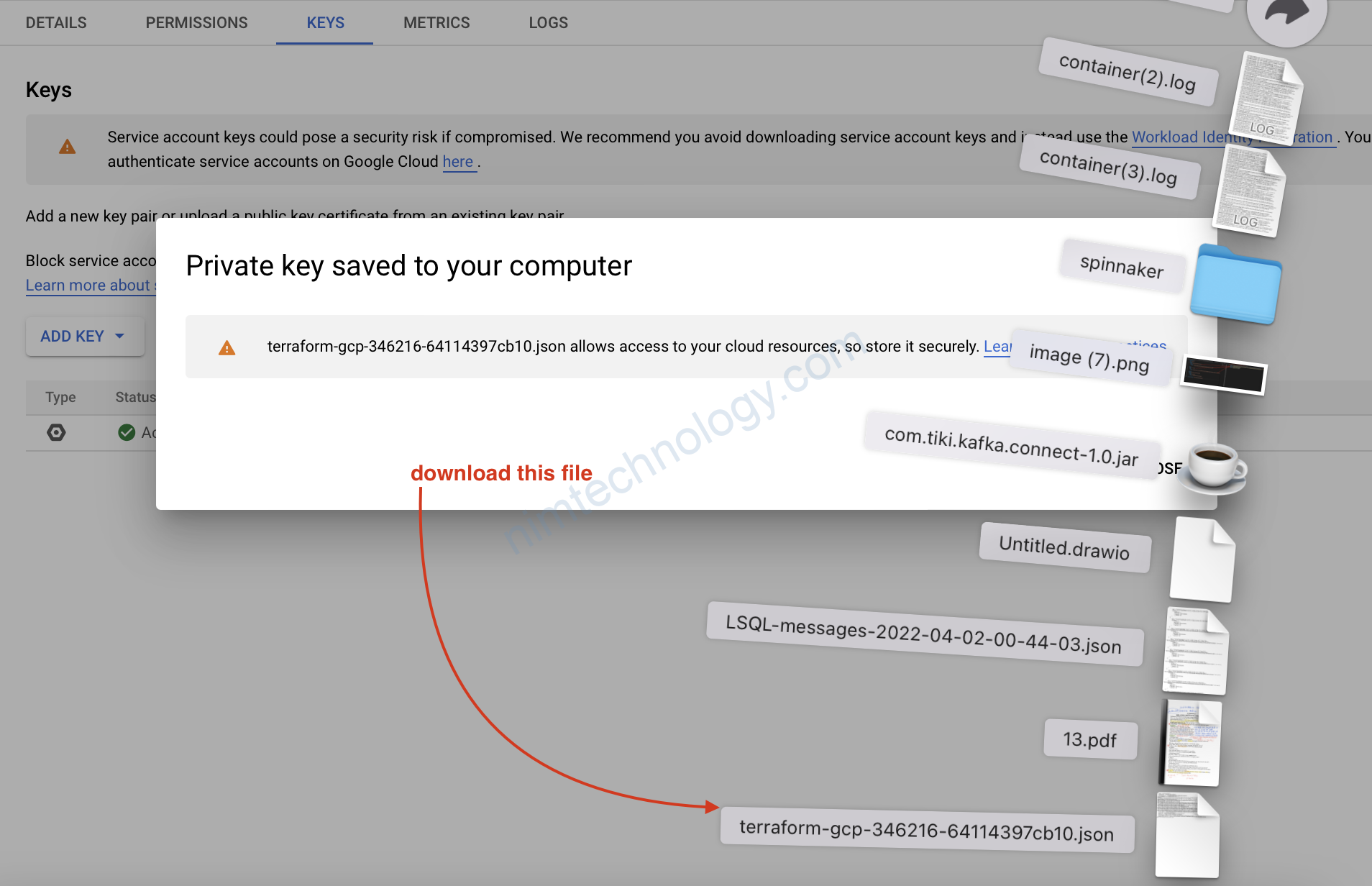
3.3) Service Account

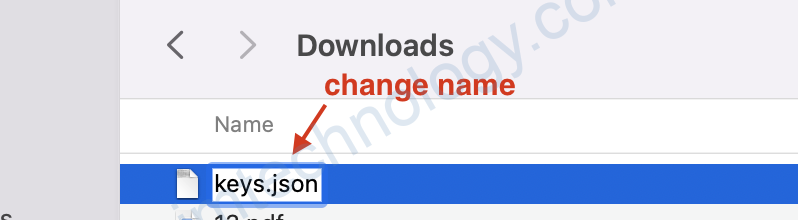
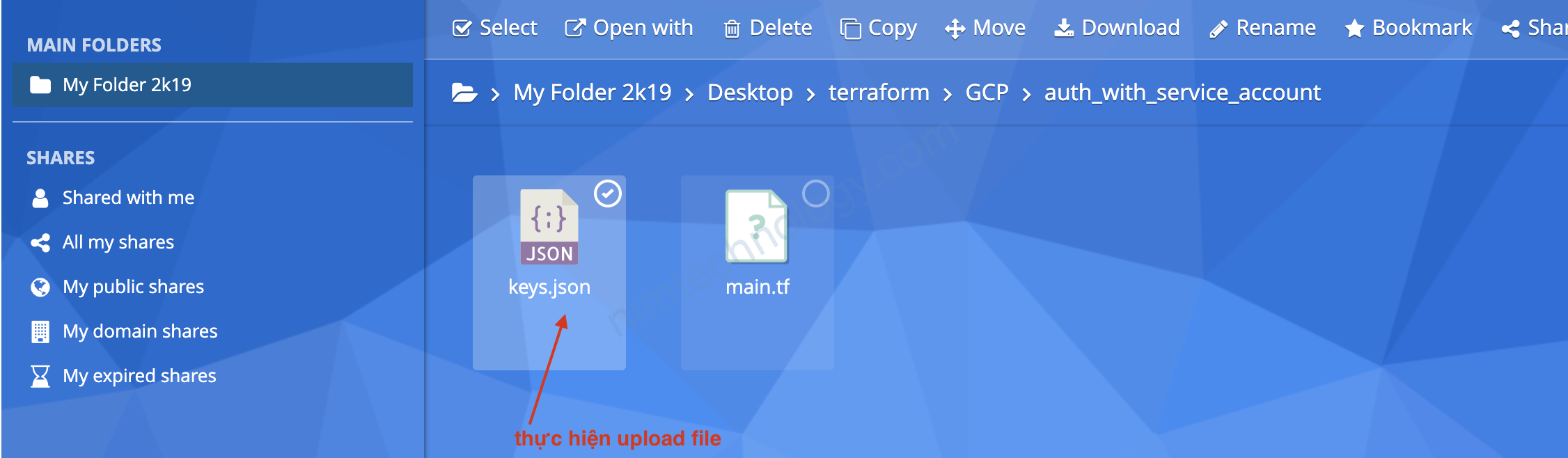
upload file key vào kế file main.tf
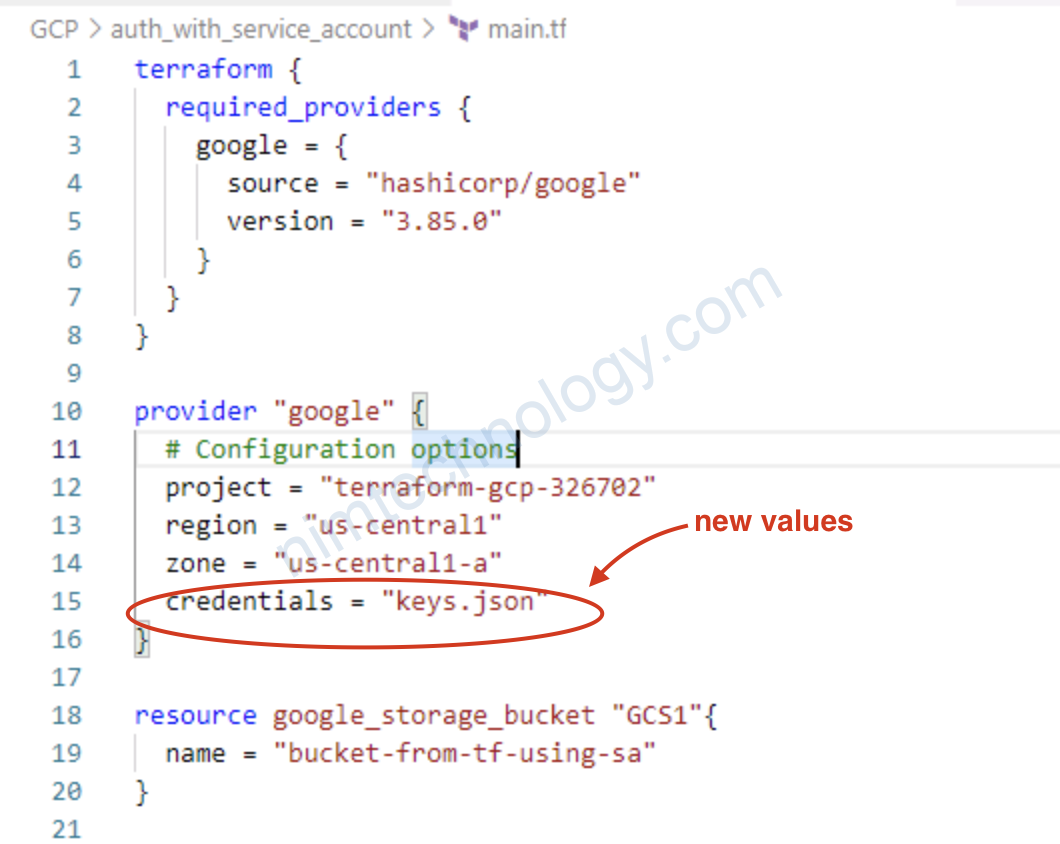
terraform {
  required_providers {
    google = {
      source = "hashicorp/google"
      version = "3.85.0"
    }
  }
}

provider "google" {
  # Configuration options
  project = "terraform-gcp-326702"
  region = "us-central1"
  zone = "us-central1-a"
  credentials = "keys.json"
}

resource google_storage_bucket "GCS1"{
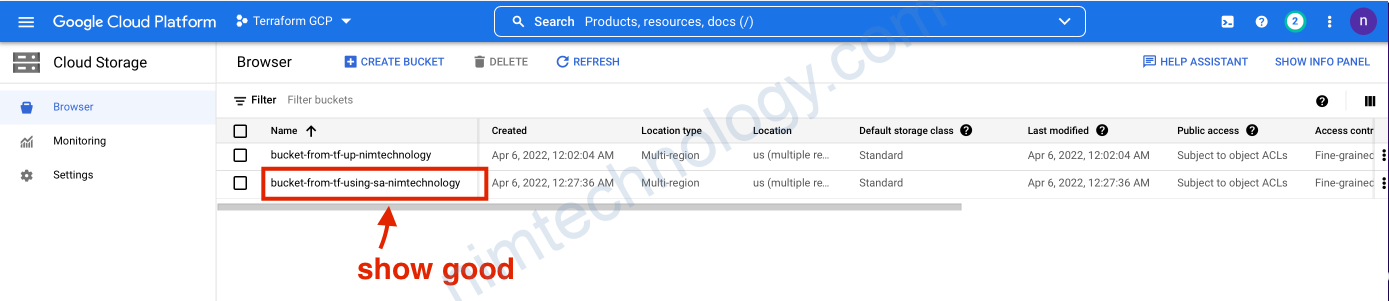
  name = "bucket-from-tf-using-sa-nimtechnology"
}
terraform init
terraform plan
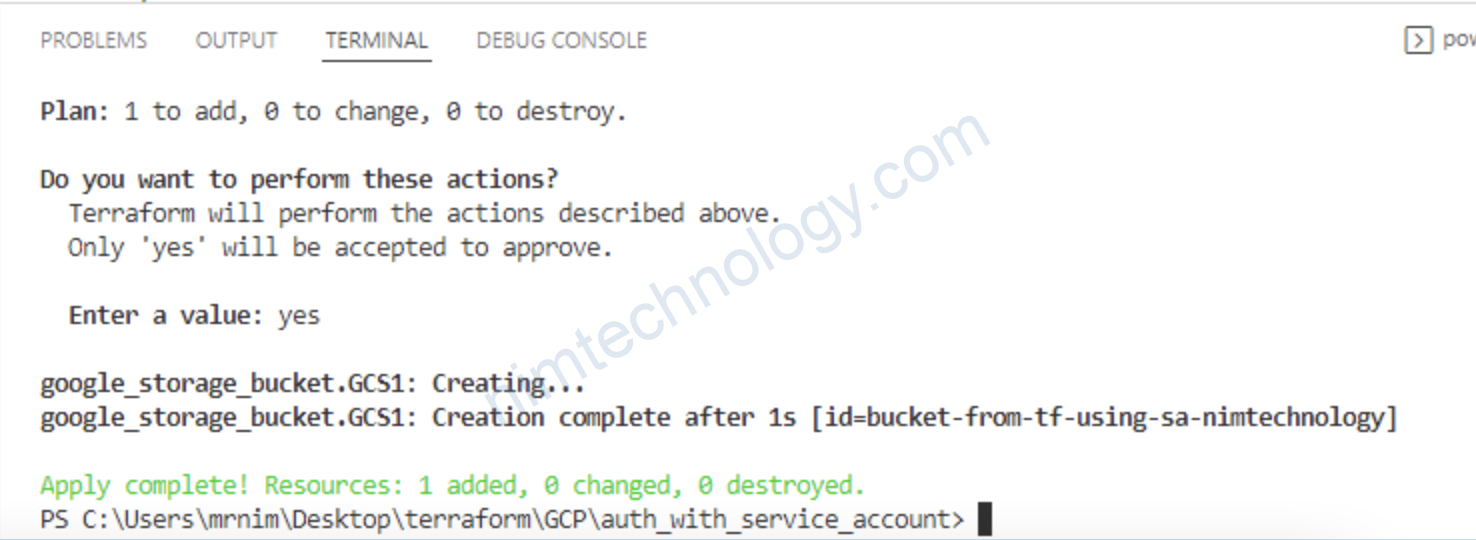
terraform apply

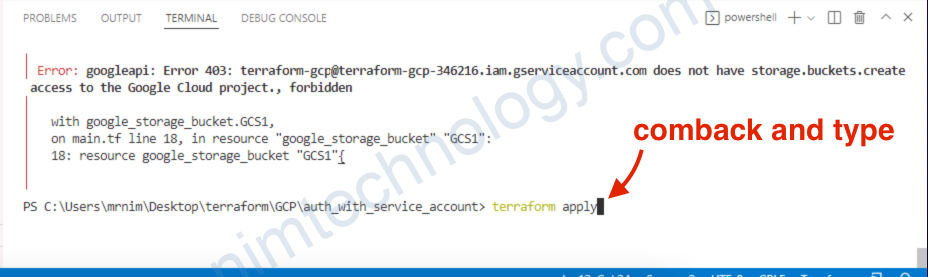
Bạn sẽ gặp lỗi này:
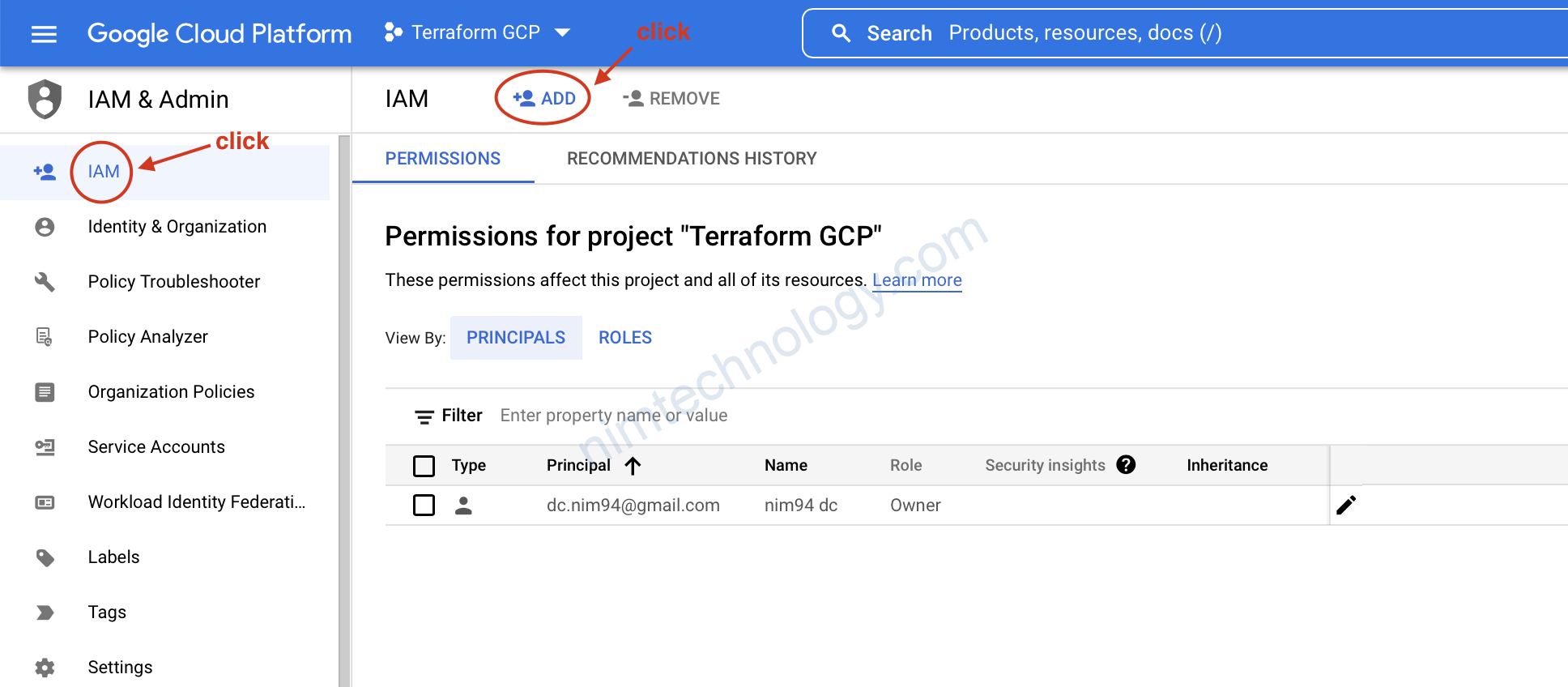
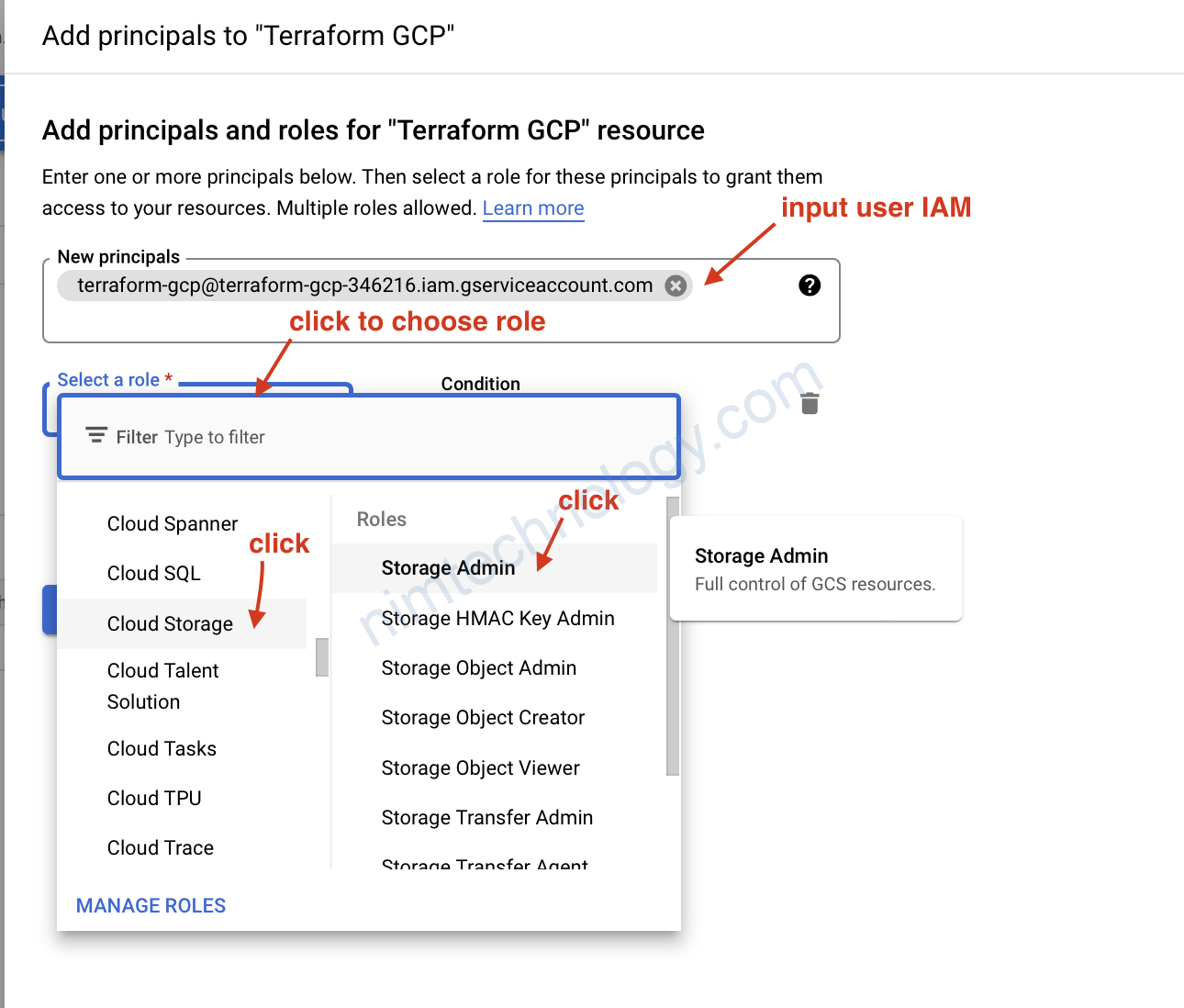
Error: googleapi: Error 403: terraform-gcp@terraform-gcp-346216.iam.gserviceaccount.com does not have storage.buckets.create access to the Google Cloud project., forbidden
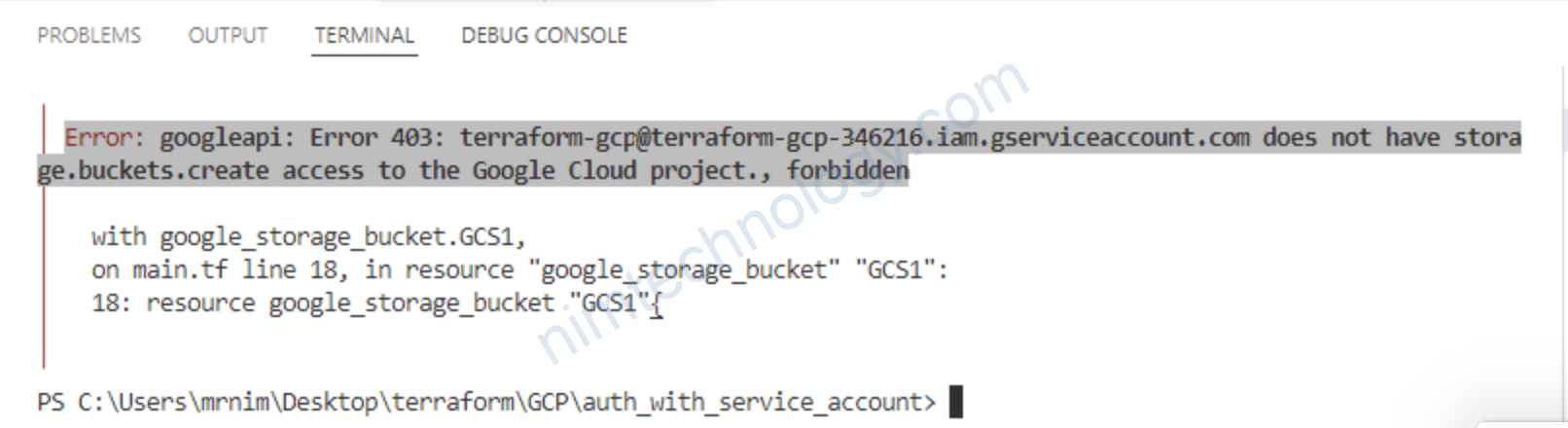
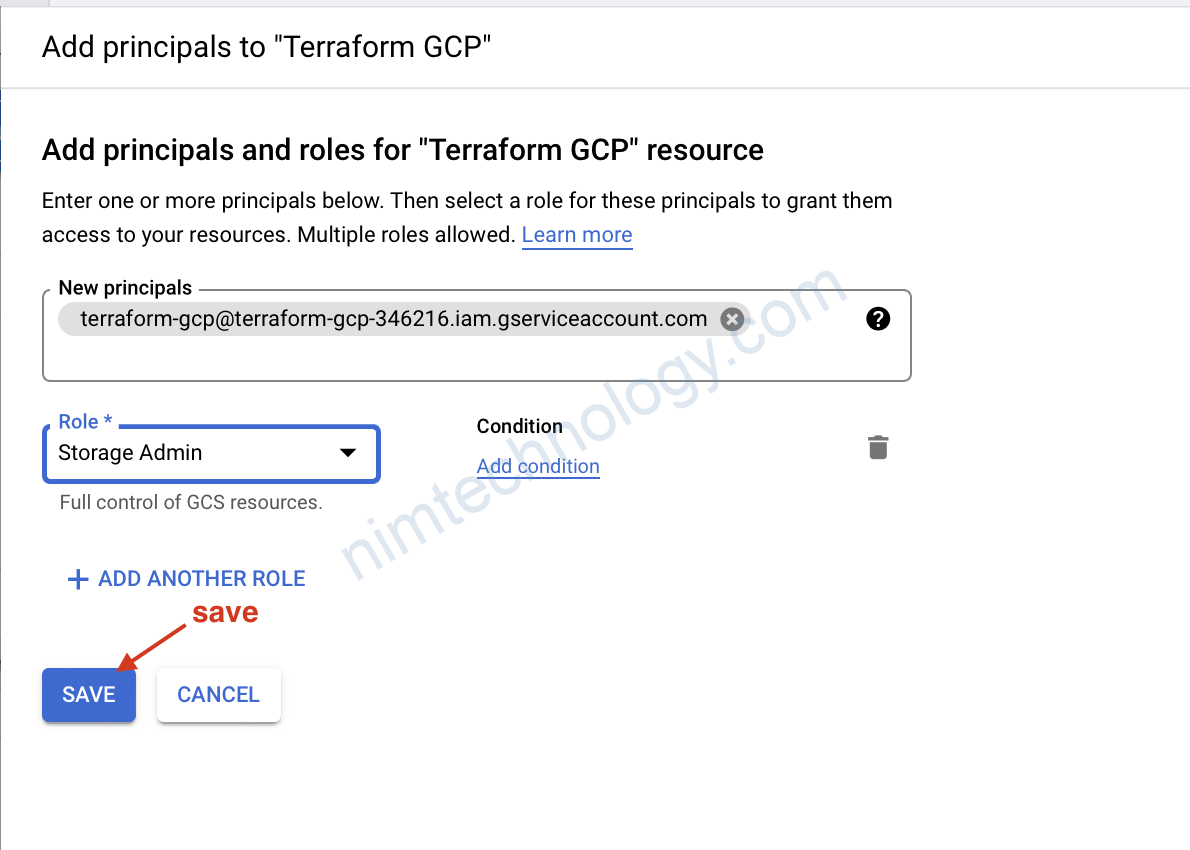
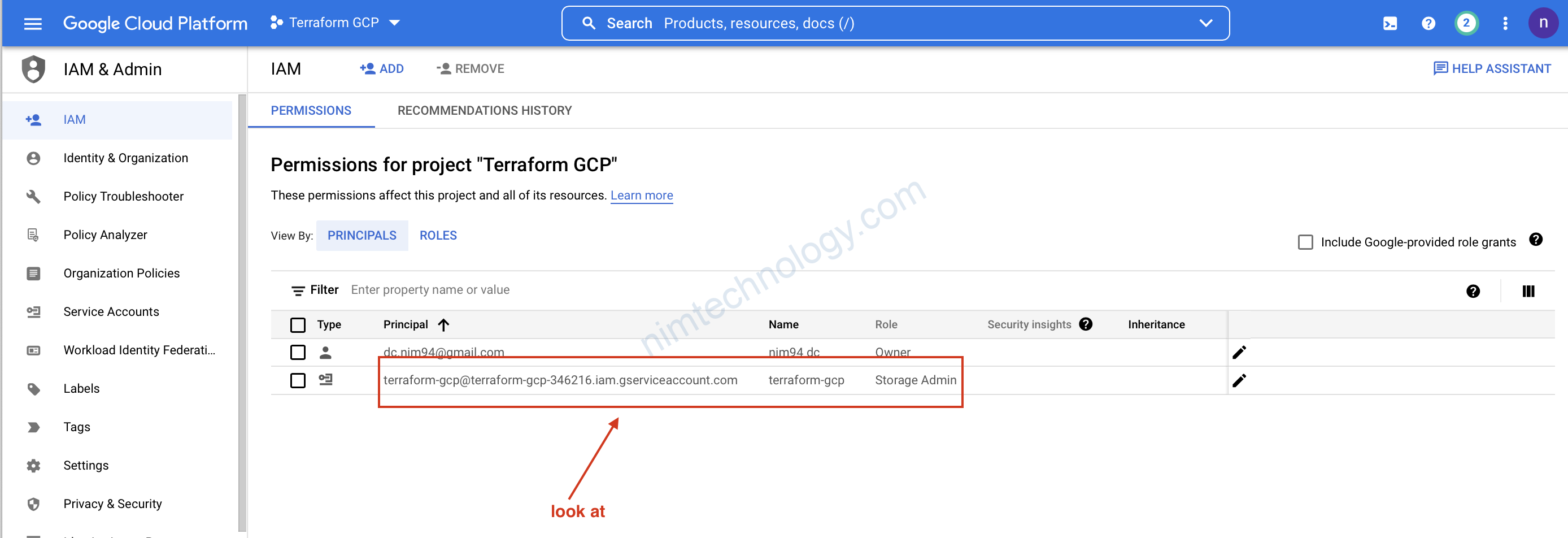
Lúc này chúng ta cần add thêm role
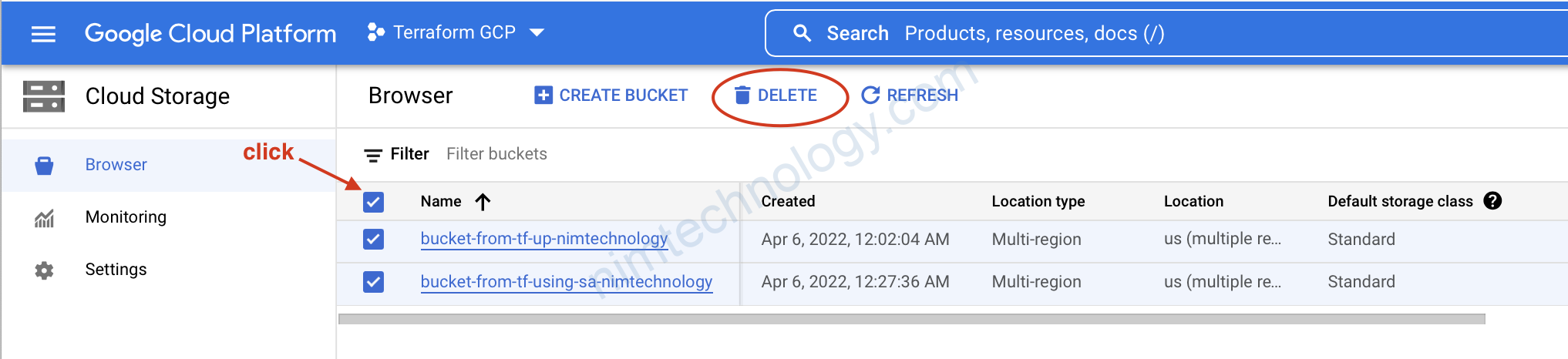
Tiếp theo là nhớ xoá nhé anh em
GCP - Google Cloud, Terraform

Post navigation

Previous Post: [Jenkins] Lưu ý nho nhỏ trong jenkins
Next Post: [Grafana] Reset passwork grafana

More Related Articles

[Terraform] Lesson 10: NoSQL Database in GCP with Terraform GCP - Google Cloud
[Terraform] Let’s look into For Function in terraform Terraform
[Terraform] Online Lab Terraform (FREE). Terraform
[AWS] – Terraform Beginner – Lesson 1: Create a Free Account of AWS AWS - Amazon Web Service
[AWS] Create EKS Cluster and EKS Node Groups in Public and Private Subnets AWS - Amazon Web Service
[Terraform] – Terraform Beginner – Lesson 2: Working with Terraform. AWS - Amazon Web Service

Leave a Reply Cancel reply

Your email address will not be published. Required fields are marked *

Tham Gia Group DevOps nhé!
Để Nim có nhiều động lực ra nhiều bài viết.
Để nhận được những thông báo mới nhất.

Recent Posts

  • [Rancher/EKS] Rancher from v2.12.x can not work on eks cluster. April 15, 2026
  • [Telegram/Openclaw] Configure openclaw bot in a Telegram group. March 31, 2026
  • Tutorial: Gateway API + Traefik + oauth2-proxy (Microsoft Entra ID) March 30, 2026
  • Full + incremental backup: When restoring, do deleted files come back? March 27, 2026
  • [K8S] Create long-lived kubeconfig on k8s March 23, 2026

Archives

  • April 2026
  • March 2026
  • February 2026
  • January 2026
  • December 2025
  • November 2025
  • October 2025
  • September 2025
  • August 2025
  • July 2025
  • June 2025
  • May 2025
  • April 2025
  • March 2025
  • February 2025
  • January 2025
  • December 2024
  • November 2024
  • October 2024
  • September 2024
  • August 2024
  • July 2024
  • June 2024
  • May 2024
  • April 2024
  • March 2024
  • February 2024
  • January 2024
  • December 2023
  • November 2023
  • October 2023
  • September 2023
  • August 2023
  • July 2023
  • June 2023
  • May 2023
  • April 2023
  • March 2023
  • February 2023
  • January 2023
  • December 2022
  • November 2022
  • October 2022
  • September 2022
  • August 2022
  • July 2022
  • June 2022
  • May 2022
  • April 2022
  • March 2022
  • February 2022
  • January 2022
  • December 2021
  • November 2021
  • October 2021
  • September 2021
  • August 2021
  • July 2021
  • June 2021

Categories

  • AI
    • OpenClaw
  • BareMetal
    • NextCloud
  • CI/CD
    • Argo Events
    • ArgoCD
    • ArgoWorkflows
    • Git
      • Bitbucket
    • Harbor
    • Jenkins
    • Spinnaker
    • TeamCity
  • Coding
    • DevSecOps
    • Golang
    • Jquery & JavaScript
    • Laravel
    • NextJS 14 & ReactJS & Type Script
    • Python
    • Selenium
    • Terraform
      • AWS – Amazon Web Service
      • Azure Cloud
      • GCP – Google Cloud
  • Kubernetes & Container
    • Apache Kafka
      • Kafka
      • Kafka Connect
      • Lenses
    • Docker
    • Helm Chart
    • Isito-EnvoyFilter
    • Kong Gateway
    • Kubernetes
      • Gateway API
      • Ingress
      • Pod
    • Longhorn – Storage
    • MetalLB
    • OAuth2 Proxy
    • Vault
    • VictoriaMetrics
  • Log, Monitor & Tracing
    • DataDog
    • ELK
      • Kibana
      • Logstash
    • Fluent
    • Grafana
    • Prometheus
  • Uncategorized
  • Admin

Copyright © 2026 NimTechnology.