Gần dây khi anh em git pull tới Bitbucket sẽ thấy dòng thông báo:
remote:
remote: Create pull request for meta-structure:
remote:   https://bitbucket.org/metascan/mdce-metadefender-argo/pull-requests/new?source=meta-structure&t=1
remote:
remote:
remote: You are using an app password for Git over HTTPS.
remote: On September 9, 2025, the creation of app passwords will be discontinued.
remote: From that date forward, you will need to create and use API tokens.
remote: All existing app passwords will become inactive on June 9, 2026.
remote: More details:
remote: https://support.atlassian.com/atlassian-account/docs/manage-api-tokens-for-your-atlassian-account/
To https://bitbucket.org/metascan/mdce-metadefender-argo.git
   2b4242a6..cd324752  meta-structure -> meta-structure
nếu bây giờ chúng ta không thể dùng app password để git clone hay pull và push.
thì chúng ta sẽ dùng gì thay thế:
Chúng ta sẽ cần create API Token để thay thế.
https://support.atlassian.com/atlassian-account/docs/manage-api-tokens-for-your-atlassian-account/
Đầu tiên bạn truy cập vào link này:
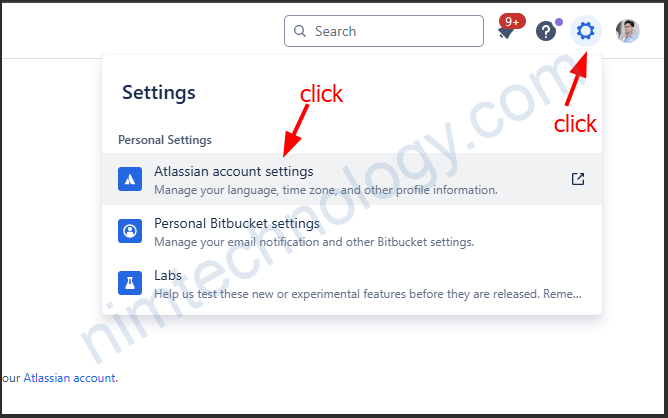
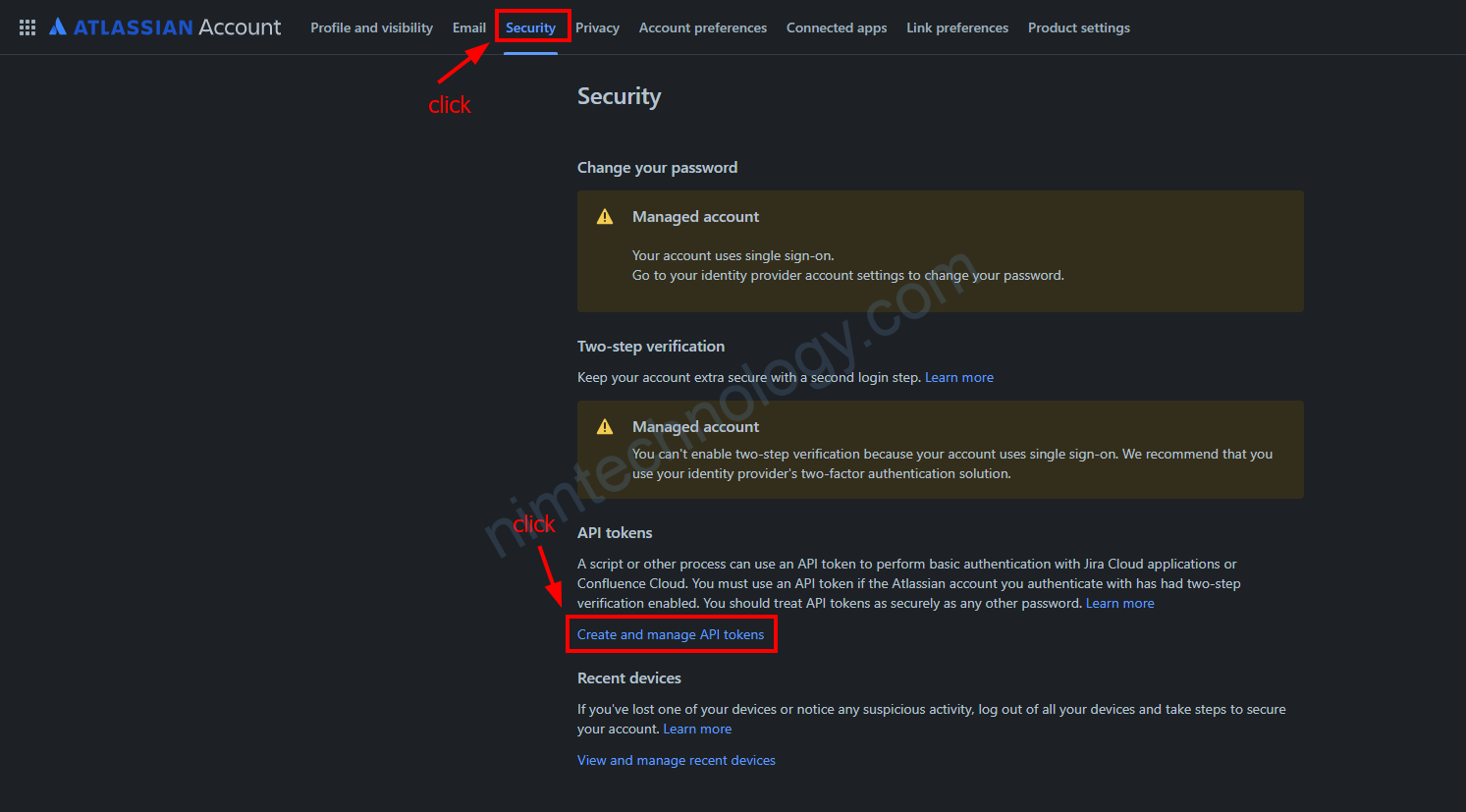
Hoặc truy cập thẳng vào link này:
https://id.atlassian.com/manage-profile/security/api-tokens
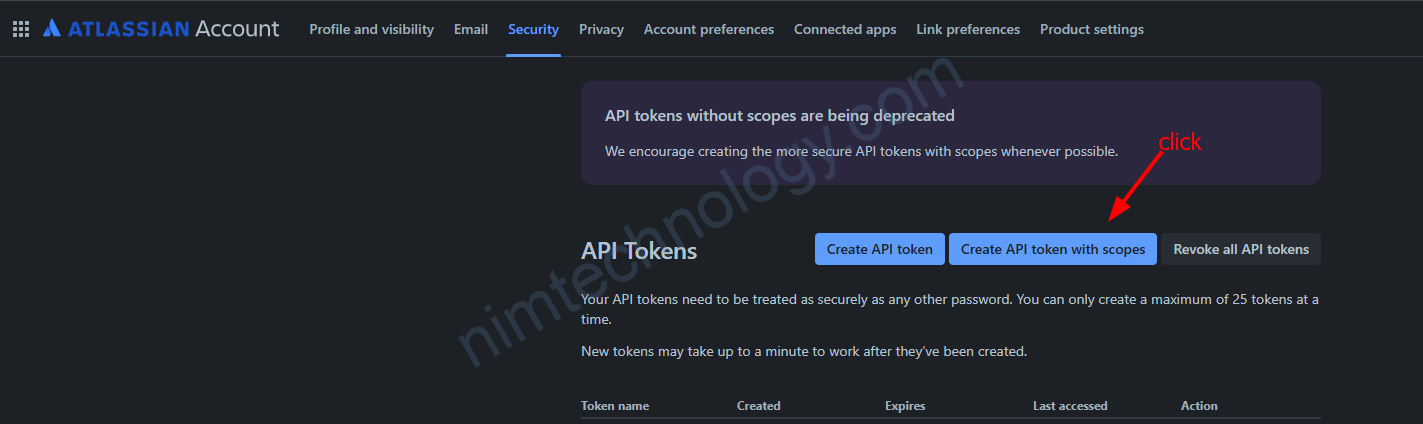
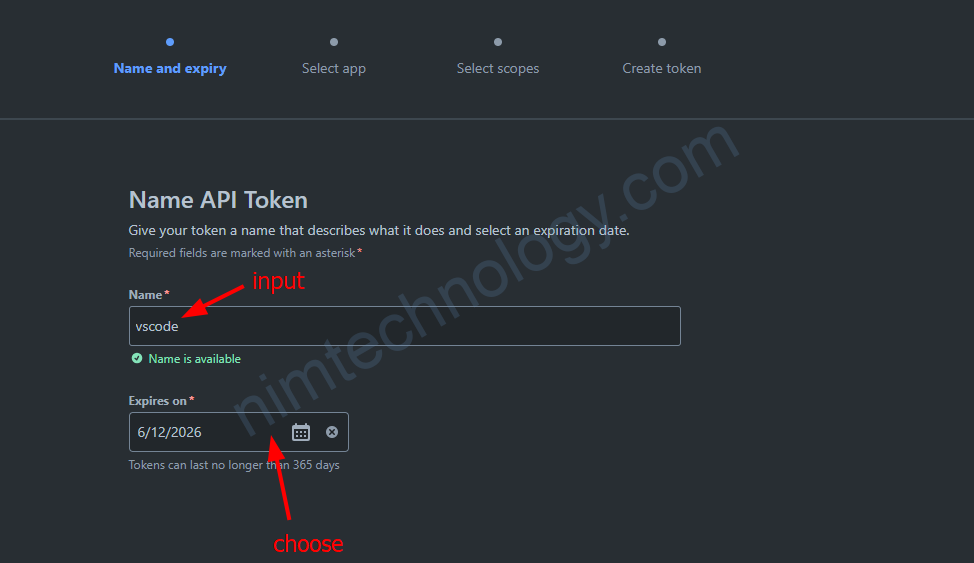
Bạn đăng tên dễ nhớ cho API token này và chọn thêm expire time.

Chọn bitbucket và ấn Next
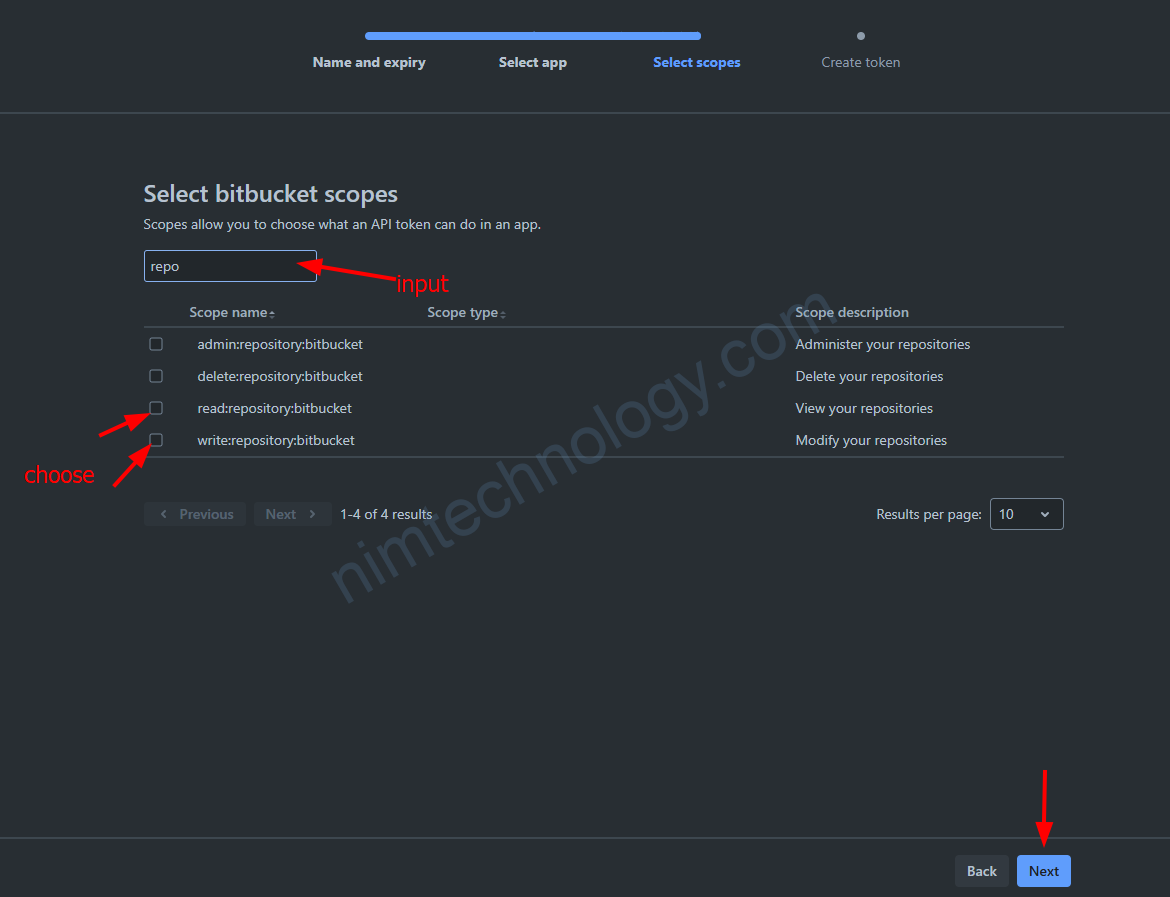
Ở đây tuỳ mục đích sử dụng, còn mình sẽ chọn:
read:repository:bitbucket -> View your repositories
write:repository:bitbucket -> Modify your repositories
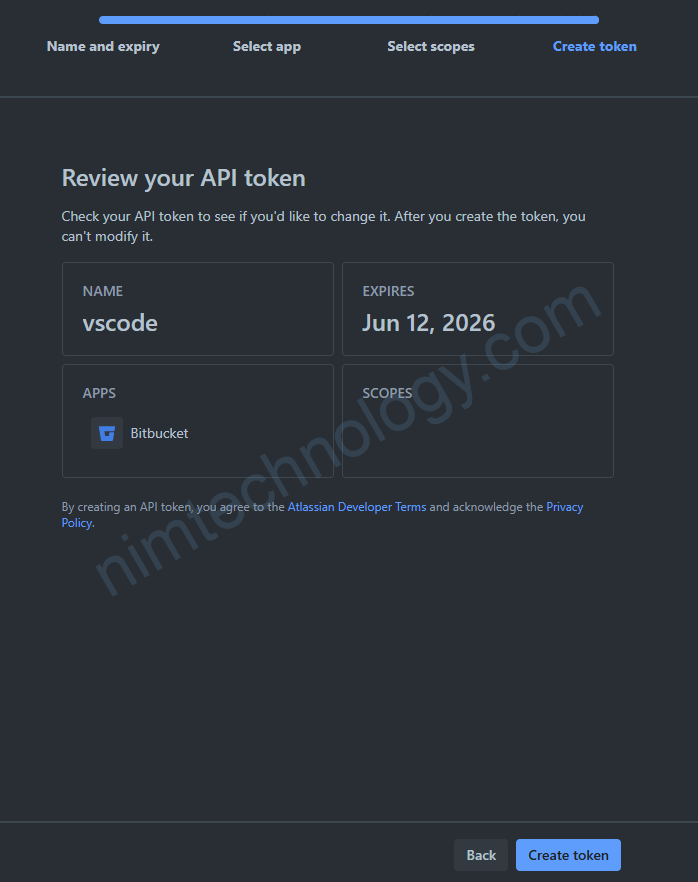
Review và ấn Create token
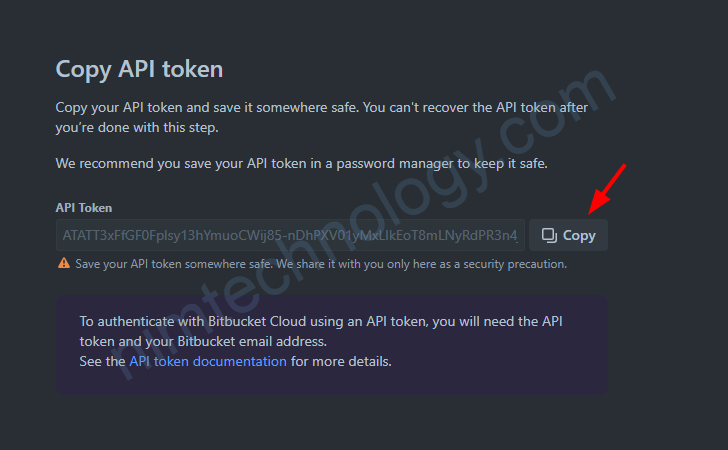
Khi đã có token chúng ta cất test qua 1 phát để token:
curl --request GET \
  --url 'https://api.bitbucket.org/2.0/repositories/{workspace}/{repository}' \
  --user '<EMAIL>:<API-TOKEN>' \
  --header 'Accept: application/json'
–url ‘https://api.bitbucket.org/2.0/repositories/{workspace}/{repository}’
- Base URL: https://api.bitbucket.org/2.0/ – Bitbucket Cloud REST API v2.0
- Endpoint: /repositories/{workspace}/{repository} – Gets repository information
- Placeholders:
- {workspace}: Your Bitbucket workspace name (organization or username)
- {repository}: The specific repository name
- Example: https://api.bitbucket.org/2.0/repositories/nimtechnology/devsecop
–user ‘<EMAIL>:<API-TOKEN>’
- Enables HTTP Basic Authentication
- Format: email:api_token
- Email: Your Bitbucket account email address (not username!)
- API-TOKEN: The API token you created in Bitbucket settings
- Security: curl automatically encodes this as Base64 and adds Authorization: Basic <encoded_credentials> header
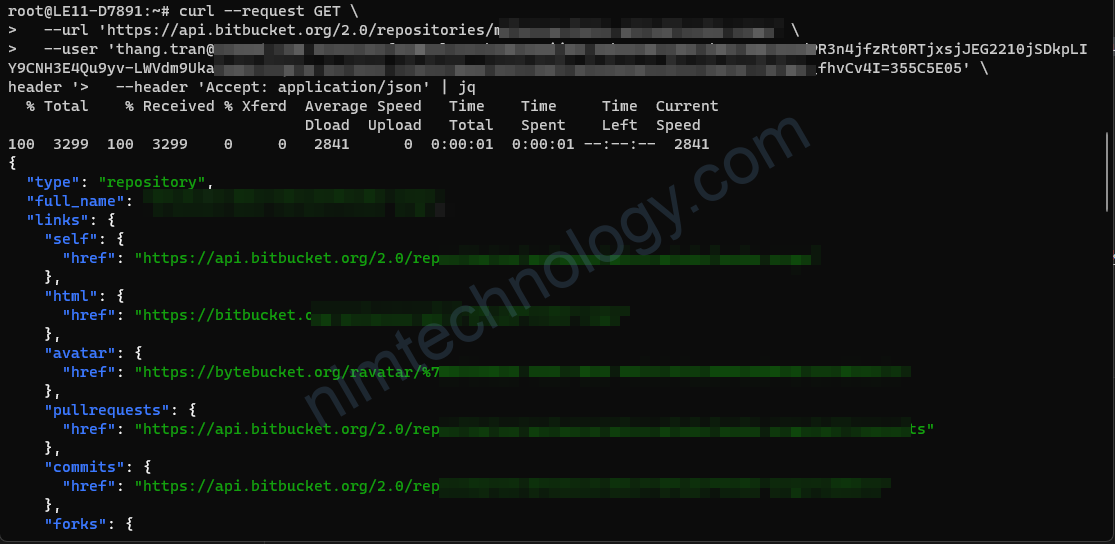
Run Curl trong nó trả về cho bạn 1 nùi thông tin là ok
Bây giờ chúng ta test git clone:
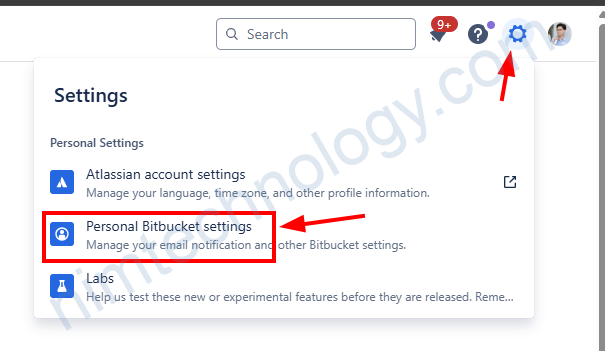
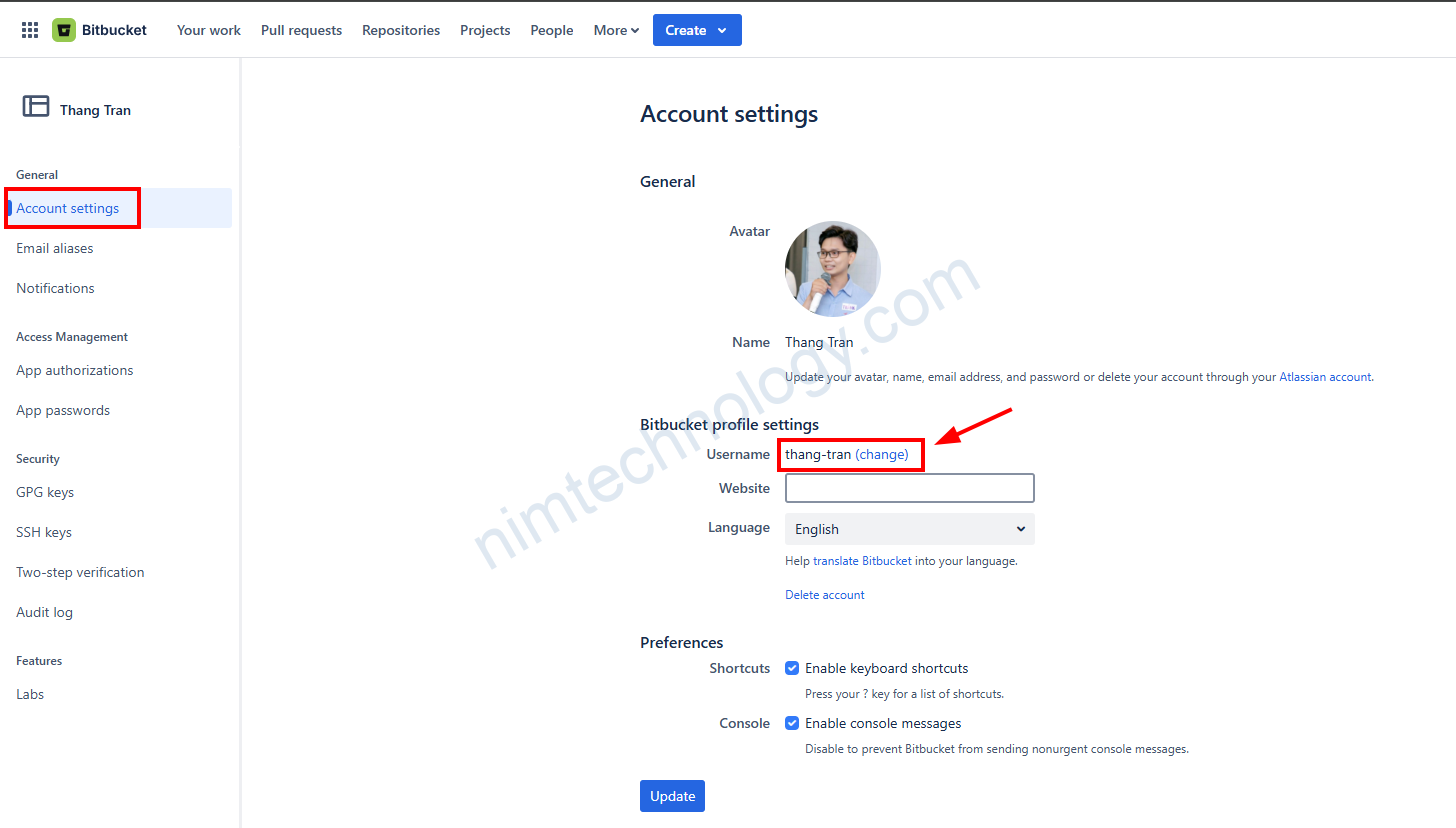
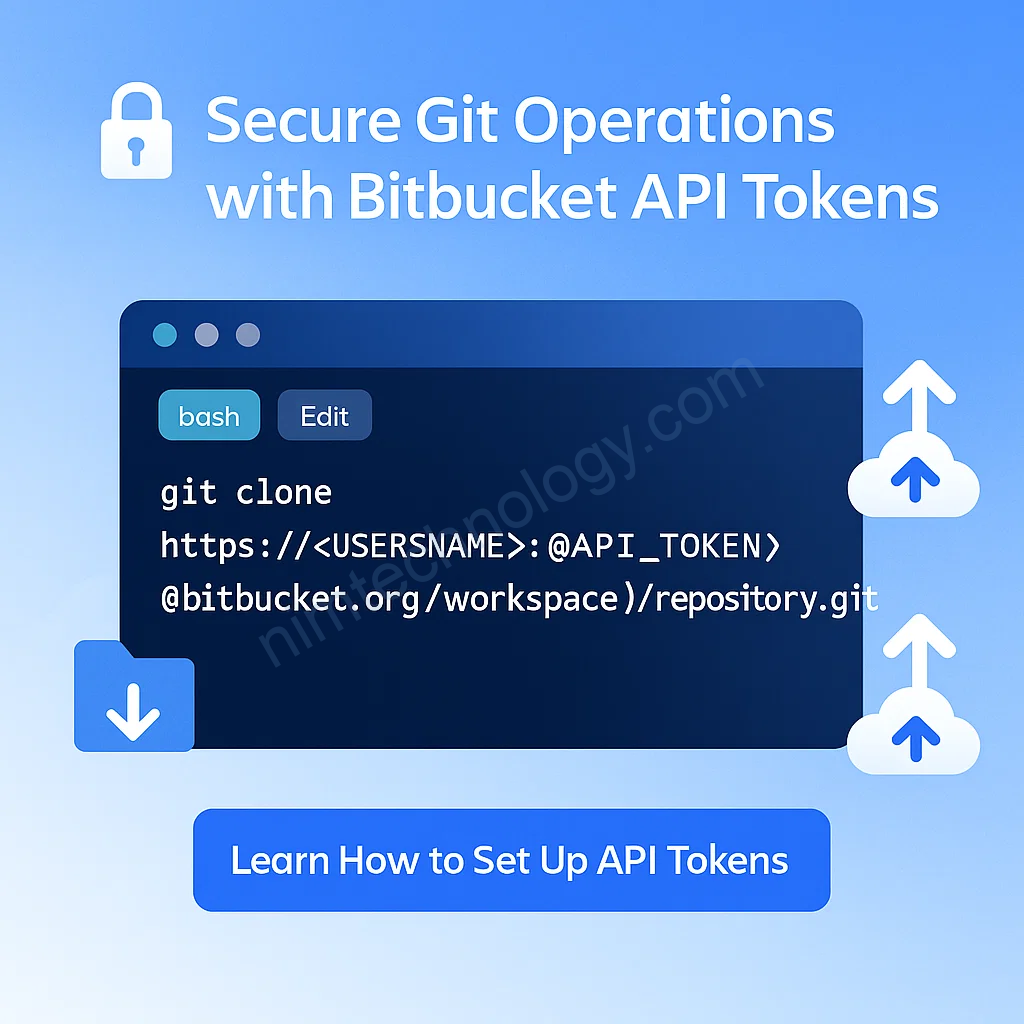
git clone https://<USERNAME>:<API_TOKEN>@bitbucket.org/{workspace}/{repository}.gitUser name bạn lấy ở đây: